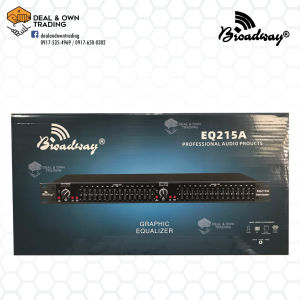
Broadway EQ-215A Dual Channel 15 Band Graphic Equalizer
Broadway EQ-215A Dual Channel 15 Band Graphic Equalizer
Broadway EQ-215A is a professional audio equipment designed for high-quality audio processing, offering a versatile range of applications in music production. This dual channel 15 band graphic equalizer is perfect for both stereo and mono modes, providing exceptional control over audio frequencies.
What is the Broadway EQ-215A?
Broadway EQ-215A is a top-of-the-line audio equipment that features a dual channel 15 band graphic equalizer, allowing users to adjust low/high, low/mid, and mid/high settings with ease. It is designed to deliver high-quality audio processing and is suitable for various applications in music production.
Key Features & Specifications
- Dual Channel 15 Band Graphic Equalizer: Provides exceptional control over audio frequencies.
- Stereo Mode: Offers low/high settings from 45 to 960 Hz or 450 Hz to 9.6 kHz (x10 setting), low/mid settings from 45 to 960 Hz or 450 Hz to 9.6 kHz (x10 setting), and mid/high settings from 450 Hz to 9.6 kHz.
- Mono Mode: Offers low/low-mid settings from 45 to 960 Hz or 450 Hz to 9.6 kHz (x10 setting), low-mid/high-mid settings from 450 Hz to 9.6 kHz, and high-mid/high settings from 450 Hz to 9.6 kHz.
- Filter Type: Linkwitz-Riley, 24db/octave, state-variable.
- Bandwidth: 20Hz to 20kHz, +0/-.0.5 dB.
- Freq Response: <3 Hz to > 90 Khz, +0/-3 dB.
- Signal to Noise: Ref +4 dBu, 22 kHz measurement bandwidth.
- Input Voltage: 230VAC.
- Power Consumption: 15 watts.
- Dimensions: 4.4 x 48.3 x 17.5 cm (HWD).
Comparison with Other Models
Compared to other models, Broadway EQ-215A offers superior audio processing capabilities, thanks to its dual channel 15 band graphic equalizer and versatile applications in music production. It is also equipped with a user-friendly interface, making it easy to adjust audio settings.
How to Use the Broadway EQ-215A
Using the Broadway EQ-215A is simple and straightforward. Follow these steps to get started:
Setting Up the Dual Channel 15 Band Graphic Equalizer
- Connect the Broadway EQ-215A to your audio source.
- Adjust the low/high, low/mid, and mid/high settings according to your preferences.
- Switch between stereo and mono modes as needed.
Adjusting Low/High, Low/Mid, and Mid/High Settings
To adjust the low/high, low/mid, and mid/high settings, simply turn the corresponding knobs on the Broadway EQ-215A. This will allow you to fine-tune the audio frequencies to achieve the desired sound quality.
Switching Between Stereo and Mono Modes
To switch between stereo and mono modes, press the corresponding button on the Broadway EQ-215A. This will allow you to adjust the audio settings according to your needs.
Benefits of Using the Broadway EQ-215A
Using the Broadway EQ-215A offers numerous benefits, including:
High-Quality Audio Processing
Broadway EQ-215A delivers exceptional audio processing capabilities, thanks to its dual channel 15 band graphic equalizer and state-of-the-art filter technology. This ensures that your audio sounds crisp and clear, regardless of the application.
Versatile Applications in Music Production
The Broadway EQ-215A is suitable for a wide range of applications in music production, including live performances, studio recordings, and broadcasting. Its versatile design allows it to adapt to various audio environments, making it a valuable addition to any music production setup.
Easy-to-Use Interface
The Broadway EQ-215A features a user-friendly interface, making it easy to adjust audio settings. This ensures that even users with limited technical knowledge can achieve professional-grade sound quality.
Conclusion
In conclusion, the Broadway EQ-215A Dual Channel 15 Band Graphic Equalizer is a top-of-the-line audio equipment that offers exceptional audio processing capabilities, versatile applications in music production, and an easy-to-use interface. It is the perfect choice for professionals and enthusiasts alike who demand the best in audio quality.

Deal & Own Trading
Review

You May Also Like

MIATONE QBOX - 16W Wireless Bluetooth Speaker IP67 Waterproof Speaker with Deep Bass Portable Speaker for Party Beach Camping Teenage Boy Girls Birthday Gift Ideas Mens Women Black
Motorcycle Noise Reduction Earplugs Comfortable Memory Foam Silicone Sleep Soundproof Earplugs Motorcycle

OVLENG P6 Stereo Gaming Headphone 120° Rotatable Microphone with 3.5mm Jack
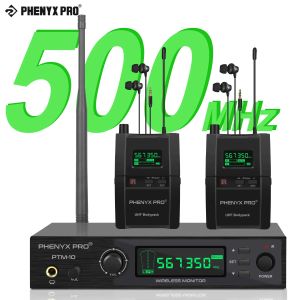
Phenyx Pro PTM-10B Wireless in Ear Monitor System True Stereo UHF IEM in Ear Monitors for Musicians Metal Stage Monitor 89 Frequencies Rack Mount for Studio/Band
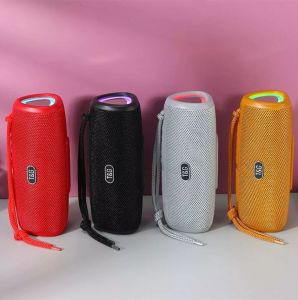
T&G TG344 TWS HiFi Portable Wireless Bluetooth V5.3 Speaker with Colorful Light and Strap
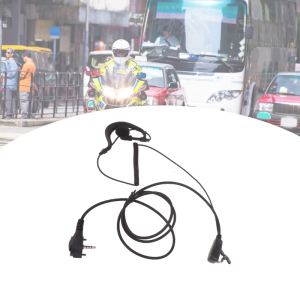
Clear Communication Headset for VX-10 VX-110 VX-130 VX-131 VX-132 VX-150 VX-160 VX-168 VX-180 VX-231 VX-241 VX-261 Radio
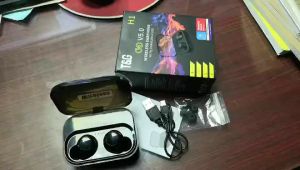
T&G TG 11 TWS V5.0 HiFi Sound Touch Control Wireless Bluetooth Earphone with Charging Case

Wireless Microphone 108V1-S/108V2-S UHF Charging Microphone 1280mA Rechargeable Lithium Battery MIC
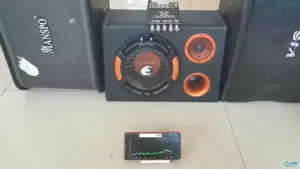
ZK-TB21 2.1 Channel Bluetooth Amplifier – 160W*2 + 220W Subwoofer High Fidelity Audio for Car & Home
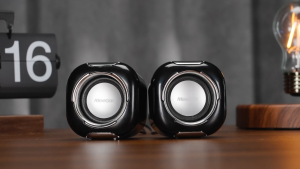
MeeGoo Mini Computer Speaker Stereo USB Wired Powered for PC Laptops Smartphone Multimedia Speaker
A520 Wireless Bluetooth Headphones Deep Bass Waterproof Sports TWS Ture Earbuds Calls With Mic