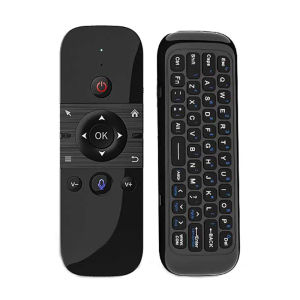
kebidumei | Wireless Air Voice Mouse 2 in 1 2.4G Bluetooth Mini Keyboard Rechargeable Remote Control IR Learning for Smart TV Android TV Box
M8 Mini Keyboard:Feature:1. USB pairing mode: Insert USB into the device, press OK key and Home key, and the LED will flash quickly. When the LED stops flashing, the pairing is successful.2. Turn over prohibition function: In order to prevent the wrong operation of keys, the air mouse is only allowed to move upward during normal use. The function of one side of the key is downward, and the function of one side of the key is prohibited to output.3. Sleep and wake-up: When the air mouse has no operation within 15 seconds, it will enter the sleep mode; After the air mouse enters hibernation, press any key to wake up the air mouse and enter the working state.4. Low battery prompt: When the air mouse is running low, the LED light flashes slowly to remind that it needs to be charged; The LED red light is always on during charging; When the LED red light is off, it is fully charged.5. How to use: Take out the USB receiver and insert it into the USB interface; For the first time, wait for 20-60 seconds, the system will automatically install the USB receiver driver, wave the keyboard, the cursor will move on the screen, and the air mouse keyboard can be used.Specification:Wireless Communication: 2.4G and BluetoothModulation frequency: 2.4-2.4835GHzOperating temperature: - 20 ℃ - 65 ℃Battery type: 400mAh/3.7V lithium batteryNumber of keys: 58Remote control distance: > 10m/32.8ftCharging port: Micro USBM5 Mini Keyboard:2 . 4G MODE:For initial use , plug a USB receiver into the USB port of device and waitfor 20-60 seconds to install driver of USB receiver . Move the mousethe mouse cursor can move on the screen means that pairingis successfulif it is unsuccessful , press and hold [ OK and [ BACK ] buttons , LED light begin to flash . Pairing is successful when LED light stop flashingBT 5.0 MODE:1 . Before using this device , first you must turn on the BT function of thelain device2 . Then long press " OK + Return keys , when the LED turns to flashhe product enters the pre pairing3 , Click add search new devices on the main device to find this airemotes name ( Example : BT-REMOTE ) . Click the name can to connecting4 . After the product is successfully connected , the direction of themouse pointer can be controlled by waving in the air5 .If the connection is not successful , please perform the operationsteps of item 2-4 again6 . Reconn ent efficiency description : The normal reconnent time of thiproduct is 3-5 seconds after it is normally paired with themain equipment7 . This product can only remember the pairing information of one maindevice , when the product is connected to a new device , theconnection of historical devices is not supported after8 . in this case . you need to delete the historical connection informationof this peripheral can be successfully matched for new searchCPIADJUSTMENTCPI ( Count Per Inch ) . Speed of the Mouse CursorAdjustment ( 3 Levels ) , 1 , 2 , 3 Level . The higher the level , the faster the speed . The default speed isset at level 21 . Speed IncreasePress OK button + Volume + ] button for about 3seconds , the work indicator flashes quickly and thengoes off , release the button , CPI on the basis of theoriginal increase 1 level2 . Speed DecreasePress [ OK ] + olume - for about 3 seconds , thework indicator flashes quickly and then goes off ,release the button , and CPI is reduced by 1 level onthe basis of the original

Prime Supply_Play Life
You May Also Like

QIAOSHE | Waterproof Dustproof Transparent Sunscreen Appliance Cover
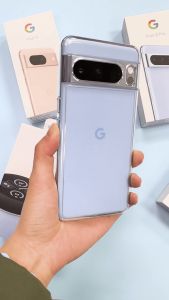
Ringke Fusion Compatible with Google Pixel 8 Pro Case Cover Transparent Hard Back Soft Flexible TPU Bumper Scratch Resistant Natural Form

SHUXIE | Shiny Crystal Phone Case
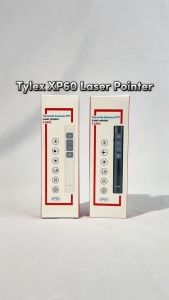
AVIDUS XP60 Top grade business PPT Laser Pointer Multi-OS Compatible Light Indicator Presentation Remote Functions
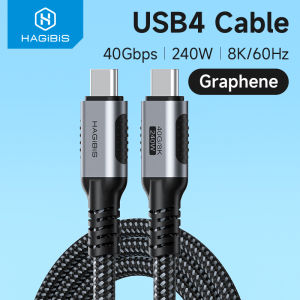
Hagibis USB 4 Cable Graphene Braided USB C To USB C 240W Fast Charging Cable With 8K60Hz 40Gbps Data Transfer Thunderbolt 4/3 Video Cord For iPhone 16/15 Pro iPad MacBook Pro Air Samsung Galaxy Huawei Matebook iPad Pro
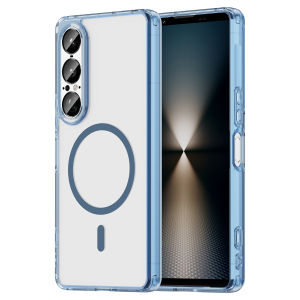
For Magsafe Magnetic Wireless Charging Phone Case For Sony Xperia 1 VII 1VII 10 VII 10VIII 5G Shockproof Clear Cover Coque
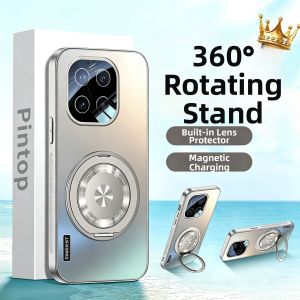
SIMERST | Anti-Drop Matte Full Coverage Phone Case
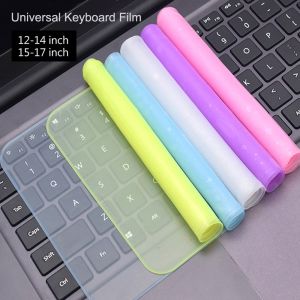
GLOBECART Dustproof 12-17 inch Keypad Protector Universal Laptop Keyboard Cover Skin Keyboard Film Notebook Computer

Upgrade 1080P HDMI To VGA Adapter Connector Cable Male To Famale For PS4 1080P HDMI-VGA Video For Projector PC TV Box Laptop
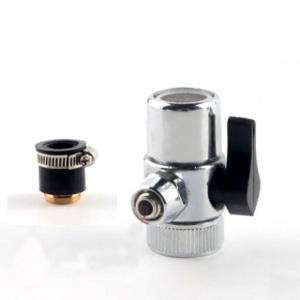
YUNLILI 9.5mm Switching Water Filter Accessories 3/8“ Faucet Fittings Adapter Diverter Tube Connector Single-cut Valve
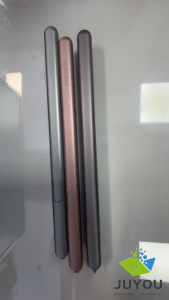
Galaxy Tab S6 Stylus Pen For Samsung Touch Screen Pen For Samsung SM-T860 SM-T865 EJ-PT860B Tablet No Bluetooth