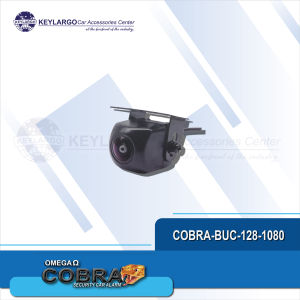
COBRA BACK UP CAMERA FOR ANDROID
COBRA BACK UP CAMERA FOR ANDROID
What is a Rearview Camera for Android?
A rearview camera for Android, like the COBRA back up camera, is a device designed to provide drivers with a clear view of what's behind their vehicle. This feature enhances safety by reducing blind spots and helping prevent accidents during reversing. The COBRA back up camera connects to your Android device, turning it into a powerful tool for automotive backup.
Key Features of COBRA Back Up Camera
The COBRA back up camera comes equipped with several essential features that make it an excellent choice for Android users:
- High-resolution display: Provides a clear view of the area behind your vehicle.
- Easy installation: Designed to be installed quickly and easily, even for those with limited technical expertise.
- Compatibility: Works seamlessly with most Android devices, including smartphones and tablets.
- Night vision: Equipped with infrared technology to ensure visibility in low-light conditions.
Benefits of Using a Rear Camera for Vehicles
There are several advantages to using a rear camera for vehicles, such as the COBRA back up camera:
- Enhanced safety: Reduces blind spots and helps prevent accidents during reversing.
- Improved visibility: Provides a clear view of the area behind your vehicle.
- Increased confidence: Helps drivers feel more secure while reversing.
How to Install an Android Backup Camera
Installing an Android backup camera, like the COBRA back up camera, is a straightforward process that can be completed in just a few steps. Here's what you'll need to get started:
Tools Needed for Installation
- COBRA back up camera kit
- Smartphone or tablet running Android OS
- Screws and screwdriver
- Electrical tape
Step-by-Step Installation Process
- Choose a location for the camera: Select a spot on your vehicle's rear bumper or license plate frame where the camera will have an unobstructed view.
- Mount the camera: Secure the camera to the chosen location using screws and a screwdriver.
- Connect the camera to your Android device: Follow the manufacturer's instructions to connect the camera to your smartphone or tablet.
- Test the camera: Turn on your Android device and test the camera to ensure it's working correctly.
How to Connect Your COBRA Back Up Camera to Your Android Device
Connecting your COBRA back up camera to your Android device is a simple process that involves setting up the connection and troubleshooting any issues that may arise.
Setting Up the Connection
- Download the COBRA back up camera app from the Google Play Store.
- Open the app and follow the on-screen instructions to connect your camera to your Android device.
- Once connected, test the camera to ensure it's working correctly.
Troubleshooting Common Issues
If you're experiencing issues with your COBRA back up camera, here are some common problems and solutions:
- No video feed: Ensure the camera is properly connected to your Android device and that the app is running.
- Poor image quality: Check the camera's position and adjust if necessary.
- Connection issues: Restart both your camera and Android device to resolve any connectivity problems.
Maximizing the Performance of Your COBRA Back Up Camera
To get the most out of your COBRA back up camera, follow these tips for optimal usage and maintenance:
Tips for Optimal Usage
- Keep the camera clean: Regularly wipe the lens with a soft cloth to maintain clear visibility.
- Position the camera correctly: Ensure the camera is mounted at the right height and angle to provide the best view of the area behind your vehicle.
- Use night vision: Take advantage of the camera's infrared technology to maintain visibility in low-light conditions.
Maintenance and Care
- Store the camera properly: When not in use, store the camera in a dry, cool place to prevent damage.
- Keep the camera's software updated: Regularly update the COBRA back up camera app to ensure optimal performance.
- Follow the manufacturer's guidelines: Refer to the COBRA back up camera manual for specific maintenance and care instructions.
By following these guidelines, you can enjoy the benefits of a rearview camera for Android and enhance your driving experience.

KEYLARGO CAR ACCESSORIES
Review

You May Also Like
Instant Printed Camera Thermal Camera Printer Kids Camera Digital Photo Camera Girl Toy Child Camera Video girl Christmas Gift

4K Digital Camera For Photography 18X Digital Zoom Camera Vlogging 3 180° Flip Screen With Flash
Dahua HDCVI Camera DH-HAC-HFW1500CN: A Comprehensive Guide
SVBONY SV211 Svbony SV211 Dovetail Base for SV503 OTA Telescope 135mm Telescope Handle Bar Metal Refractor Carry Handle Mount Bracket for Finder Scope Guide Scope Installation
LS VISION 4K 8MP WIFI/4G Dual Lens Solar CCTV Camera: Features & Benefits
Original A9 CCTV Camera: Connect Your Phone & Secure Your Home
ICSEE XM R11 Dual Lens CCTV Camera HD 1080P Wifi Motion Detection Night Vision indoor two way audio security cctv
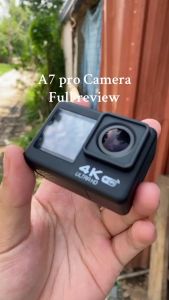
Alston E-CAM A7 PRO Dual Screen sports camera Outdoor 2.0 inch full HD 4K wireless WIFI riding anti-shake camera for vlogging
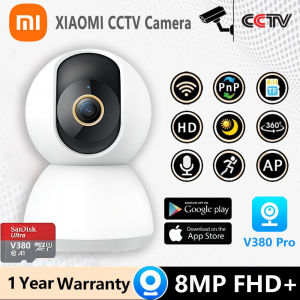
XIAOMI CCTV Camera Connect Cellphone Wifi Connect 360 HD Auto Tracking Waterproof Alarm Surveillance IP Security Cameras
Original 4x20 Scope with 11mm Bracket Mount Holder Optics Telescope Outdoor Sight
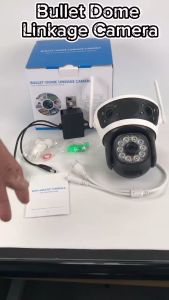
12MP Waterproof Security Camera: A Comprehensive Guide