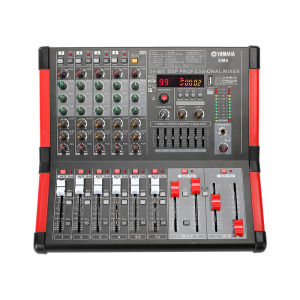
XM122 Mixer: A Comprehensive Guide to USB Recording & 99 DSP
XM122 Mixer: A Comprehensive Guide to USB Recording & 99 DSP
Introduction to XM122 Mixer
The XM122 mixer is a high-quality USB recording mixer that offers exceptional audio performance and versatility. Designed for musicians, producers, and audio enthusiasts, this mixer features a built-in 99 DSP, a 7-band equalizer, Bluetooth connectivity, and USB recording capabilities. With its intuitive interface and comprehensive set of features, the XM122 mixer is the ideal choice for anyone looking to elevate their audio production workflow.
Key Features
- Built-in 99 DSP
- 7-Band Equalizer
- Bluetooth Connectivity
- USB Recording Capabilities
Target Audience
The XM122 mixer is designed for musicians, producers, and audio enthusiasts who are looking for a high-quality USB recording mixer with advanced features such as built-in DSP, equalization, and wireless connectivity. This mixer is perfect for those who want to create professional-sounding recordings and live performances.
Understanding XM122 Group Outputs
Group outputs are an essential feature of any mixer, allowing users to route multiple channels to a single output. With the XM122 mixer, you can easily utilize group outputs to manage your audio signals and streamline your workflow.
How to Utilize Group Outputs
To use group outputs on the XM122 mixer, simply assign channels to the desired group output using the channel assignment controls. Once assigned, the audio signals from those channels will be combined and sent to the group output.
Benefits of Group Outputs
Using group outputs on the XM122 mixer offers several advantages, including:
- Simplified signal routing
- Improved organization of audio signals
- Enhanced control over audio levels
Exploring XM122's Built-in 99 DSP
The XM122 mixer features a built-in 99 DSP, providing users with access to a wide range of digital signal processing effects. This powerful feature allows users to enhance their audio signals and create unique sounds for their recordings and live performances.
How to Access & Utilize DSP
To access and utilize the built-in 99 DSP on the XM122 mixer, simply navigate to the DSP menu using the control panel. From there, you can select the desired effect and adjust its parameters to achieve the desired sound.
Advantages of 99 DSP
Using the built-in 99 DSP on the XM122 mixer offers several advantages, including:
- Enhanced audio quality
- Increased creativity and versatility
- Improved sound design capabilities
Leveraging XM122's 7-Band Equalizer
A 7-band equalizer is a powerful tool for shaping and enhancing audio signals. With the XM122 mixer, users have access to a built-in 7-band equalizer, allowing them to fine-tune their audio signals and achieve professional-sounding results.
What is a 7-Band Equalizer?
A 7-band equalizer is a type of audio processor that allows users to adjust the frequency response of their audio signals. By adjusting the levels of different frequency bands, users can shape the overall sound of their audio signals and achieve the desired tonal balance.
How to Use the Equalizer
To use the 7-band equalizer on the XM122 mixer, simply navigate to the EQ menu using the control panel. From there, you can adjust the levels of each frequency band to shape the sound of your audio signals.
Benefits of the 7-Band Equalizer
Using the built-in 7-band equalizer on the XM122 mixer offers several advantages, including:
- Enhanced audio quality
- Improved tonal balance
- Increased creativity and versatility
XM122 Bluetooth & USB Recording Capabilities
The XM122 mixer features Bluetooth and USB recording capabilities, allowing users to easily connect their devices and record high-quality audio. With these features, users can streamline their workflow and create professional-sounding recordings with ease.
How to Connect via Bluetooth
To connect to the XM122 mixer via Bluetooth, simply enable Bluetooth on your device and search for available devices. Once the XM122 mixer appears in the list of available devices, select it to establish a connection.
How to Record via USB
To record audio via USB on the XM122 mixer, simply connect a USB cable to the mixer and your computer. Once connected, you can use your preferred digital audio workstation (DAW) to record and edit your audio files.
Advantages of Bluetooth & USB Recording
Using the Bluetooth and USB recording capabilities on the XM122 mixer offers several advantages, including:
- Easy device connectivity
- High-quality audio recording
- Streamlined workflow

constellation audio
You May Also Like
Tylex XSP05 Computer Soundbar with 5.3 Bluetooth Speaker Plug & Play 360 Surround RGB Lightning
AV-999FM 220V 3000W Home Stereo Audio Amplifier Bluetooth 4CH EQ Wireless With Mixer Equalizer

Jeep EW011 TWS Wireless Headphones: Bluetooth 5.3 & Bass Music Earbuds

Lenovo LP75 Wireless Headphones TWS Bluetooth 5.3 Hifi Stereo Noise Reduction Earphones Gaming Sports Ear Hook with Mic Earbuds
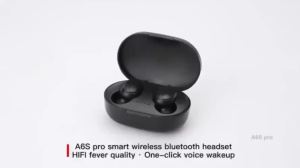
A6S earphones TWS Noise Canceling Wireless Bluetooth headset V5.0 with Microphone
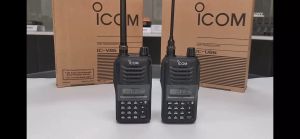
Icom V86 Walkie Talkie: IP54 Protection & Long-Range VHF Radio
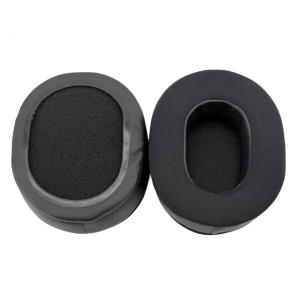
1 Pair Soft Sponge Replacement Ear Pad for ATH-MSR7 M50X M40X M30X M20X SX1 M50XBT Headphones Ear Pad Accessories
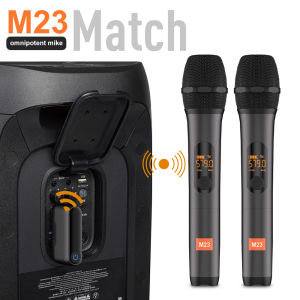
Wireless Microphone M23 UHF Recording Universal Karaoke Mic With Rechargeable Lithium Battery Receiver Work 5 Hours For Speaker
Knit rope headphones Wired headphones in-ear for Apple Samsung cell phone bass 3.5MM braided wire headphones Women headphone Girls headphone Men headphone
![[PERNG] Tehe Arcade Speaker 4 Inch 8 5W Speaker With 4 Inch Grille For Arcade Game Machine Claw Machine Speaker Amplifier Kit](https://img.lazcdn.com/g/p/19e6825fa4959a7dec9516f0dc117e63.jpg_300x300q80.jpg)
[PERNG] Tehe Arcade Speaker 4 Inch 8 5W Speaker With 4 Inch Grille For Arcade Game Machine Claw Machine Speaker Amplifier Kit
TECHZONE HM-1857 3 in 1 Foldable Wireless Bluetooth Speakers Portable Desktop Fan with RGB Ring Light for Travel