Magcubic Android 11 4K Smart Projector: A Comprehensive Guide
Magcubic Android 11 4K Smart Projector: A Comprehensive Guide
What is the Magcubic Android 11 4K Smart Projector?
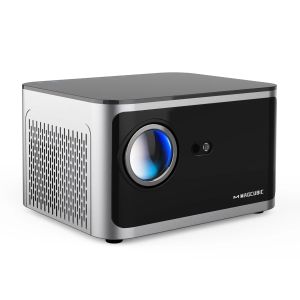
The Magcubic Android 11 4K Smart Projector is a high-quality home cinema device that offers a seamless viewing experience for movie enthusiasts and casual users alike. This 580ANSI Full HD projector supports 1920x1080P resolution and is equipped with advanced features such as Wifi6 BT5.0 connectivity, voice control, and the Android 11 operating system.
Key Features
- Android 11 OS: Enjoy a smooth and intuitive user interface with access to thousands of apps and games available on the Google Play Store.
- Voice Control: Use your voice to control playback, adjust settings, and more with built-in voice recognition technology.
- Wifi6 BT5.0 Connectivity: Experience lightning-fast wireless connectivity and seamless Bluetooth pairing with other devices.
- 4K Smart Projector: Enjoy crystal-clear 4K resolution and vibrant colors for an immersive viewing experience.
- 580ANSI Full HD: Get a bright and sharp image with 580 ANSI lumens of brightness.
Technical Specifications
- Resolution: 1920x1080P
- Brightness: 580 ANSI lumens
- Connectivity: Wifi6, BT5.0
- Operating System: Android 11
- Processor: Allwinner H713
How to Set Up Your Magcubic Projector
Setting up your Magcubic Android 11 4K Smart Projector is a breeze thanks to its user-friendly design and intuitive interface. Here's how to get started:
Connecting to Wi-Fi & Bluetooth
- Power on your projector by pressing the power button located on the front panel.
- Press the 'Menu' button to access the settings menu.
- Navigate to the 'Network' or 'Wi-Fi' option and select your desired network.
- Enter the Wi-Fi password when prompted and wait for the connection to establish.
- To connect to Bluetooth devices, navigate to the 'Bluetooth' option in the settings menu and follow the on-screen instructions.
Voice Control & Home Cinema Experience
To enable voice control, simply press and hold the 'Voice' button located on the front panel of the projector. Once activated, you can use your voice to control playback, adjust settings, and more. For a truly immersive home cinema experience, pair your projector with a soundbar or external speakers to enjoy rich, high-quality audio.
Exploring the Magcubic Android 11 OS
The Magcubic Android 11 operating system offers a wide range of features and capabilities to enhance your viewing experience. Here's a closer look at some of the key aspects of the Android 11 OS:
User Interface & Navigation
The Android 11 OS provides a clean and intuitive user interface that makes navigation a breeze. You can easily access your favorite apps, games, and media files with just a few taps. The home screen displays a grid of app icons, while the navigation bar at the bottom of the screen allows you to switch between apps and access the settings menu.
Smart Features & Connectivity
The Magcubic Android 11 OS offers a range of smart features and connectivity options to enhance your viewing experience. Some of the key features include:
- Google Assistant: Use voice commands to control playback, adjust settings, and more with Google Assistant integration.
- Screen Mirroring: Mirror your phone or tablet screen to the projector for a seamless viewing experience.
- File Sharing: Share files between devices using the built-in file sharing feature.
- Remote Control: Control your projector remotely using the Magcubic remote app available on the Google Play Store.
Tips & Tricks for Optimal Viewing
To get the most out of your Magcubic Android 11 4K Smart Projector, here are some tips and tricks to help you achieve optimal viewing:
Image & Sound Settings
Adjust the image and sound settings to suit your preferences and optimize the viewing experience. Some recommended settings include:
- Image Settings: Adjust the brightness, contrast, and color settings to achieve the perfect balance of colors and clarity.
- Sound Settings: Adjust the volume, bass, and treble settings to achieve the perfect balance of audio quality.
Troubleshooting Common Issues
If you encounter any issues with your projector, here are some troubleshooting tips to help you resolve common problems:
- No Sound: Check if the sound is muted or if the volume is set too low. Also, ensure that the audio output is set to the correct device.
- No Picture: Check if the projector is properly connected to a power source and if the input source is selected correctly. Also, ensure that the projector lens is clean and free of obstructions.
- Connection Issues: Restart the projector and try reconnecting to the Wi-Fi network or Bluetooth device. If the issue persists, check if there are any firmware updates available for the projector.
In conclusion, the Magcubic Android 11 4K Smart Projector is a versatile and powerful home cinema device that offers a range of features and capabilities to enhance your viewing experience. With its advanced connectivity options, intuitive user interface, and high-quality audio and video performance, this projector is sure to impress even the most discerning movie enthusiasts.

Global Merch Park
Review
You May Also Like
Ultra high definition 4K projector home TV bedroom living room wall projection home cinema mobile phone screen projection
Mini Projector 1080P Full HD 4K Android 10.0 Projector Portable Beamer 8000 Lumens Home Cinema Classroom Office WiFi Wireless Mirror Screen Bluetooth HMDI Mobile TV
Wanbo Davinci 1 Pro Smart Projector ASA 3.0 Android 11 HD Google TV 4K 180 inch Home Theater Netflix

White and grey fiberglass material 16:9 HD Electric Projection Screen Remote Control Automatic Lifting Home Theater Outdoor electric lifting screen with remote control curtain wall installation
Desktop Projector Holder Stand Folding Table Mobile Projector Mount Removable Adjustable Projectors Bracket Holder
Tanix TX1 Android TV Box Allwinner H313 Quad Core 2.4G Wifi Mini Smart TV Box Power by DC 5V 2A
Android tv box IATV Q5 with Bluetooth Voice Remote Control | 5G WIFI | 4K UHD | Bluetooth 5.2 | Plug and Play
Home Theater Android Projector with Wireless Screen Mirroring Android Projector with Google Assistant & App Store Access
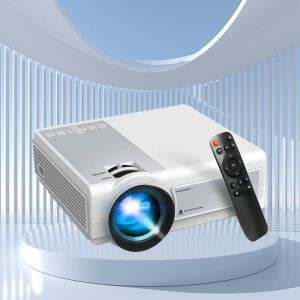
Global TFlag L36P Projector Full Hd 1080P 4K Wifi Mini LED Portable Projetor 2.4G 5G For Smartphone Video Home Office Camping
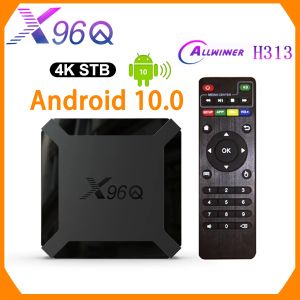
X96Q Android10 TV Box: A Comprehensive Guide
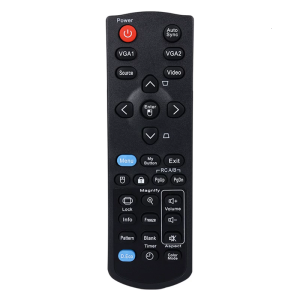
Reliable Replacement Remotes Control for PJD6353S PJD5134 Projectors Remotes with Full Functionality Wear-resistant