Desktop Display Bracket & Acrylic Computer Riser: A Comprehensive Guide
Desktop Display Bracket & Acrylic Computer Riser: A Comprehensive Guide
Introduction to Desktop Display Brackets & Acrylic Computer Risers
What is a Desktop Display Bracket?
A desktop display bracket is a versatile device designed to elevate and angle your monitor, enhancing ergonomics and organization. These brackets are often adjustable, allowing you to customize the height and tilt of your screen to suit your needs.
What is an Acrylic Computer Riser?
An acrylic computer riser is a sleek, transparent stand that elevates your desktop setup, providing ample space beneath your monitor or keyboard. These risers come in various sizes and shapes, offering a modern aesthetic while improving cable management and airflow.
Choosing the Right Desktop Display Bracket & Acrylic Computer Riser
Factors to Consider When Selecting a Display Bracket
When choosing a display bracket, consider the following factors:
- Compatibility: Ensure the bracket supports your monitor's weight and VESA mount size.
- Adjustability: Look for a bracket that offers height, tilt, and swivel adjustments.
- Sturdiness: Opt for a bracket made from durable materials, such as metal or high-quality plastic.
- Design: Select a bracket that complements your desk setup and personal style.
Factors to Consider When Selecting an Acrylic Computer Riser
When choosing an acrylic computer riser, consider the following factors:
- Size: Ensure the riser provides enough space for your monitor, keyboard, or other components.
- Weight Capacity: Verify that the riser can support the weight of your equipment.
- Design: Select a riser that fits seamlessly into your desk setup and personal style.
- Cable Management: Look for a riser with built-in cable management features to keep your workspace tidy.
Setting Up Your Desktop Display Bracket & Acrylic Computer Riser
Step-by-Step Guide to Installing a Display Bracket
- Prepare your monitor: Remove any existing mounting hardware from your monitor.
- Attach the bracket: Secure the display bracket to your monitor using the included mounting hardware.
- Mount the bracket: Attach the bracket to your desk or wall mount, following the manufacturer's instructions.
- Adjust the height and tilt: Customize the bracket's height and tilt to suit your needs.
Step-by-Step Guide to Installing an Acrylic Computer Riser
- Measure your workspace: Determine the size and weight requirements for your riser.
- Select a suitable riser: Choose a riser that meets your needs and complements your desk setup.
- Place the riser: Position the riser on your desk, ensuring it is stable and secure.
- Organize your workspace: Arrange your monitor, keyboard, or other components on the riser, taking advantage of its cable management features.
Maximizing the Benefits of Your Desktop Display Bracket & Acrylic Computer Riser
Improving Ergonomics with a Display Bracket
A display bracket can significantly enhance ergonomics by allowing you to adjust the height and tilt of your monitor. Proper positioning can reduce eye strain, neck pain, and shoulder discomfort, leading to a more comfortable and productive work environment.
Organizing Your Desk with an Acrylic Computer Riser
An acrylic computer riser can help keep your workspace tidy by elevating your monitor, keyboard, or other components. This creates additional desk space for organizing cables, documents, and other items, resulting in a more efficient and visually appealing setup.
Additional Tips for Optimal Performance
Maintaining Your Display Bracket
To ensure your display bracket remains in good condition, follow these tips:
- Regularly inspect: Check for any loose or damaged parts and tighten or replace as needed.
- Clean: Wipe down the bracket with a soft cloth and mild cleaning solution to remove dust and debris.
- Avoid overloading: Do not exceed the bracket's weight capacity.
Maintaining Your Acrylic Computer Riser
To keep your acrylic computer riser looking its best, follow these tips:
- Regularly inspect: Check for any cracks or damage and replace if necessary.
- Clean: Wipe down the riser with a soft cloth and mild cleaning solution to remove fingerprints and smudges.
- Avoid overloading: Do not exceed the riser's weight capacity.

TAO Garden
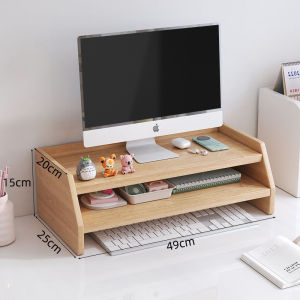
Review

You May Also Like
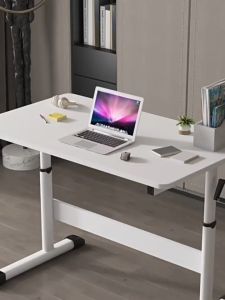
Adjustable Height Computer Desk Laptop Table for Bed Desk Lift Standing Desk 80/100/120cm Sit Stand Desk Household Childrens Room Student Study Table Multi-functional Stand up Desk for Work Office Home

DIVI STORE Wire Grid Hanging Basket BLACK & White Coating wire mesh Basket open basket Flower Pot Hanging Wire BaskeT
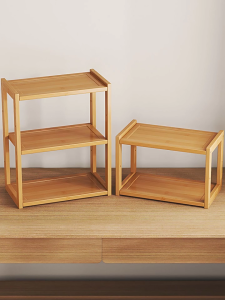
Storage Rack 2nd or 3rd Floor Primary Colours Multi Functional and Space Saving

Classic Universal Storage Basket: Neat Table & Cabinet BPA-free Storage Box Desktop Organizer Sundry Organizer

The Ultimate Guide to Stainless Steel & Metal Bed Frames

Storage Bins with Lids - Collapsible Storage Bins Clear Black Wardrobe Closet Organizer 19Gal Stackable Toy Storage Foldable Plastic Storage Container with Door Crate for Book Storage

Bamboo Kitchen Cabinet Storage Organizer Shelf With Pull-Out Doors Sideboard

HULULU Lazy Sofa Single Sofa Caterpillar Lazy Sofa Reclining Bedroom Balcony Sofa Bed Small Apartment Living Room Leisure Chair Reclining Can Sleep

Rugged Folding Chair Set & Compact Outdoor Furniture: A Comprehensive Guide

Outdoor Portable Foldable Baskets: A Comprehensive Guide

DailyGo Black Sunshade Net Outdoor Garden Sunscreen Shade Cloth Net Greenhouse Cover