Rantoper 15.6 Inch Portable Gaming LCD Monitor: A Comprehensive Guide
Rantoper 15.6 Inch Portable Gaming LCD Monitor: A Comprehensive Guide
Introduction to Rantoper 15.6 Inch Portable Gaming LCD Monitor
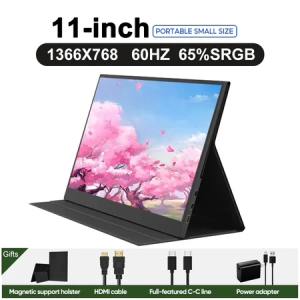
The Rantoper 15.6 Inch Portable Gaming LCD Monitor is a versatile and powerful device designed specifically for gamers who want to enhance their gaming experience while remaining mobile. This portable gaming monitor supports resolutions up to 1080P/2k/4k and refresh rates of 60Hz/144Hz, making it perfect for both casual and professional gamers. The monitor features a touch screen IPS display, ensuring crisp visuals and accurate color representation.
Key Features & Specifications
Here are some of the key features and specifications of the Rantoper 15.6 Inch Portable Gaming LCD Monitor:
- 15.6-inch dual screen display
- HDMI Type-C connectivity
- Support for resolutions up to 1080P/2k/4k
- Refresh rates of 60Hz/144Hz
- Touch screen IPS monitor
- 100% sRGB color gamut
- USB Type-C cable included
- HDMI cable included
- Power adapter included
- Instruction manual included
Comparison with Other Portable Monitors
Compared to other portable monitors on the market, the Rantoper 15.6 Inch Portable Gaming LCD Monitor stands out due to its impressive specifications and versatile design. The touch screen IPS display provides excellent visuals and accurate color representation, while the support for resolutions up to 1080P/2k/4k and refresh rates of 60Hz/144Hz makes it perfect for both casual and professional gamers. Additionally, the monitor comes with a 3-year warranty, giving users peace of mind when investing in this device.
How to Set Up Your Portable Gaming LCD Monitor
Setting up your Rantoper 15.6 Inch Portable Gaming LCD Monitor is easy and straightforward. Here are some steps to help you get started:
Connecting Your Device via HDMI Type-C
To connect your device to the monitor, use the included HDMI cable and USB Type-C cable. Simply plug one end of the HDMI cable into your device and the other end into the monitor. Then, plug the USB Type-C cable into the monitor and your device.
Setting Up Dual Screen Mode
To set up dual screen mode, connect both cables to your device and the monitor. This will allow you to use both screens simultaneously, providing a larger workspace and improved productivity.
Configuring Resolution & Refresh Rate
To configure the resolution and refresh rate of your monitor, go to the settings menu on your device and select the appropriate options. This will ensure that your monitor is optimized for your specific needs.
Enhancing Your Gaming Experience with Portable Gaming LCD Monitor
Using the Rantoper 15.6 Inch Portable Gaming LCD Monitor can significantly enhance your gaming experience. Here are some tips to help you optimize your performance and display settings:
Optimizing Performance & Display Settings
To optimize performance and display settings, adjust the resolution and refresh rate of your monitor to match your device's capabilities. Additionally, enable any available features such as adaptive sync or variable refresh rate to ensure smooth gameplay.
Using Touch Screen IPS Monitor for Better Gameplay
Using the touch screen IPS monitor can improve your gameplay by providing accurate visuals and responsive controls. This is particularly useful for games that require precise movements or quick reflexes.
Utilizing Portable Gaming LCD Monitor for Multi-tasking
Using the portable gaming LCD monitor for multi-tasking can significantly improve your productivity. By using both screens simultaneously, you can work on multiple tasks at once, increasing efficiency and reducing distractions.
Maintaining & Troubleshooting Your Portable Gaming LCD Monitor
To keep your Rantoper 15.6 Inch Portable Gaming LCD Monitor in good condition, follow these maintenance and troubleshooting tips:
Cleaning & Care Tips
To clean your monitor, use a soft cloth and mild cleaning solution. Avoid using abrasive materials or harsh chemicals, as they may damage the screen. Additionally, store the monitor in a cool, dry place to prevent damage from moisture or extreme temperatures.
Resolving Common Issues
If you experience any issues with your monitor, consult the instruction manual or contact Rantoper's customer support team for assistance. Some common issues include connectivity problems, display issues, and audio problems.
Warranty & Support Information
The Rantoper 15.6 Inch Portable Gaming LCD Monitor comes with a 3-year warranty, giving users peace of mind when investing in this device. Additionally, Rantoper provides excellent customer support, ensuring that any issues are resolved quickly and efficiently.

MVP Brand Digital Mall
You May Also Like
7 Inch IoT Screen 1024*600 6P Ethernet/CAN/RS485 TFT LCD Display MODBUS RTU Lua Script Touch / IPS Optional
Expose UPS Power Supply Mini 12400mAh 36W Mini UPS Uninterrupted For WiFi Router Modem Powerbank Security Camera battery
20mm Cooling Fan DC5V With Removable Aluminum Heatsink High Airflow 1.25CFM For Electronics DIY
100*30CM DIY PVC Computer Dust Filter Covers Mesh PC Chassis Case Fan Cooler Dustproof Cover Sponge PVC Computer Mesh Cover
Lighting transformer AC190-240V to DC12V 24V 200W-600W Aluminum outdoor IP67 waterproof switching power supply for LED lighting advertising light boxes
PCIe 8Pin 180 Degree Angle Adapter Board For Optimized Desktop Graphics Wiring for Desktop Graphics Cards
IDEAL LIFE 12V 1.5A Uninterruptible Power Supply Mini UPS up for WiFi Router Modem
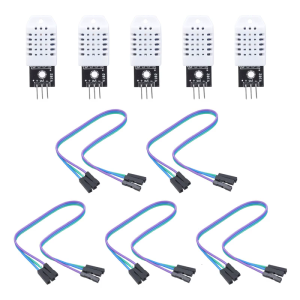
Set Of 5 Temperature Humidity Sensors Module with Cable Home Automation Sensors Suitable for Greenhouses And More
Patch Panel 8 Port CAT5e 10G Support 1U Patch Panel UTP Wallmount or Rackmount Punch Down Block for CAT5e
![[Heartsbat] 5pcs set Mini 3A DC Adjustable Converter Step Down Power Supply Replace LM2596](https://img.lazcdn.com/g/p/ecd809423ae3cb47d48962684f3ece86.jpg_300x300q80.jpg)
[Heartsbat] 5pcs set Mini 3A DC Adjustable Converter Step Down Power Supply Replace LM2596
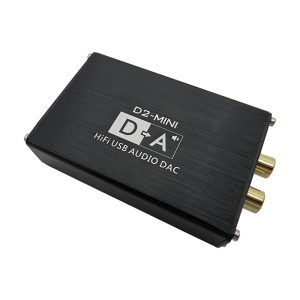
Premium Metal Body USB Audios Decoders Supports Losslessly Sound for Professional Mixing Universal Computer Compatibility