Gamen ME Original Bluetooth 5.0 Wireless Speaker & Soundbar: A Comprehensive Guide
Gamen ME Original Bluetooth 5.0 Wireless Speaker & Soundbar: A Comprehensive Guide
The Gamen ME Original Bluetooth 5.0 Wireless Speaker & Soundbar is a versatile audio device designed to enhance your entertainment experience. With its sleek design and advanced features, this wireless audio soundbar is perfect for music lovers, movie enthusiasts, and anyone looking to enjoy high-quality sound. This comprehensive guide will walk you through the key features, package contents, setup process, and tips for maximizing your experience with the Gamen ME Original Bluetooth 5.0 Wireless Speaker & Soundbar.
Overview of Gamen ME Original Bluetooth 5.0 Wireless Speaker & Soundbar
Key Features
The Gamen ME Original Bluetooth 5.0 Wireless Speaker & Soundbar boasts several impressive features that make it stand out from the competition. Here are some of the key features:
- FM AUX with Mic: This feature allows you to listen to FM radio stations and connect external audio devices via the AUX port. Additionally, the built-in microphone enables you to answer calls hands-free.
- Compatible with Calls: The Gamen ME Original Bluetooth 5.0 Wireless Speaker & Soundbar is designed to work seamlessly with your smartphone, allowing you to take calls without interrupting your entertainment experience.
- Bluetooth 5.0 Connectivity: With Bluetooth 5.0, you can enjoy stable and lag-free audio streaming from your smartphone, tablet, or computer.
- High-Quality Audio: The Gamen ME Original Bluetooth 5.0 Wireless Speaker & Soundbar delivers crisp, clear sound that will bring your favorite music and movies to life.
Package Contents
When you purchase the Gamen ME Original Bluetooth 5.0 Wireless Speaker & Soundbar, you'll receive the following items:
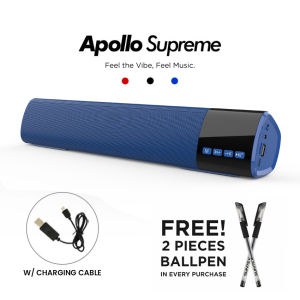
- 1 x Apollo Supreme
- 1 x USB cord
- 1 x AUX cable
These components will help you set up and enjoy your new wireless audio soundbar effortlessly.
How to Set Up Your Gamen ME Original Bluetooth 5.0 Wireless Speaker & Soundbar
Setting up your Gamen ME Original Bluetooth 5.0 Wireless Speaker & Soundbar is simple and straightforward. Follow these steps to get started:
Connecting to Your Device
To connect your Gamen ME Original Bluetooth 5.0 Wireless Speaker & Soundbar to your device, follow these steps:
- Power on the wireless speaker by pressing the power button.
- On your smartphone, tablet, or computer, go to the Bluetooth settings and enable Bluetooth.
- Locate the Gamen ME Original Bluetooth 5.0 Wireless Speaker & Soundbar in the list of available devices and select it to connect.
- Once connected, you can start streaming audio from your device to the wireless speaker.
Using the FM AUX with Mic Functionality
The Gamen ME Original Bluetooth 5.0 Wireless Speaker & Soundbar comes equipped with an FM AUX port that allows you to connect external audio devices and listen to FM radio stations. To use this feature, follow these steps:
- Connect your desired external audio device to the AUX port using the provided AUX cable.
- Press the FM/AUX button on the wireless speaker to switch to the AUX input.
- Adjust the volume using the volume control buttons on the wireless speaker.
Answering Calls with the Compatible with Calls Feature
The Gamen ME Original Bluetooth 5.0 Wireless Speaker & Soundbar is designed to work seamlessly with your smartphone, allowing you to take calls hands-free. To answer a call, simply press the call button on the wireless speaker when you receive a call on your connected device.
Maximizing Your Experience with the Gamen ME Original Bluetooth 5.0 Wireless Speaker & Soundbar
Now that you've set up your Gamen ME Original Bluetooth 5.0 Wireless Speaker & Soundbar, here are some tips to help you maximize your experience:
Enhancing Sound Quality
To enhance the sound quality of your Gamen ME Original Bluetooth 5.0 Wireless Speaker & Soundbar, consider the following tips:
- Positioning: Place the wireless speaker in a central location to ensure even sound distribution.
- Equalizer Settings: Experiment with different equalizer settings to find the perfect balance of bass, midrange, and treble for your listening preferences.
- Speaker Placement: For optimal sound quality, avoid placing the wireless speaker near walls or corners, as this can cause sound distortion.
Troubleshooting Common Issues
If you encounter any issues with your Gamen ME Original Bluetooth 5.0 Wireless Speaker & Soundbar, try the following troubleshooting tips:
- Check Connections: Ensure that all cables and connections are securely plugged in.
- Restart Devices: Restart both the wireless speaker and your connected device to resolve any connectivity issues.
- Update Firmware: Check for firmware updates for both the wireless speaker and your connected device to ensure optimal performance.
By following these tips, you'll be able to enjoy the full potential of your Gamen ME Original Bluetooth 5.0 Wireless Speaker & Soundbar and enhance your entertainment experience.

Gamen PH
Review
You May Also Like
Baofeng BF-T20D Mini Walkie Talkie Set Of Handheld Two Way Radio Long Range UHF Radio 16Channel Type-C Charger Noise Reduciton
K1 Bluetooth Wireless Portable Speaker Multi-function Karaoke Music MP3 Player Karaoke System
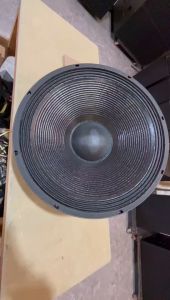
BEIJI Double 18 inch subwoofer dual magnetic subwoofer professional speaker 8Ω 100 voice 1500W
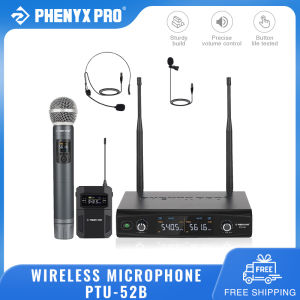
Phenyx Pro PTU-52B Wireless Microphone System: A Comprehensive Guide
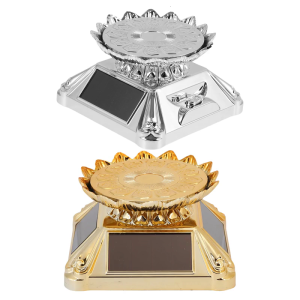
Exhibition Stand Gold ABS Materials Solar Powered Automatic Rotation Turntable With LED Lighted Display
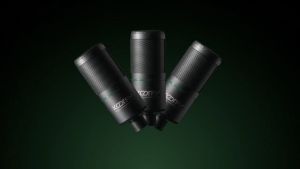
KOORFLY ZX320 True 48V Condenser Microphone XLR Microphone Sound Recording Microphone Wired Microphone with Shock Mount
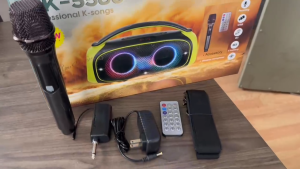
Karaoke wireless bluetooth speaker portable outdoor subwoofer dual speakers 60W high power high quality HIFI sound quality shoulder portable speaker with wireless microphone and remote control
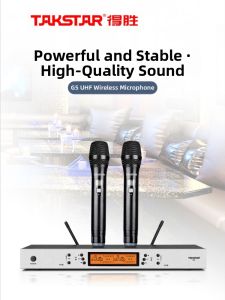
Takstar Wireless Microphone G5 Handheld Stage Performance Meeting One Drag Two U Segment Long Distance Sound System Equipment

Jabra Evolve 20 Stereo 20 MS USB -A Headset Passive Noise Cancellation
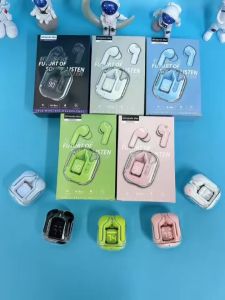
UItrapods Pro 5 Colors Earphone Bluetooth Wireless Earphones Sport Gaming Headsets Noise Reduction Earbuds with Digital Display
Monster XKT08 / XKT08 Pro Gaming Earphone True Wireless Bluetooth 5.3 Headphones Low Latency Noise Reduction Earbuds