ILONDA Fish Tank Aquarium WiFi Automatic Feeder: A Comprehensive Guide
ILONDA Fish Tank Aquarium WiFi Automatic Feeder: A Comprehensive Guide
Introduction to ILONDA Fish Tank Aquarium WiFi Automatic Feeder
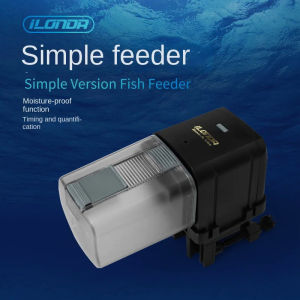
The ILONDA Fish Tank Aquarium WiFi Automatic Feeder is a smart pet feeding system that offers convenience and reliability for fish enthusiasts. With its remote intelligent feeding capabilities, you can easily manage your fish's diet while away from home. This article will provide a comprehensive guide to help you understand the ILONDA Feeder's features, installation process, usage tips, and maintenance instructions.
Overview of the ILONDA Feeder
The ILONDA Fish Tank Aquarium WiFi Automatic Feeder is a 170ML remote intelligent feeder designed to accommodate flake and pellet fish food. It features a plastic build, making it lightweight and easy to handle. The feeder has a maximum output capacity of 100g and a minimum output capacity of 50g, allowing you to adjust the feeding amounts according to your fish's needs. The feeder is manufactured in Mainland China, ensuring high-quality construction and performance.
Key Features & Specifications
- Material: Plastic
- LCD Display: No
- Volume: 200ml
- Number of Gears: 1
- Max Output: 100g
- Min Output: 50g
- Origin: Mainland China
Setting Up Your Smart Pet Feeding System
To get started with your ILONDA Fish Tank Aquarium WiFi Automatic Feeder, follow these steps:
How to Install the WiFi Automatic Fish Feeder
- Choose a suitable location for the feeder, ensuring it is near a power outlet and within range of your Wi-Fi network.
- Place the feeder in your aquarium, ensuring it is securely positioned and does not obstruct the fish's swimming space.
- Connect the feeder to a power source and ensure it is properly powered on.
- Download the ILONDA app on your smartphone and create an account.
- Connect the feeder to your Wi-Fi network through the app, following the on-screen instructions.
Configuring the Timed Flake Pellet Feeder
Once your feeder is connected to Wi-Fi, you can configure its feeding schedule using the ILONDA app:
- Open the ILONDA app and select your feeder from the list of connected devices.
- Set the feeding schedule by selecting the days and times you want the feeder to dispense food.
- Adjust the feeding amounts by selecting the desired output capacity for each feeding session.
- Save your settings and start enjoying the convenience of remote intelligent feeding.
Maximizing the Benefits of Your ILONDA Feeder
To make the most of your ILONDA Fish Tank Aquarium WiFi Automatic Feeder, consider the following tips:
Tips for Optimal Usage
- Regularly check the feeder's food storage to ensure it has enough food for scheduled feedings.
- Monitor your fish's behavior and adjust the feeding schedule and amounts as needed.
- Keep the feeder clean and free of debris to maintain optimal performance.
Maintaining Your Remote Intelligent Feeder
To keep your ILONDA Feeder in top condition, follow these maintenance tips:
- Clean the feeder regularly by removing any food residue or debris.
- Check the feeder's gears and moving parts for wear or damage, and replace them if necessary.
- Keep the feeder's exterior clean and free of water spots or stains.
Conclusion
The ILONDA Fish Tank Aquarium WiFi Automatic Feeder is a reliable and convenient smart pet feeding system that can help you manage your fish's diet while away from home. By following the installation process, configuring the feeding schedule, and maintaining the feeder properly, you can ensure optimal performance and enjoyment of this innovative product.

GCZL SHOP
Review

You May Also Like
400g Cindy Recipe Favourite All Stages Adult Kitten Cat Cats Wet Food Can Healthy Meal Pet Canned

Bio Sponge Filter XY 2833 TINY 4x2cm Aquarium Filtration

Blanlody Pet Grooming Clippers Silent Non-jamming Cat Dog Hair Trimmer Professional Fur Remover Tool for Pet Care
10L ABC Cat Cats Bentonite Cat Litter Sand Fast Clumping
Kemei KM-1598 Pet Shaver Razor For Dog Cat Hair Trimmer Grooming Kit Low Noise Electric Clippers
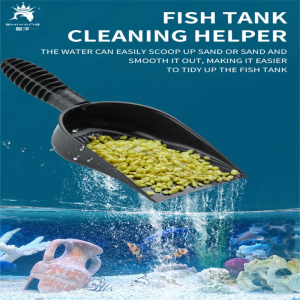
Aquariums Gravel Sand Shovel Ergonomic Sand Scooper for Fishtanks Gravel Strainer Fish Tanks Cleaning Tool Pet Supply
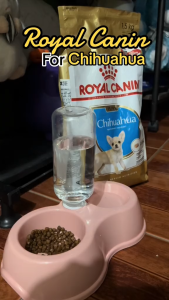
1.5kg Royal Canin Chihuahua Dog Dogs Dry Food All Stages Adult Puppy Pet Improved Digestive Comfort
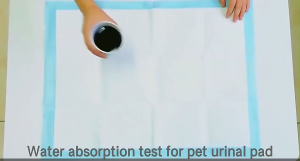
10/20/50/100 pcs Dog Training Pads – Super Absorbent & Leak-Proof (33x45cm)

Goat Ear Tag Set (100Pcs 001-100 Number Plastic Livestock Ear Tags+Ear Tag Applicator Plier) for Animal Cows Pigs Sheep
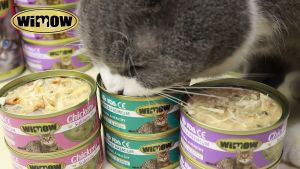
85g Premium Cat Food Creamy Wet Canned Chicken + Salmon Cat Food/Snack Adult & Kitten
Natural Core Cat Treats Cranberry Dental Chew Biscuits Nutritional Supplement Snacks for Kittens And Cats in China