HP Original Ink (with box) GT51 GT53 Black GT52 CMY Set Of 4units Ink For GT5810/GT5820 Tank 315/415
HP Original Ink (with box) GT51 GT53 Black GT52 CMY Set Of 4units Ink For GT5810/GT5820 Tank 315/415
Introduction to HP Original Ink with Box
HP Original Ink is a top-of-the-line ink set designed specifically for HP printers, providing exceptional print quality and reliability. The GT51, GT53, GT52, and CMY ink cartridges included in this set are compatible with the GT5810/GT5820 printer models, as well as the 315/415 ink tanks.
GT51, GT53, & GT52 Ink Cartridges Explained
The GT51, GT53, and GT52 ink cartridges are essential components of the HP Original Ink Set. These cartridges provide high-quality black ink, ensuring sharp text and rich black tones in your printed documents. They are specifically designed to work seamlessly with the GT5810/GT5820 printers, delivering optimal print quality and performance.
CMY Ink Tank Compatible: GT5810/GT5820 & 315/415
The CMY ink tank included in this set is compatible with both GT5810/GT5820 printers and the 315/415 ink tanks. The CMY tank contains cyan, magenta, and yellow ink, allowing you to achieve vibrant colors and accurate color reproduction in your printed images.
How to Choose the Right HP Original Ink Set
When selecting the right HP Original Ink Set, consider the following factors:
- Black Ink for GT5810/GT5820: The GT51, GT53, and GT52 ink cartridges provide high-quality black ink for your GT5810/GT5820 printer. These cartridges offer sharp text and rich black tones, making them perfect for printing documents and text-heavy materials.
- 4 Units Ink Cartridge: The 4 units ink cartridge set includes the GT51, GT53, GT52 black ink cartridges, and the CMY ink tank. This set offers a comprehensive solution for your printing needs, providing high-quality black ink and vibrant colors for both text and images.
Installation & Usage Guide for HP Original Ink Set
To install and use the HP Original Ink Set, follow these steps:
- Turn off your printer and open the ink cartridge access door.
- Remove the old ink cartridges by gently pulling them out of the slots.
- Remove the new ink cartridges from their packaging and remove any protective caps or labels.
- Insert the new ink cartridges into their respective slots, making sure they are seated properly.
- Close the ink cartridge access door and turn on your printer.
- Follow any on-screen prompts to initialize the new ink cartridges and perform a print head cleaning.
Maximizing Print Quality with HP Original Ink
To achieve the best possible print quality with your HP Original Ink Set, follow these tips:
- Use high-quality paper: Using high-quality paper can help improve print quality and reduce ink consumption.
- Clean your printer regularly: Regularly cleaning your printer can help prevent ink buildup and ensure optimal print quality.
- Keep your printer up-to-date: Keeping your printer software and firmware up-to-date can help ensure optimal performance and print quality.
Troubleshooting Common Issues with HP Original Ink
If you encounter any issues with your HP Original Ink Set, try these troubleshooting steps:
- Addressing ink cartridge errors: If you receive an error message related to your ink cartridges, try cleaning the print head and checking the ink levels. If the issue persists, replace the ink cartridges.
- Tips for maintaining optimal printer performance: To maintain optimal printer performance, keep your printer clean and free of dust, regularly check ink levels, and update your printer software and firmware as needed.

Elite office consumables
Review
You May Also Like
UPP-110S Ultrasound Thermal Paper Type 1 Compatible with Sony Mitsubishi Printers
L&C Refill Ink For Epson 003 Dye Ink - 70ML - PH Ready Stock - Compatible with EPSON Inkjet Printers L1110 L3150 L3110 L5190 - High Quality and Reliable
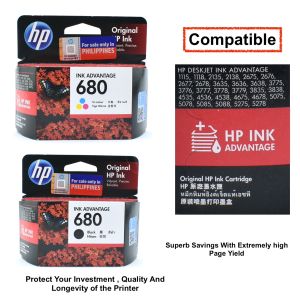
100% HP 680 Original Ink Advantage Cartridge for HP Deskjet in Advantage 1115 118 2138 2675 2676 2677 2678 3635 3636 3638 3775 3776 3777
Canon GI-790 Genuine Original Ink Bottle printer INK for G1000 G2000 G2002 G3000 G4000G1010 G2010 G3010 G4010
GTCODESTAR X-1800W 1D Laser Barcode Scanner 2D USB Wired QR Code Reader Handheld Barcode Reader CMOS bar Code Scanner for Supermarket
child 3D DIY For Digital Print Graffiti Pen Educational Toys With USB Cable Intelligent Pens Set
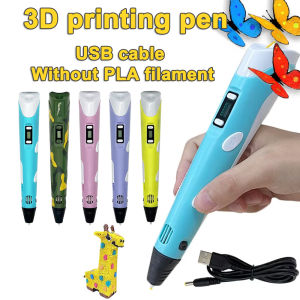
3D Printing Pen DIY Three-dimensional Painting Children Toys Fun Camouflage With LCD Screen Compatible PLA Filament Toys Gift
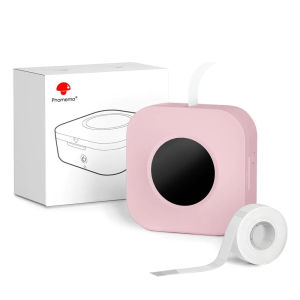
Phomemo Q30S Bluetooth Mini Thermal Label Printer - Portable Sticker Maker Machine
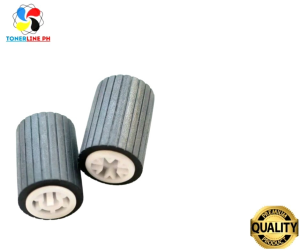
Paper Pick up Feed Roller for Use and Compatible in MP1600 MP1900 MP2000 Series
Grab/Food Panda Device Handheld PDA POS Terminal
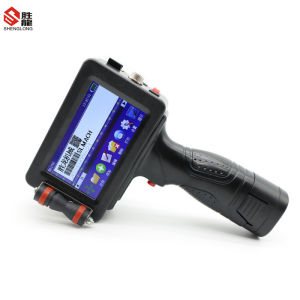
Shenglong handheld inkjet printer egg inkjet code printing batch number printing production date printing quick drying typewriter digital text pattern inkjet