



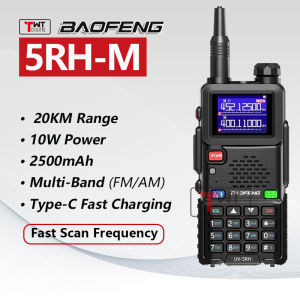
Baofeng 5RH PRO Upgrade Walkie Talkie GPS10W Tri-Power Long Range 10-20KM Multi Band AM FM UHF/VHF Portable Two Way Radio Type-C Fast Charging
Baofeng 5RH PRO Upgrade Walkie Talkie GPS10W Tri-Power Long Range 10-20KM Multi Band AM FM UHF/VHF Portable Two Way Radio Type-C Fast Charging
Introduction to the Baofeng 5RH PRO & GPS10W Tri-Power Radio
The Baofeng 5RH PRO is a cutting-edge walkie-talkie designed for long-range communication, featuring a powerful GPS10W Tri-Power radio system. This portable Type-C fast charging radio offers a wide range of features and capabilities, making it ideal for outdoor enthusiasts, emergency responders, and everyday users alike. With support for multiple bands, including AM/FM, UHF/VHF, and GPS, the Baofeng 5RH PRO is a versatile and reliable communication tool.
Key Features
- Long Range Communication: The Baofeng 5RH PRO boasts a remarkable range of up to 10-20KM, ensuring that you stay connected even in remote areas.
- Multi Band Support: This walkie-talkie supports AM/FM, UHF/VHF, and GPS bands, providing flexibility and versatility for various applications.
- GPS10W Tri-Power Radio: The GPS10W Tri-Power radio system enhances signal strength and reliability, ensuring clear communication even in challenging conditions.
- Portable Design: With its compact size and lightweight design, the Baofeng 5RH PRO is easy to carry and use on-the-go.
- Type-C Fast Charging: The walkie-talkie features a Type-C fast charging port, allowing you to quickly recharge the battery and get back to communicating.
Package Contents
The Baofeng 5RH PRO comes with a comprehensive package that includes:
- 1x Radio
- 1x Battery
- 1x Antenna
- 1x Charger base
- 1x Belt Clip
- 1x Handstrap
- 1x ENG Manual
- 1x Box
How to Set Up Your Baofeng 5RH PRO & GPS10W Tri-Power Radio
Setting up your Baofeng 5RH PRO is a straightforward process that involves charging the battery, connecting the antenna, and programming channels.
Charging the Battery
To charge the battery, simply connect the Type-C charging cable to the walkie-talkie and plug it into a power source. The charging process is quick and efficient, allowing you to get back to communicating in no time.
Connecting the Antenna
Attaching the antenna is a simple process. First, unscrew the antenna cover on the top of the radio. Then, slide the antenna into the opening and screw it back onto the radio. This will ensure a secure connection and optimal signal strength.
Programming Channels
Programming channels on the Baofeng 5RH PRO is easy and intuitive. Follow these steps:
- Press the 'Menu' button on the radio.
- Navigate to the 'Channel' option using the arrow keys.
- Select the desired channel and enter the frequency.
- Press the 'OK' button to save the channel.
Enhancing Your Experience with the Baofeng 5RH PRO & GPS10W Tri-Power Radio
To get the most out of your Baofeng 5RH PRO, consider the following tips and tricks:
Maximizing Range
To extend the range of your Baofeng 5RH PRO, consider the following:
- Use the included high-gain antenna for optimal signal strength.
- Position the radio at a higher elevation, if possible.
- Minimize obstructions between radios.
Using the AM/FM Radio Functionality
The Baofeng 5RH PRO offers AM/FM radio functionality, allowing you to listen to music and news while on-the-go. To access this feature, press the 'AM/FM' button on the radio and tune to your desired station using the arrow keys.
Pairing with Other Two-Way Radios
To pair your Baofeng 5RH PRO with other two-way radios, ensure that both radios are set to the same frequency and channel. This will allow you to communicate seamlessly with other users.

TWT DIGITAL
Review

You May Also Like
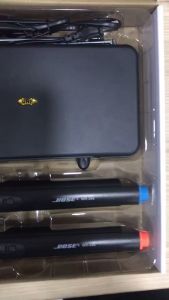
Hi-sensitivity WR-206 Two Pcs Wireless UHF Microphone

TG WLN KD-C210 KD-C1 Upgraded 2W UHF 400-470MHz 16 Channel Two Way Walkie Talkie Radio with Wireless Clone-SET OF 2
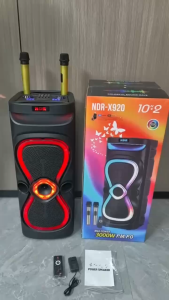
NDR-X920 10X2 inch Karaoke Party Bluetooth Speaker Stereo HIFI Sound Trolley wireless Speakers with 2 Wireless mic
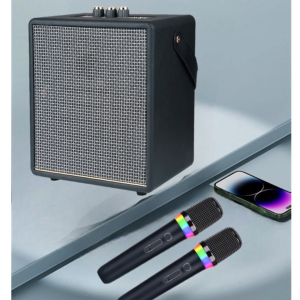
V11 Pro Stereo Surround Sound KARAOKE Wireless Bluetooth High Power Speaker with Dual RGB Wireless Microphone
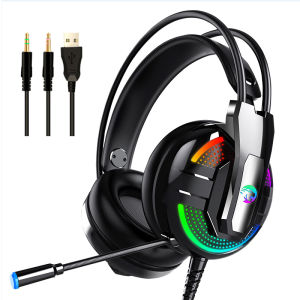
Top Picks: Gaming Headset with Microphone & Noise Cancellation Headphones

Jabra Elite 75t Pro True Wireless Bluetooth Earphones Noise Canceling TWS with Mic Waterproof Earbuds Gaming Earphones 30 Hour Battery Life
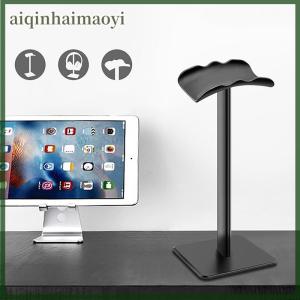
aiqinhaimaoyi Aluminium Alloy Headphone Stand Holder Space Saving Gaming Headset Stand Rack Desktop Organizer Display Earphone Hanger Bracket
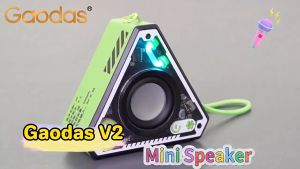
Bluetooth Speaker Mini Small Stereo High Sound Quality Subwoofer 360 ° Surround Outdoor Singing
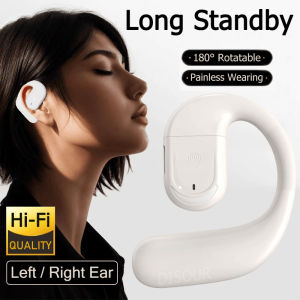
Rotatable Wireless Single Earphone: Bluetooth 5.4 & HD Mic Ear Hook Headphones
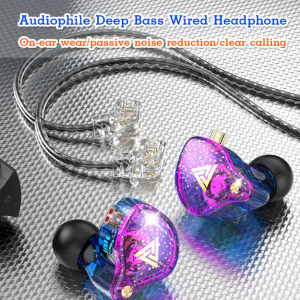
Noise-canceling Headphones Comfortable to Wear Delicate and Dynamic Sound Quality Headphones
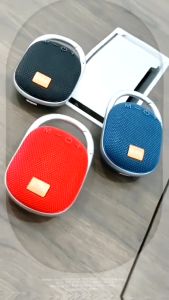
V2S VS812 Bluetooth Speaker with Flashing LED Light and Splash Proof Rechargeable TF USB Player
![[Jocestyle Mall]Portable Stereo Sound Box with Alarm Clock Heavy Subwoofer BT Speaker Desktop Small BT Speaker for Party Outdoor Travel](https://img.lazcdn.com/g/ff/kf/S931623f0656f4dea9d6dda8a79f65d70B.jpg_300x300q80.jpg)


















