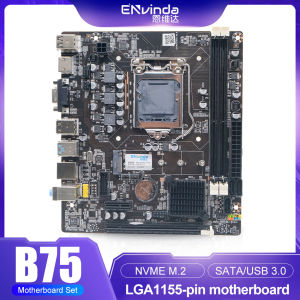
ENVINDA B75 Motherboard LGA 1155 Dual Channel DDR3 Memory SATA III USB 3.0 For Intel Core I7 I5 I3 Xeon CPU B75 Mainboard
• Dual Channel DDR3 Memory :The ENVINDA B75 motherboard supports dual-channel DDR3 memory, providing improved performance and efficiency for your Intel Core i7 i5 i3 Xeon CPU.• SATA III USB 3.0 :Equipped with SATA III and USB 3.0, this motherboard ensures fast data transfer and enhanced connectivity for your peripheral devices.• LGA 1155 Socket Type :Designed with an LGA 1155 socket type, the motherboard is compatible with Intel Core i3 processors, offering a versatile computing solution.• Intel B75 Chipset :The Intel B75 chipset powers the motherboard, guaranteeing stable and reliable performance for your computer system.• Maximum Ram Capacity of 32 GB :With a maximum ram capacity of 32 GB, this motherboard can handle high-memory workloads, making it ideal for server or office usage.• Onboard LAN and Back I/O Ports :The onboard LAN and back I/O ports provide wired connectivity and expandability, enhancing the overall user experience.For tax issues in Brazil, you must solve the customs clearance problem yourself. If you can't solve it, we suggest you don't buy things in our store. We are not responsible for customs duties. Thank you for your understanding!Note:1. Desktop mainboard.ECC server RAM is not supported.Do not use different brands of Ram on the motherboard.2. Different memory chips.Do not use different brands of memory modules, do not use different brands of Ram to the motherboard.3. Due to different production batches.The appearance of the product may be slightly modified.But the performance will not change, if you mind, please do not buy.4.1155 is the old platform chip.The fan speed cannot be changed.Please note that5. Different batches of tank bottom plate color may be different, but will not affect the use of the product.Products are constantly optimized and upgraded.6.Due to manual measurement, please allow 1-3mm difference.7.Because the display is different, the light is different, the picture may not show the actual color of the object.Thank you for your understanding.8. This platform needs a powerful power supply.Make sure your power supply is sufficient to support this platform.(at least 450W brand power supply)9. The battery in the picture of the motherboard will be removed before shipment, because the battery is prohibited in China post and Customs.Due to logistics limitations, we will remove the button battery before shipment in some countries.

GlobalLifestyle
You May Also Like
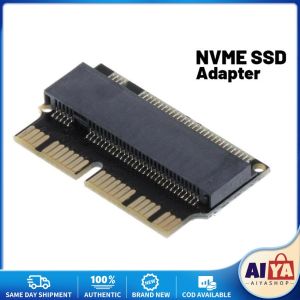
EWJR M2 SSD Adapter NVME for MacBook AIR A1465 A1466 MacBook Pro A1398 A1502 HOT

GOODS VILLAGE 12V 12.5 150W LED Power Supply DC12V Ultra-Thin Strip Power Supply 60w/100w/150w/200w/300w/400w
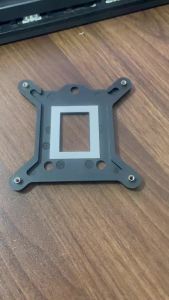
Desktop CPU Cooler Fan Bracket Heatsink Holder Base for Intel Socket LGA 1150/1151/1155/1156 Motherboard Backplane

【Buy 1 Take 1】Gaming Cooling Fan White and Black Heat Dissipation Efficient High-Speed Low Noise Pagpapalamig ng cellphone

Fan Remote Control Modified Board Fan Control Motherboard Remote Control Circuit Board for Floor Stand Electric
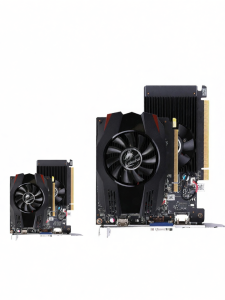
Colorful | Desktop PC Graphics Card GT730K/GT1010

Koorui G2411P 24 Inch IPS panel 1ms refresh rate 99% sRGB FHD 200 Hz Gaming Monitor
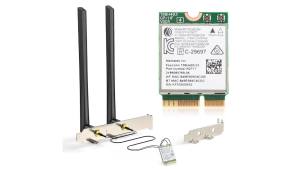
EDUP | EDUP MT7925 Pro WiFi 7 Wireless Network Card Tri Band 6GHz 5GHz 2.4GHz Bluetooth 5.4 OFDMA Adapter for Desktop PC Windows Linux
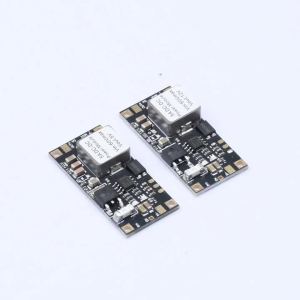
DC-DC Step-Down Module Buck Converter 6.5V-60V To 5V/12V Mini Buck Power Module 5A 60W High-Power Voltage Regulator Converter
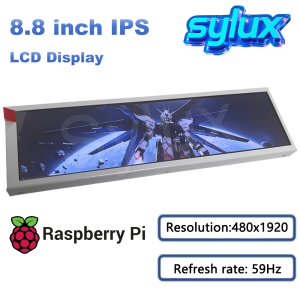
8.8 Inch TFT LCD Portable Secondary Screen Long Strip For Raspberry PI / PC Case / Aida64 Extended Monitor
NICE-POWER Battery Charging DC Power Supply12V/24V/36V/48V Real-time Charging Ah Lithium Battery Charging With OCP/Output Switch