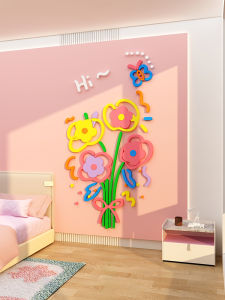
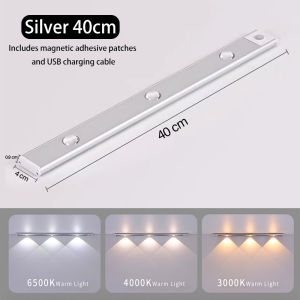
Aluminium Motion Sensor Light Led Remote Control Rechargeable Dimmable Night Light With Magnetic Cabinet Lamp
Aluminium Motion Sensor Light Led Remote Control Rechargeable Dimmable Night Light With Magnetic Cabinet Lamp
Introduction
Aluminium motion sensor lights have become increasingly popular in recent years due to their energy efficiency, ease of use, and versatile applications. This comprehensive guide will help you understand the key features and benefits of aluminium motion sensor lights, as well as how to install, use, customize, and troubleshoot them.
Key Features & Benefits
- Energy-efficient LED technology
- Rechargeable battery for convenient charging
- Remote control operation for easy dimming and color temperature adjustment
- Magnetic design for easy installation on cabinets and other surfaces
- Long-lasting battery life
Why Choose an Aluminium Motion Sensor Light?
Aluminium motion sensor lights offer numerous advantages over traditional lighting solutions. Their energy-efficient LED technology reduces electricity consumption, making them an eco-friendly choice. Additionally, their rechargeable battery eliminates the need for frequent battery replacements, saving both time and money.
How to Install Your Aluminium Motion Sensor Light
Installing an aluminium motion sensor light is a straightforward process that requires minimal tools and materials.
Tools & Materials Needed
- Phillips screwdriver
- Ladder (if necessary)
- Level
Step-by-Step Installation Process
- Choose a suitable location for your aluminium motion sensor light, taking into account its magnetic design and intended application.
- Position the light using the level to ensure it is properly aligned.
- Secure the light to the chosen surface by pressing it firmly against the surface until it adheres.
How to Use & Customize Your Aluminium Motion Sensor Light
Aluminium motion sensor lights offer a range of customization options to suit your preferences.
Setting Up the Remote Control
To set up the remote control, simply press the power button on the light to turn it on, then hold down the corresponding button on the remote control until the light responds.
Adjusting the Dimming & Color Temperature
Use the remote control to adjust the dimming level and color temperature of your aluminium motion sensor light. Experiment with different settings to find the perfect balance for your needs.
Charging & Battery Life
Charge your aluminium motion sensor light using the included USB cable. A full charge typically takes around 4 hours and provides up to 10 hours of continuous use.
Troubleshooting Common Issues
If you encounter any issues with your aluminium motion sensor light, refer to the following troubleshooting tips.
No Power? Check These Troubleshooting Tips
- Ensure the light is properly charged and securely attached to the surface.
- Verify that the remote control is within range and functioning correctly.
Motion Detection Not Working? Here’s What to Do
- Check the light's sensitivity settings and adjust as needed.
- Ensure there are no obstructions blocking the motion sensor.
Remote Control Not Responding? Try These Solutions
- Replace the batteries in the remote control.
- Ensure the remote control is within range and functioning correctly.
Conclusion
Aluminium motion sensor lights provide a convenient, energy-efficient, and customizable lighting solution for a wide range of applications. By following this comprehensive guide, you'll be able to install, use, customize, and troubleshoot your aluminium motion sensor light with ease.

MKEPS Lighting Mall
You May Also Like
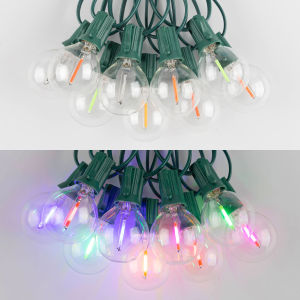
Connectable Multicolor Outdoor Fairy Lights Outdoor EU Plug Waterproof Led String Lights E12 Socket G40 RGB Garden Garland String Lights New Year Party Birthday Party Decoration
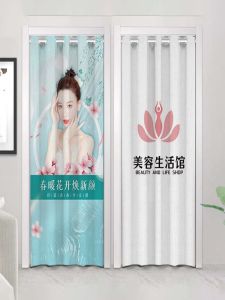
Beauty Salon Pavilion of Regimen Door Curtain Special Shop Commercial Custom Logo Pattern Punch-Free Blocking Partition Cloth Curtain
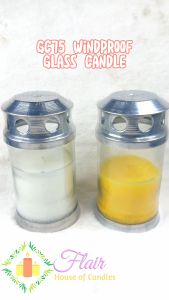
Flair GC75 Glass Candle Smokeless Windproof Candle in Glass with Cover (44 hrs burning time) 16.3cm tall
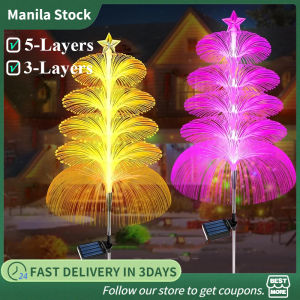
5 Layers Solar Firework Light Outdoor Colorful Flash Microfiber Lights Outdoor Fiber Optic Light for Garden Yard Decorative
Christmas Waving Santa Claus & LED Light Home Ornaments: A Comprehensive Guide

Christmas Wall Banner Wall Decoration Holidays Banner Hew Year Banners with CUSTOM FAMILY NAME

Retro Antislip Sofa Covers & Comfortable Sofa Towels: A Comprehensive Guide
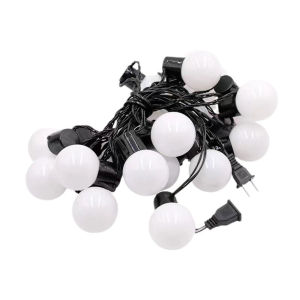
【Chinatera】1PC LED Fairy String Light Outdoor Small Ball Lights Globe String Lights for Garden Yard Patio Balcony Camping&Holidays
4 Pcs Curtain Rod Shelf Bracket Self Adhesive Wall Hooks Nail-Free Adjustable Holders

DIY5D Diamond Painting American European classical flowers peony Flower Full circular Diamond Embroidery Wall Sticker Home DecorCrafts
Solar light outdoor waterproof solar stair wall lamp automatic rechargeable step garden lights camping lamp for garden path courtyard walkway Landscape lighting