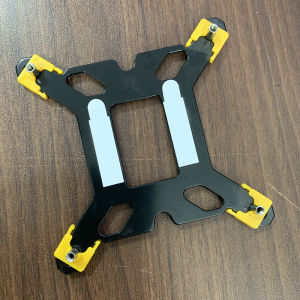
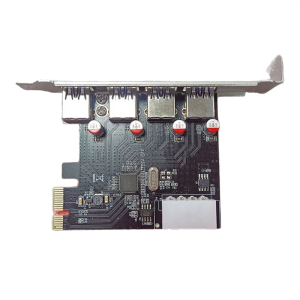
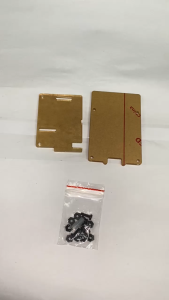
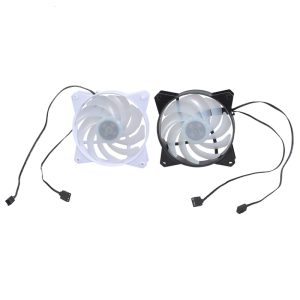
Lga 1700 CPU Cooler Adjustable Backplane Holder Base Backplate Bracket for Intel Lga 1150/1511/1155/1156/1366/1200

Lga 1700 CPU Cooler Adjustable Backplane Holder Base Backplate Bracket for Intel Lga 1150/1511/1155/1156/1366/1200

GlobalLifestyle

GlobalLifestyle

Seller ratings 97%

Review

Oops
This video has no reviews.

You May Also Like
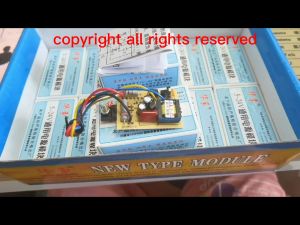
Transformer 12 Volts 1 Ampere 220v (Input Red) to 12v (Output Blue)
00:40

Transformer 12 Volts 1 Ampere 220v (Input Red) to 12v (Output Blue)

9.5/12.7mm All-aluminum Hard Drive Bracket: A Comprehensive Guide\\n\\n What is a Second HDD Caddy SATA 9.5mm/12.7mm All-aluminum Hard Drive Bracket?\\n\\nA Second HDD Caddy SATA 9.5mm/12.7mm All-aluminum Hard Drive Bracket is a small, lightweight, and durable aluminum bracket designed to hold an additional hard drive or SSD in laptops equipped with a CD-ROM bay. This bracket enables users to expand their storage capacity while maintaining portability and performance.\\n\\n Key Features of the Bracket\\n\\n- **Compatibility:** The bracket supports both 9.5mm and 12.7mm SATA hard drives and SSDs.\\n- **Durability:** Made of high-quality aluminum, the bracket ensures long-lasting use and protection for your storage devices.\\n- **Ease of Installation:** The bracket features a simple design that makes installation quick and easy.\\n\\n How to Install the Bracket\\n\\n1. Remove the CD-ROM drive from your laptop.\\n2. Insert the hard drive or SSD into the bracket.\\n3. Connect the SATA cable and power cable to the bracket.\\n4. Secure the bracket and drive into the CD-ROM bay.\\n\\n Benefits of Using a Second HDD Caddy SATA 9.5mm/12.7mm All-aluminum Hard Drive Bracket\\n\\n Improved Performance\\n\\nUpgrading to an SSD or using a faster hard drive can significantly improve your laptop's performance by reducing boot times, loading times, and overall system responsiveness.\\n\\n Increased Storage Capacity\\n\\nAdding a second hard drive or SSD allows you to store more files, programs, and data, providing ample space for your growing digital needs.\\n\\n Enhanced Portability\\n\\nThe compact design of the bracket ensures that your laptop remains lightweight and portable, even with the added storage capacity.\\n\\n How to Choose the Right Second HDD Caddy SATA 9.5mm/12.7mm All-aluminum Hard Drive Bracket\\n\\n Compatibility with Different Laptops\\n\\nBefore purchasing a bracket, ensure that it is compatible with your laptop model. Check the CD-ROM bay size and SATA port configuration to guarantee a seamless installation.\\n\\n Size and Weight Considerations\\n\\nConsider the size and weight of the bracket, as well as the hard drive or SSD you plan to use, to maintain optimal portability and balance in your laptop.\\n\\n Price Range and Budget\\n\\nSet a budget for your purchase and compare prices from different sellers to find the best deal. Keep in mind that higher-quality brackets may cost more but offer better durability and performance.\\n\\n Troubleshooting Common Issues with Second HDD Caddy SATA 9.5mm/12.7mm All-aluminum Hard Drive Bracket\\n\\n Connection Problems\\n\\nIf you experience connection issues, double-check that the SATA and power cables are securely connected to both the bracket and the laptop. Ensure that the cables are not damaged or loose.\\n\\n Compatibility Issues\\n\\nIf the bracket does not fit your laptop, check the specifications and compatibility list provided by the manufacturer. Consider contacting customer support for further assistance.\\n\\n Installation Difficulties\\n\\nIf you encounter difficulties during installation, consult the user manual or seek help from online forums or tutorials. Ensure that you have the necessary tools and follow the instructions carefully.\\n\\n Conclusion\\n\\n Recap of Key Points\\n\\nThe Second HDD Caddy SATA 9.5mm/12.7mm All-aluminum Hard Drive Bracket offers a convenient solution for expanding storage capacity in laptops equipped with a CD-ROM bay. With its compatibility, durability, and ease of installation, this bracket is an excellent choice for users looking to enhance their laptop's performance and storage capabilities.\\n\\n Final Thoughts on the Second HDD Caddy SATA 9.5mm/12.7mm All-aluminum Hard Drive Bracket\\n\\nBy carefully considering the factors mentioned above, you can choose the right bracket for your needs and enjoy the benefits of increased storage capacity and improved performance in your laptop.\n}
00:29

9.5/12.7mm All-aluminum Hard Drive Bracket: A Comprehensive Guide\\n\\n What is a Second HDD Caddy SATA 9.5mm/12.7mm All-aluminum Hard Drive Bracket?\\n\\nA Second HDD Caddy SATA 9.5mm/12.7mm All-aluminum Hard Drive Bracket is a small, lightweight, and durable aluminum bracket designed to hold an additional hard drive or SSD in laptops equipped with a CD-ROM bay. This bracket enables users to expand their storage capacity while maintaining portability and performance.\\n\\n Key Features of the Bracket\\n\\n- **Compatibility:** The bracket supports both 9.5mm and 12.7mm SATA hard drives and SSDs.\\n- **Durability:** Made of high-quality aluminum, the bracket ensures long-lasting use and protection for your storage devices.\\n- **Ease of Installation:** The bracket features a simple design that makes installation quick and easy.\\n\\n How to Install the Bracket\\n\\n1. Remove the CD-ROM drive from your laptop.\\n2. Insert the hard drive or SSD into the bracket.\\n3. Connect the SATA cable and power cable to the bracket.\\n4. Secure the bracket and drive into the CD-ROM bay.\\n\\n Benefits of Using a Second HDD Caddy SATA 9.5mm/12.7mm All-aluminum Hard Drive Bracket\\n\\n Improved Performance\\n\\nUpgrading to an SSD or using a faster hard drive can significantly improve your laptop's performance by reducing boot times, loading times, and overall system responsiveness.\\n\\n Increased Storage Capacity\\n\\nAdding a second hard drive or SSD allows you to store more files, programs, and data, providing ample space for your growing digital needs.\\n\\n Enhanced Portability\\n\\nThe compact design of the bracket ensures that your laptop remains lightweight and portable, even with the added storage capacity.\\n\\n How to Choose the Right Second HDD Caddy SATA 9.5mm/12.7mm All-aluminum Hard Drive Bracket\\n\\n Compatibility with Different Laptops\\n\\nBefore purchasing a bracket, ensure that it is compatible with your laptop model. Check the CD-ROM bay size and SATA port configuration to guarantee a seamless installation.\\n\\n Size and Weight Considerations\\n\\nConsider the size and weight of the bracket, as well as the hard drive or SSD you plan to use, to maintain optimal portability and balance in your laptop.\\n\\n Price Range and Budget\\n\\nSet a budget for your purchase and compare prices from different sellers to find the best deal. Keep in mind that higher-quality brackets may cost more but offer better durability and performance.\\n\\n Troubleshooting Common Issues with Second HDD Caddy SATA 9.5mm/12.7mm All-aluminum Hard Drive Bracket\\n\\n Connection Problems\\n\\nIf you experience connection issues, double-check that the SATA and power cables are securely connected to both the bracket and the laptop. Ensure that the cables are not damaged or loose.\\n\\n Compatibility Issues\\n\\nIf the bracket does not fit your laptop, check the specifications and compatibility list provided by the manufacturer. Consider contacting customer support for further assistance.\\n\\n Installation Difficulties\\n\\nIf you encounter difficulties during installation, consult the user manual or seek help from online forums or tutorials. Ensure that you have the necessary tools and follow the instructions carefully.\\n\\n Conclusion\\n\\n Recap of Key Points\\n\\nThe Second HDD Caddy SATA 9.5mm/12.7mm All-aluminum Hard Drive Bracket offers a convenient solution for expanding storage capacity in laptops equipped with a CD-ROM bay. With its compatibility, durability, and ease of installation, this bracket is an excellent choice for users looking to enhance their laptop's performance and storage capabilities.\\n\\n Final Thoughts on the Second HDD Caddy SATA 9.5mm/12.7mm All-aluminum Hard Drive Bracket\\n\\nBy carefully considering the factors mentioned above, you can choose the right bracket for your needs and enjoy the benefits of increased storage capacity and improved performance in your laptop.\n}

Easy To Install QY60083 Print Head For QY60083 MG6380 MG7180 iP8780 Compatible Printer Components Extend Lifespans
00:12

Easy To Install QY60083 Print Head For QY60083 MG6380 MG7180 iP8780 Compatible Printer Components Extend Lifespans

17.3" Laptop LCD Screen B173RTN02.1 For Lenovo V110-17IKB V110-17ISK V320-17IKB V320-17ISK B71-80 Display Matrix Panel 1600x900
00:24

17.3" Laptop LCD Screen B173RTN02.1 For Lenovo V110-17IKB V110-17ISK V320-17IKB V320-17ISK B71-80 Display Matrix Panel 1600x900

Desktop Motherboard USB3.0 Steering Head Right Angle Adapter 19/20pin Socket 90 Degrees Back Routing Turn
00:30

Desktop Motherboard USB3.0 Steering Head Right Angle Adapter 19/20pin Socket 90 Degrees Back Routing Turn

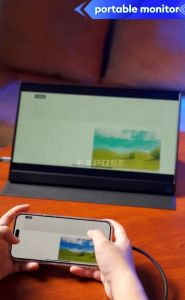
EXPOSE Portable Gaming Monitor for laptop 16.1 144Hz portable monitor screen 106% sRGB 1080P HDR PC PS5 Mac Xbox
01:24

EXPOSE Portable Gaming Monitor for laptop 16.1 144Hz portable monitor screen 106% sRGB 1080P HDR PC PS5 Mac Xbox

500W 600W 1000W 1500W Digital Display Power supply 0-60V 72V 85V 90V 100V 110V 150V 200V Adjustable output Industrial LED SMPS
00:28

500W 600W 1000W 1500W Digital Display Power supply 0-60V 72V 85V 90V 100V 110V 150V 200V Adjustable output Industrial LED SMPS

Hf-681 3 PIN RGB BREATHING LED LIGHT CPU Cooler Fan Cooling Computer Heatsink for Intel Lga775/1156/1155 CPU with Thermal Paste
00:30

Hf-681 3 PIN RGB BREATHING LED LIGHT CPU Cooler Fan Cooling Computer Heatsink for Intel Lga775/1156/1155 CPU with Thermal Paste

Asus U5000 K501LA K501LX K501UB K501UQ K501UX K501UW Laptop Speaker Compatible with Other Brands Digital Accessories
00:12

Asus U5000 K501LA K501LX K501UB K501UQ K501UX K501UW Laptop Speaker Compatible with Other Brands Digital Accessories

LPO Asus TUF Gaming A15 AMD Ryzen 7-7435HS/BGA 8GB DDR5 512GB PCIE G4 SSD NVIDIA GeForce 4GB RDDR6 RTX 2050 15.6\" FHD Review
00:50

LPO Asus TUF Gaming A15 AMD Ryzen 7-7435HS/BGA 8GB DDR5 512GB PCIE G4 SSD NVIDIA GeForce 4GB RDDR6 RTX 2050 15.6\" FHD Review

[Heartsbat] High Power DC 5V-24V LCD TV Switching Flyback Power Supply Module Universal Receiver EVD Power Supply
00:07

[Heartsbat] High Power DC 5V-24V LCD TV Switching Flyback Power Supply Module Universal Receiver EVD Power Supply

Koorfly V8S Sound Card: A Comprehensive Guide
00:36

Koorfly V8S Sound Card: A Comprehensive Guide