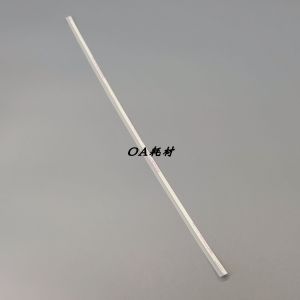
Applicable to Ricoh C2503 C3003 C3503 C4503 C5503 C6003 Drum Unit Gear Pink Lens
Applicable to Ricoh C2503 C3003 C3503 C4503 C5503 C6003 Drum Unit Gear Pink Lens
Understanding Compatible Ricoh Printer Parts
When dealing with printer maintenance and repairs, it is essential to understand which compatible parts can be used for specific Ricoh models. In this article, we will focus on the Ricoh C2503, C3003, C3503, C4503, C5503, and C6003 series printers, specifically discussing compatible drum unit gears and pink lenses.
Drum Unit Accessories for C Series
The drum unit is a crucial component of any laser printer, including the Ricoh C series. It transfers toner onto paper to create printed images. Compatible drum unit accessories, such as gears, ensure smooth operation and long-lasting performance. For the Ricoh C series printers mentioned above, it is important to use compatible parts to avoid any potential issues with print quality or printer functionality.
Drum Unit Gear Replacement
Replacing the drum unit gear is necessary when the gear becomes worn out or damaged due to extended use. This process involves removing the old gear and installing a new one. Before beginning the replacement process, ensure you have the correct compatible drum unit gear for your specific Ricoh printer model.
How to Install Pink Lens for Ricoh Printer
Another important component in Ricoh printers is the pink lens, which helps focus laser light onto the drum unit to create sharp images. Installing a new pink lens can improve print quality and extend the life of your printer.
Preparing the Printer for Installation
Before installing the pink lens, make sure your printer is turned off and unplugged. Remove any installed cartridges and place them in a safe location. Open the printer cover and locate the pink lens holder. Carefully remove the old pink lens and set it aside.
Replacing the Drum Unit Gear
To replace the drum unit gear, first, open the printer cover and locate the drum unit. Carefully remove the old drum unit and set it aside. Install the new drum unit by aligning it with the slots in the printer and gently pressing it into place. Finally, close the printer cover and turn the printer back on.
Troubleshooting Common Issues
Even with the proper installation of compatible parts, some issues may still arise. Here are some common problems and solutions related to drum unit gears and pink lenses.
Drum Unit Gear Malfunction
If you notice poor print quality or unusual noises coming from your printer, it may be due to a malfunctioning drum unit gear. To resolve this issue, try replacing the gear with a compatible part for your specific Ricoh printer model.
Pink Lens Compatibility Problems
If you experience issues with print quality after installing a new pink lens, it may be due to compatibility problems. Double-check that the pink lens you purchased is compatible with your Ricoh printer model. If the problem persists, consider contacting Ricoh customer support for further assistance.
Conclusion & Next Steps
In conclusion, understanding compatible Ricoh printer parts, such as drum unit gears and pink lenses, is essential for maintaining optimal print quality and extending the life of your printer. By following the steps outlined in this article, you can successfully install these components and troubleshoot common issues.
Summary of Key Points
- Compatible drum unit gears and pink lenses are crucial for maintaining optimal print quality and extending the life of your Ricoh printer.
- Proper installation and troubleshooting techniques can help resolve issues related to these components.
Additional Resources & Support
For more information on compatible Ricoh printer parts, visit the official Ricoh website or contact customer support for assistance.

TAO Study & Work
Review

You May Also Like

USED Main Drive Brushless Motor Comaptible with MP2014 MP2014AD Gestetner DSM1120
Kedida 1D/2D QR Bluetooth Barcode Scanner: A Portable & Compatible Inventory Solution
12V/24V Fan Cover for Ender-3 / 3 Pro/3s/4/5/ CR10/10S/ 10S S-5/S-4CR-7 3D Printers Cooling Fan Protection-Case
NGTeco Waybill Printer Bluetooth/Cellphone USB Thermal Printer A6/A7 Waybill Sticker Label Printer
Compatible Konica Minolta TN118 Black Toner Cartridge
![[1 Year Warranty] 6 in1 Multifunction Heat Press Machine mini printer for T-Shirt / Mug / Plate / Cappruinteirmuir for small business Printing Press For Sale - Lazada](https://img.lazcdn.com/g/ff/kf/Sca41aaf28eba4c97afa15bdf802f940e4.jpg_300x300q80.jpg)
[1 Year Warranty] 6 in1 Multifunction Heat Press Machine mini printer for T-Shirt / Mug / Plate / Cappruinteirmuir for small business Printing Press For Sale - Lazada
HP | Black & Color Ink Cartridges for Printers
Epson 664 Ink (CIS) – Cyan Magenta Yellow and Black original epson ink for epson printer
HPee 17A Black Original LaserJet Toner Cartridge (CF217A)

TN3448 TN3478 Compatible L5900DW Toner Cartridge
EPSON L3218 Eco Tank All in 1 Ink Jet Printer and Scanner