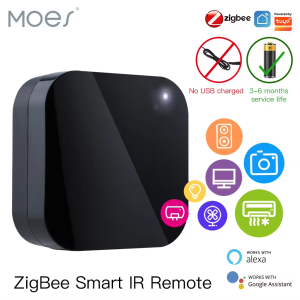
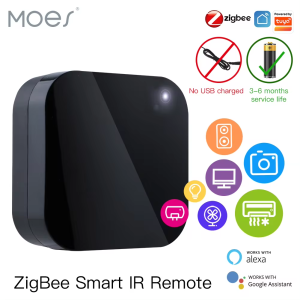
MOES Tuya ZigBee Smart IR Remote Control Universal Infrared Remote Controller for Smart Home works with Alexa Google Home
MOES Tuya ZigBee Smart IR Remote Control Universal Infrared Remote Controller for Smart Home works with Alexa Google Home
What is MOES Tuya ZigBee Smart IR Remote Control?
The MOES Tuya ZigBee Smart IR Remote Control is a versatile, universal infrared remote controller designed specifically for smart homes. This device allows users to control their smart home devices, including TVs, air conditioners, and other appliances, using a single remote control. Additionally, it is compatible with both Alexa and Google Home, making it easy to integrate into any smart home ecosystem.
Key Features
- ZigBee Connectivity: The MOES Tuya Smart IR Remote Control supports ZigBee connectivity, enabling seamless communication with other smart home devices.
- Alexa & Google Home Compatibility: This remote control works seamlessly with both Alexa and Google Home, allowing users to control their smart home devices through voice commands.
- Universal Infrared Remote Control: The MOES Tuya Smart IR Remote Control is compatible with a wide range of devices, including TVs, air conditioners, and other appliances.
- Easy Installation: The installation process is simple and straightforward, making it easy for users to set up their smart home devices.
How It Works
The MOES Tuya Smart IR Remote Control operates by sending infrared signals to connected devices. These signals are interpreted by the devices, which then perform the desired action. Users can control their smart home devices using the remote control or through voice commands with Alexa and Google Home.
Compatibility
The MOES Tuya Smart IR Remote Control is compatible with a wide range of devices, including TVs, air conditioners, and other appliances. It is also compatible with both Alexa and Google Home, making it easy to integrate into any smart home ecosystem.
Setting Up Your MOES Tuya ZigBee Smart IR Remote Control
Setting up your MOES Tuya Smart IR Remote Control is simple and straightforward. Follow these steps to get started:
Installation Process
- Unbox Your Remote Control: Carefully unbox your MOES Tuya Smart IR Remote Control and remove any packaging materials.
- Install Batteries: Install two AAA batteries into the remote control.
- Connect to Wi-Fi: Connect your remote control to your Wi-Fi network using the Tuya app.
- Pair with Smart Home Devices: Pair your remote control with your smart home devices using the Tuya app.
Connecting to Alexa & Google Home
To connect your MOES Tuya Smart IR Remote Control to Alexa or Google Home, follow these steps:
- Open the Alexa or Google Home App: Open the Alexa or Google Home app on your smartphone or tablet.
- Add a New Device: Select the option to add a new device.
- Select the MOES Tuya Smart IR Remote Control: Choose the MOES Tuya Smart IR Remote Control from the list of available devices.
- Follow the On-Screen Instructions: Follow the on-screen instructions to complete the setup process.
Configuring Your Smart Home Devices
Once your MOES Tuya Smart IR Remote Control is connected to your Wi-Fi network and paired with your smart home devices, you can configure them using the Tuya app. Here are some tips for configuring your smart home devices:
- Create Custom Scenes: Use the Tuya app to create custom scenes that automatically turn on or off specific devices at certain times of day.
- Set Up Voice Commands: Use the Tuya app to set up voice commands for controlling your smart home devices.
Maximizing the Potential of Your MOES Tuya ZigBee Smart IR Remote Control
There are several ways to maximize the potential of your MOES Tuya Smart IR Remote Control. Here are some tips:
Creating Custom Scenes
Use the Tuya app to create custom scenes that automatically turn on or off specific devices at certain times of day. For example, you could create a scene that turns on your lights and TV when you arrive home from work.
Voice Control Tips
Here are some tips for using voice commands with your MOES Tuya Smart IR Remote Control:
- Use Clear and Concise Phrases: When giving voice commands, use clear and concise phrases to ensure that your device understands what you want it to do.
- Practice Using Different Phrases: Practice using different phrases to control your devices to become more familiar with the voice command system.
Troubleshooting Common Issues
If you experience any issues with your MOES Tuya Smart IR Remote Control, here are some troubleshooting tips:
- Check Your Wi-Fi Connection: Make sure that your remote control is connected to your Wi-Fi network.
- Restart Your Devices: Restart your devices to resolve any connectivity issues.
- Update Your Firmware: Update the firmware of your remote control and smart home devices to ensure that they are running the latest software.

Global Merch Park
You May Also Like
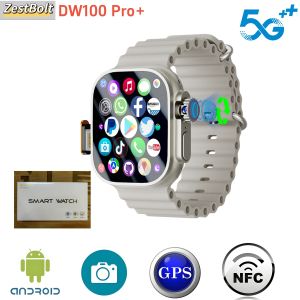
DW100 Pro+ Smartwatch 2.29inch AMOLED Display Touch ID 800W Rotating Camera Fingerprint Unlock with SIM Card Slot GPS WiFi
Smartwatch Anti-dust for Case Waterproof Protector Cover Soft Shockproof Protective for Shell for Vantage for M/M2
2025 New Lady Fashion Smart Watch women AMOLED HD Screen GPS Sport Heart Rate Bluetooth Call Waterproof Outdoor Smartwatch Women
T6 Ultra Altitude Barometer Mens Smartwatch Bluetooth Talking Compass air pressure Multi Sport Smart watch for ios Android
Smartwatch Military Men 360*360 HD Screen Flashlight Health Monitoring Waterproof Heart Rate BT Call Smart Watch For Android IOS
Wiwu Location Tracker: An Effective Anti-Lost Device
MIXTONE Smart Watch 1.46 Inch: Features & Benefits
Z7 Ultra Smart Watch RDFIT app IP68 Waterproof Real Heart rate double straps AAC 300mah Battery Smartwatch
New P76 1.96" Outdoor Military Smartwatch Men Bluetooth Calls Smart Watch 3ATM IP68 Waterproof Rating Sports Fitness Watches H23
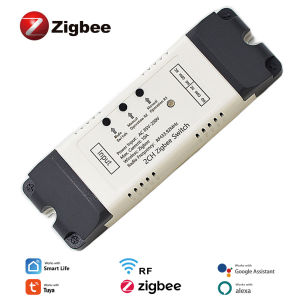
1/2CH Zigbee Tuya Smart Home Relay Module 85-250V 220V Relay AC DC 12V 24V 7-32V Works Alexa Google Assistant Smart Light Switch
Multifunctional Smart Electronic Watch Waterproof Night Light Fashionable Student Childrens Watch Engraving Digital Display Rubber Band