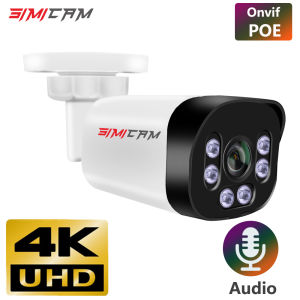
SIMICAM 4K POE Camera With Audio: A Comprehensive Guide
SIMICAM 4K POE Camera With Audio: A Comprehensive Guide
What is SIMICAM 4K POE Camera With Audio
The SIMICAM 4K POE Camera with Audio is a top-of-the-line video surveillance solution designed for seamless integration with NVR systems. This powerful bullet camera offers 4MP, 5MP, or 8MP resolution options, allowing users to choose the best fit for their specific needs. It supports both 48V POE and DC 12V power sources, making it incredibly versatile.
Key Features & Benefits
- Super HD Infrared Night Vision: Capture crystal-clear images even in low-light conditions with the SIMICAM's advanced infrared technology.
- Audio Support: Listen in on live surveillance footage with built-in audio capabilities.
- Versatile Power Options: Choose between 48V POE and DC 12V power sources to suit your installation requirements.
- Compatibility with NVR Systems: Seamlessly integrate with popular NVR systems for easy monitoring and management.
Compatibility with NVR Systems
The SIMICAM 4K POE Camera with Audio is compatible with a wide range of NVR systems, including Hikvision, Dahua, and many others. This ensures that users can easily integrate the camera into their existing surveillance setup or choose from a variety of new NVR options.
How to Install SIMICAM 4K POE Camera With Audio
Installing the SIMICAM 4K POE Camera with Audio is straightforward, even for those with limited technical experience. Follow this step-by-step guide to get started:
Step-by-Step Installation Guide
- Choose a Suitable Location: Select a location that provides optimal coverage and minimizes potential obstructions.
- Mount the Camera: Securely mount the camera using the included hardware and screws.
- Connect Power Source: Connect either the 48V POE or DC 12V power source, depending on your preference.
- Configure Network Settings: Access the camera's settings through a web browser or mobile app to configure network settings, such as IP address and port number.
- Integrate with NVR System: Follow the manufacturer's instructions to integrate the camera with your chosen NVR system.
Troubleshooting Common Issues
- Camera Not Connecting to Network: Ensure that the camera is properly connected to the power source and that the network settings are configured correctly.
- Low-Quality Video: Check the camera's firmware for updates, and verify that the camera is positioned in an area with sufficient lighting.
Maximizing Video Surveillance with SIMICAM 4K POE Camera With Audio
To get the most out of your SIMICAM 4K POE Camera with Audio, consider these tips:
Setting Up Infrared Night Vision
The SIMICAM's infrared night vision feature allows you to capture clear images in low-light conditions. To set up this feature:
- Adjust the camera's position to minimize interference from nearby light sources.
- Configure the camera's settings to enable infrared night vision mode.
Enhancing Security with Super HD Resolution
Take advantage of the SIMICAM's high-resolution capabilities to improve security:
- Position the camera strategically to cover key areas of interest.
- Adjust the camera's settings to optimize image quality and minimize motion blur.
Conclusion & Final Thoughts
The SIMICAM 4K POE Camera with Audio is an excellent choice for anyone looking to enhance their video surveillance system. With its versatile power options, super HD infrared night vision, and seamless integration with NVR systems, this camera offers unparalleled performance and reliability.
Why Choose SIMICAM 4K POE Camera With Audio
- High-Quality Video: Capture crystal-clear images with the SIMICAM's advanced Super HD resolution.
- Infrared Night Vision: See clearly in low-light conditions with the SIMICAM's powerful infrared technology.
- Compatibility: Seamlessly integrate with popular NVR systems for easy monitoring and management.
Final Recommendations & Next Steps
To get started with the SIMICAM 4K POE Camera with Audio, follow these steps:
- Choose the best resolution option for your needs (4MP, 5MP, or 8MP).
- Select the appropriate power source (48V POE or DC 12V).
- Follow the step-by-step installation guide to set up your camera.
- Configure network settings and integrate with your chosen NVR system.
With its superior performance and ease of use, the SIMICAM 4K POE Camera with Audio is sure to become an indispensable part of your video surveillance system.

Global Merch Park
You May Also Like
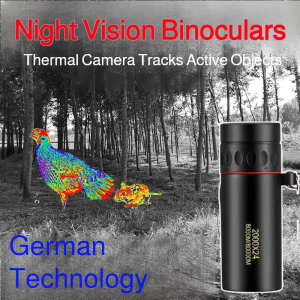
Night vision imaging technology for the field monoculars that can clearly see living things infrared tracking telescopes

V380 PRO Dual Lens CCTV Camera Connect Cellphone With 2 Way Audio And Speaker Wireless WiFi IP Security Cameras 1080P HD Full Color Night Vision 360 panoramic Motion Detection Surveillance Camera

4K CCD Digital Camera For Photography Vlogging 48MP Digicam 8X Zoom 180° Flip Screen Camera
Professional 16x52 HD Vision Monocular Telescope: A Compact Travel Binocular Alternative
LS VISION V380 Pro 6K 12MP Dual Lens WIFI/4G Solar CCTV Camera: A Comprehensive Guide
1-5PCS 5MP Mini WIFI Security Camera Built-in Battery Human Tracking IP Remote Monitoring IR Night Vision Protable Body Cameras
(Free Sport Watch) Phoenix F30070M 15X/150X HD Professional Telescope Monocular Space Astronomical Telescope Spyglass (300/70mm) with Aluminum Tripod Kids Toys Christmas Gift for Moon Jupiter Beginners
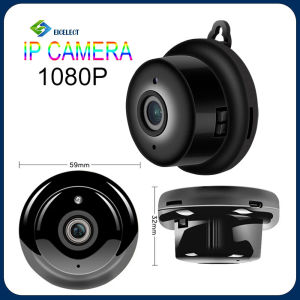
V380 Smart Mini Wifi 1080P HD IP Camera Wireless CCTV Infrared Night Vision Motion Detection Home Security Camera Surveillance Camera Record Remote Monitor Connect To Phone

V380 Pro 12MP Outdoor CCTV Camera: Key Features & Benefits
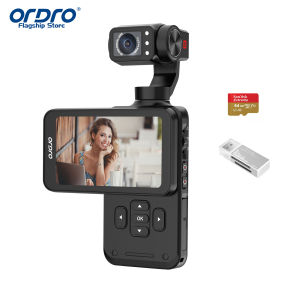
ORDRO M5 5K Vlogging Camera with 3-Axis Stabilizer 120° Ultra-Wide Angle IR Night Vision 3.5 Rotatable IPS Screen Small Vlog Camera with 64G SD Card for Photography YouTube TikTok

Portable Kids Instantly Print Camera With High Resolution Printing 2Paper Rolls Included DIY Cartoon Frame