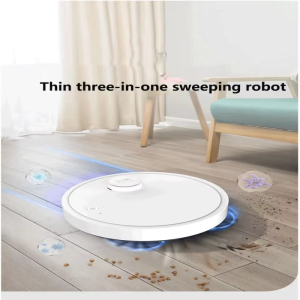
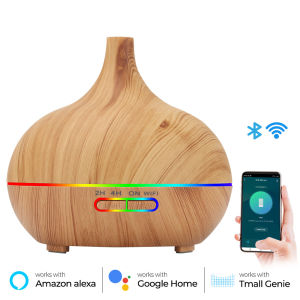
Tuya Smart Humidifier: A WiFi Aroma Diffuser with LED Light & Wireless Control
Tuya Smart Humidifier: A WiFi Aroma Diffuser with LED Light & Wireless Control
Introduction to the Tuya Smart Humidifier
The Tuya Smart Humidifier is a cutting-edge device designed to enhance your living space by providing a healthier environment through humidification and aromatherapy. This smart device integrates seamlessly with Alexa and Google Assistant, allowing you to control it effortlessly from anywhere in your home. In this article, we will explore the key features and benefits of the Tuya Smart Humidifier, as well as how to set it up, use it, and maintain it.
Key Features & Benefits
The Tuya Smart Humidifier offers several unique features that make it stand out in the market:
- Smart Humidifier with LED Light: This device combines a humidifier with a beautiful LED light display, creating a soothing atmosphere in any room.
- Wireless Control Device: With its WiFi connectivity, you can control the humidifier remotely using your smartphone or voice commands with Alexa and Google Assistant.
- Essential Oils Diffuser: The Tuya Smart Humidifier doubles as an essential oils diffuser, allowing you to enjoy the benefits of aromatherapy while maintaining optimal humidity levels.
- WiFi Aroma Diffuser: This device allows you to customize your scent experience by choosing from a variety of essential oils and adjusting the intensity of the aroma.
- Timer Controlled Humidifier: With the timer feature, you can set the humidifier to turn on and off automatically, ensuring consistent humidity levels throughout the day.
How the Tuya Smart Humidifier Works with Alexa & Google Assistant
The Tuya Smart Humidifier integrates seamlessly with popular smart home platforms like Alexa and Google Assistant. Simply connect your device to your Wi-Fi network and download the Tuya app to get started. Once connected, you can control the humidifier using voice commands or through the app interface. This allows you to adjust settings, monitor humidity levels, and even change the color of the LED light display with ease.
Setting Up Your Tuya Smart Humidifier
Setting up your Tuya Smart Humidifier is quick and easy. Follow these steps to get started:
- Connect the humidifier to your Wi-Fi network by following the instructions in the user manual.
- Download the Tuya app from the App Store or Google Play Store.
- Create an account or log in if you already have one.
- Add the Tuya Smart Humidifier to your account by following the prompts in the app.
- Configure essential oils diffuser settings and LED light display preferences according to your needs.
Connecting to WiFi & Downloading the App
Before you can begin using your Tuya Smart Humidifier, you must first connect it to your Wi-Fi network. This allows the device to communicate with your smartphone or other smart home devices. To connect the humidifier to your Wi-Fi network, follow the instructions in the user manual. Once connected, download the Tuya app from the App Store or Google Play Store to control your device remotely.
Configuring Essential Oils Diffuser & LED Light Settings
The Tuya Smart Humidifier offers customizable essential oils diffuser and LED light settings, allowing you to tailor your experience to your preferences. In the Tuya app, you can adjust the intensity of the aroma, choose from a variety of scents, and even set a timer for the diffuser. Additionally, you can customize the color of the LED light display to create a relaxing atmosphere in any room.
Using Your Tuya Smart Humidifier
Using your Tuya Smart Humidifier is simple and intuitive. Follow these steps to get started:
- Fill the water tank with distilled water and add a few drops of your favorite essential oil.
- Set the desired humidity level and timer using the Tuya app or voice commands with Alexa and Google Assistant.
- Turn on the humidifier and enjoy the benefits of aromatherapy and optimal humidity levels in your home.
Timer Controlled Humidifier Operation
One of the key features of the Tuya Smart Humidifier is its timer-controlled operation. With this feature, you can set the humidifier to turn on and off automatically at specific times throughout the day. This ensures consistent humidity levels and eliminates the need for manual adjustments. To set the timer, simply open the Tuya app and navigate to the settings menu.
Wireless Control Device for Remote Access
The Tuya Smart Humidifier offers wireless control through its WiFi connectivity, allowing you to adjust settings and monitor humidity levels from anywhere in your home. With the Tuya app, you can control the humidifier using your smartphone or tablet. Additionally, you can use voice commands with Alexa and Google Assistant to control the device hands-free.
Maintaining Your Tuya Smart Humidifier
To ensure optimal performance and longevity, it's important to maintain your Tuya Smart Humidifier properly. Follow these tips to keep your device running smoothly:
- Clean the water tank regularly to prevent mineral buildup and bacterial growth.
- Replace the filter according to the manufacturer's recommendations.
- Store the humidifier in a dry place when not in use.
Cleaning Instructions & Maintenance Tips
Proper maintenance is crucial for keeping your Tuya Smart Humidifier in top condition. Here are some cleaning instructions and maintenance tips to follow:
- After each use, empty the water tank and wipe it down with a soft cloth.
- Once a week, fill the water tank with a mixture of equal parts white vinegar and water and let it sit for 30 minutes. Then, rinse the tank thoroughly with clean water.
- Replace the filter every 2-3 months, or as recommended by the manufacturer.
- Store the humidifier in a dry place when not in use to prevent damage from moisture.
Troubleshooting Common Issues
If you experience any issues with your Tuya Smart Humidifier, consult the troubleshooting guide in the user manual. Common problems include mineral buildup in the water tank, clogged filters, and connectivity issues. If you're unable to resolve the issue on your own, contact Tuya customer support for assistance.
In conclusion, the Tuya Smart Humidifier is a versatile and convenient device that combines the benefits of a smart humidifier with an essential oils diffuser and LED light display. With its intuitive interface and seamless integration with popular smart home platforms, this device is perfect for anyone looking to enhance their living space with a healthier environment. By following the setup, usage, and maintenance instructions provided in this article, you can enjoy the many benefits of the Tuya Smart Humidifier for years to come.

Global Merch Park
Review

You May Also Like

Home Mini Hand Mixer Electric Mini Milk Frother Coffee Mixer Stainless Blender Juice Whisk Drill Blenderr
Nobico KJ400 Wall/Floor Mountable Air Purifier with UVC Germicidal 680 m³/h CADR for 110㎡ 7-Stage H13 HEPA Filter
【Original+24hours delivery】New Model Hand Operated Chicken Duck Farm Animal Feed Grinder Specialized Blade Set for Grass And Vegetable Chopping
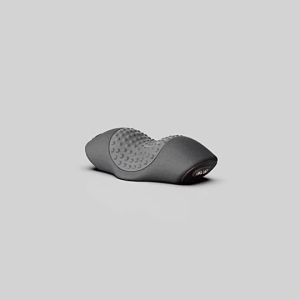
Electric Massager Cervical Pillow Hot Compress Vition Massage Neck Traction Relax Sleeping Memory
Mini Butane Gas Stove Camping Portable Gas Stove with Case Outdoor Picnic Cooker Stove 3800W
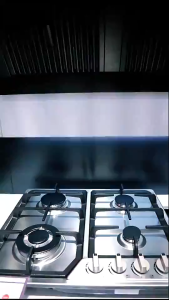
4 Burner Built-in Cooktop Stainless Steel Gas Stoves Natural Gas Hob Kitchen

Multifunctional Capsule Cutter CAPSULE CUTTER QUATRE FOOD PROCESSOR MEAT Grinder Machine - Paez Official
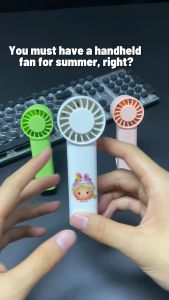
Disney DY-805 Mini Handheld USB Rechargeable Portable Cooling Fan Mute Three Speed Wind Force Send Disney stickers (Send Disney stickers)
9500W Smoothie Juicer 3000ml Blender and Juicer Electric Fruit Juicer Fruit Vegetable Centrifugal Juicer Extractor
Makery【Ready in Stock】 3Pcs/pack Air Bangs Roller Does Not Hurt Hair Plastic Curler Inner Buckle Hair Roller DIY Hair Tool

TROUWIDS Activated Carbon Water Filter Pitcher Authentic Water Fitler Jug Household Water Purifier Filter