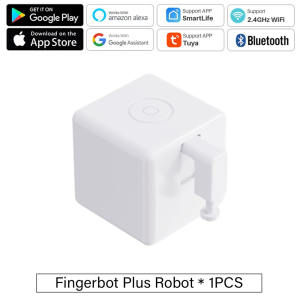
Tuya Zigbee Bluetooth Fingerbot Plus: Smart Home Robot Switch & Alexa Google Home Integration
Tuya Zigbee Bluetooth Fingerbot Plus: Smart Home Robot Switch & Alexa Google Home Integration
What is the Tuya Zigbee Bluetooth Fingerbot Plus
The Tuya Zigbee Bluetooth Fingerbot Plus is a smart home robot switch that allows users to automate their home tasks and control devices via voice commands or the Smart Life App. As a versatile device, it can be easily integrated with popular smart home platforms like Alexa and Google Home, offering users a seamless experience. This Fingerbot Plus switch is designed to work with various devices, including lights, fans, and other smart home gadgets, providing a convenient way to manage your home environment.
Key Features
- Voice Control: Compatible with Alexa and Google Home, allowing users to control devices hands-free.
- Zigbee and Bluetooth Connectivity: Enables reliable communication between devices and the Smart Life App.
- Smart Life App Control: Manage and customize your smart home devices with ease.
- Automation Capabilities: Automate your home tasks, such as turning lights on/off or adjusting fan speeds, according to your schedule.
- Customizable Switches & Buttons: Customize your switches and buttons to suit your needs.
Compatibility with Smart Life App
The Tuya Zigbee Bluetooth Fingerbot Plus is compatible with the Smart Life App, which allows users to control and manage their smart home devices. The app provides a user-friendly interface for customizing switches, setting schedules, and integrating with other smart home platforms like Alexa and Google Home.
Setting Up Your Tuya Zigbee Bluetooth Fingerbot Plus
To get started with your Tuya Zigbee Bluetooth Fingerbot Plus, follow these steps:
- Download the Smart Life App from the Apple App Store or Google Play Store.
- Connect your device to Wi-Fi and Bluetooth.
- Add your Tuya Zigbee Bluetooth Fingerbot Plus to the Smart Life App.
- Connect to Alexa and Google Home if desired.
Connecting to Alexa & Google Home
To connect your Tuya Zigbee Bluetooth Fingerbot Plus to Alexa or Google Home, follow these steps:
- Download the Alexa or Google Home app from the Apple App Store or Google Play Store.
- Connect your device to Wi-Fi.
- Add your Tuya Zigbee Bluetooth Fingerbot Plus to the Alexa or Google Home app.
- Customize your voice commands and automation settings.
Configuring the Smart Life App
To configure the Smart Life App, follow these steps:
- Open the Smart Life App.
- Tap on the device you wish to configure.
- Customize your switches and buttons.
- Set schedules and automation rules.
Using the Tuya Zigbee Bluetooth Fingerbot Plus
Once set up, you can start using your Tuya Zigbee Bluetooth Fingerbot Plus to automate home tasks and customize switches & buttons.
Automating Home Tasks
With the Tuya Zigbee Bluetooth Fingerbot Plus, you can automate home tasks such as turning lights on/off, adjusting fan speeds, and more. Simply set up schedules and automation rules within the Smart Life App to streamline your daily routine.
Customizing Switches & Buttons
The Tuya Zigbee Bluetooth Fingerbot Plus allows users to customize switches and buttons according to their preferences. Within the Smart Life App, you can adjust settings, assign voice commands, and create custom scenes to suit your needs.
Troubleshooting Common Issues
If you encounter issues while setting up or using your Tuya Zigbee Bluetooth Fingerbot Plus, refer to the following troubleshooting tips:
Connectivity Problems
If you experience connectivity issues, try the following steps:
- Check your Wi-Fi and Bluetooth connection.
- Restart your router and device.
- Re-add your device to the Smart Life App.
Smart Life App Errors
If you encounter errors within the Smart Life App, try the following steps:
- Update the Smart Life App to the latest version.
- Clear the app cache and data.
- Re-add your device to the Smart Life App.

Global Merch Park
Review
You May Also Like
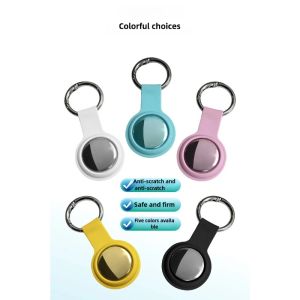
Smart Bluetooth Airtag GPS tracker is suitable for Android and iOS air tag tracker mini locator pet key searcher.
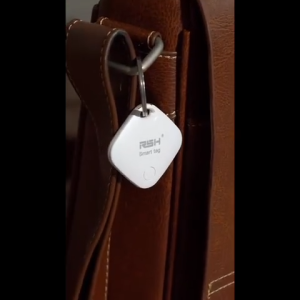
Wireless Smart Tag Tracker for Items - Wireless Anti-Loss Device Mini GPS Personal Global Positioning Tracker Real Time Tracking Smart Device for Car Lost Tracker Bag Item And Bicycle Pet Tracking (iOS Compatible Only) Battery Replaceable
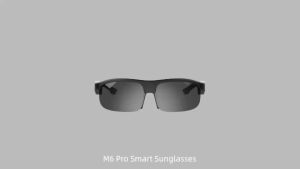
Smart Glasses Polarized Bluetooth Sunglasses with Built-in Mic & Speakers Open Ear Voice Assistant
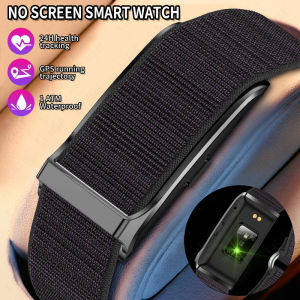
LIGE Health Smart Bracelet For Men Women Heart Rate Monitor Activity Fitness Tracker Couples Band Sports Waterproof Smart Watch For Android IOS

Sanrio Characters and CHERRY Smartwatch
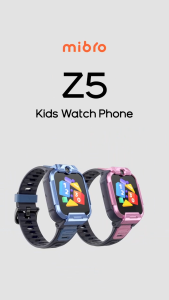
Mibro Kids Z5 4G SmartWatch for Children HD Video Call GPS Tracker SOS 2ATM Waterproof 14Day Battery
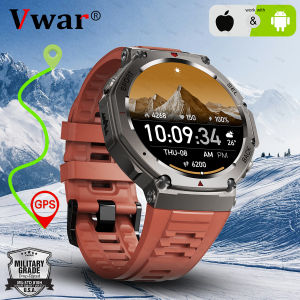
Original T-Rex 3 Military Smart Watch Bulit-in GPS Compass Altimeter Barometric 5ATM Waterproof AMOLED Bluetooth Call Smartwatch
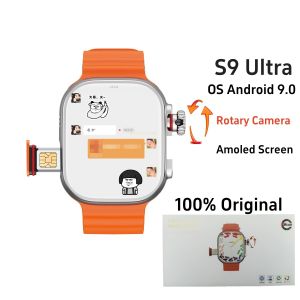
Original CDS9 Ultra Smartwatch Android 9.0 4G Network Sim Card Rotary Camera Amoled Google Play Store Global Version Smart Watch
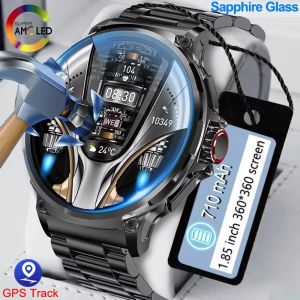
2025 Rugged Military GPS lP68 Waterproof Smart Watch Men Outdoor Watches 1.85" HD Bluetooth Call Man Smartwatch For Android IOS
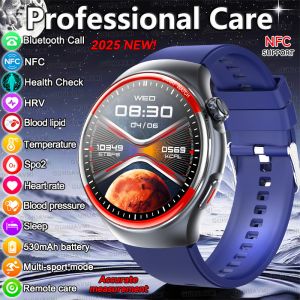
2025 New Professional Health Care Laser Monitor Smart Watch Men Women Blood Pressure Heart Rate Oxygen Bluetooth Call NFC Watchs
Xiaomi Redmi Watch 5 Active: A Compact Smartwatch with Long Battery Life