Original Samsung B105E Keypad Phone: A Brand New Backup Phone
Original Samsung B105E Keypad Phone: A Brand New Backup Phone
What is the Samsung B105E Keypad Phone?
The Samsung B105E Keypad Phone is a basic mobile phone designed to provide essential communication features in a compact and user-friendly form factor. As a brand new keypad cellphone, it serves as an excellent backup phone for those who want a reliable device for emergencies or day-to-day use.
Key Features & Components
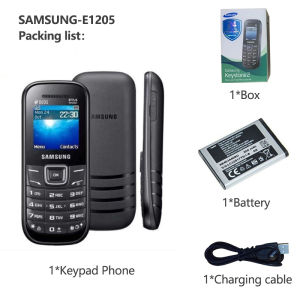
The Samsung B105E Keypad Phone comes with the following components:
- 1* Keypad
- 1* Battery
- 1* Charger
- 1* Earphone
- 1* Manual
Some of its key features include:
- A simple and intuitive keypad interface
- Clear and easy-to-read display
- Basic mobile phone functions such as calling, texting, and basic settings
Comparison with Other Basic Mobile Phones
Compared to other basic mobile phones, the Samsung B105E Keypad Phone stands out due to its reliable performance, ease of use, and affordability. It is an ideal choice for users who prefer a straightforward device that meets their essential communication needs.
How to Set Up Your Samsung B105E Keypad Phone
Setting up your Samsung B105E Keypad Phone is a simple process that involves unboxing and initial setup, followed by pairing accessories.
Unboxing & Initial Setup
To begin, unbox your Samsung B105E Keypad Phone and locate the battery, charger, earphone, and manual. Insert the battery into the phone and connect the charger to a power source. Once charged, turn on the phone by pressing the power button.
Pairing Accessories
Pairing accessories, such as the earphone, is easy. Simply plug the earphone into the designated port on the side of the phone, and you're ready to use it.
How to Use Your Samsung B105E Keypad Phone
Using your Samsung B105E Keypad Phone is straightforward, thanks to its simple interface and basic features.
Making & Receiving Calls
To make a call, dial the desired number using the keypad and press the green call button. To receive a call, simply answer the incoming call by pressing the green call button.
Text Messaging
Text messaging is easy with the Samsung B105E Keypad Phone. Press the 'SMS' button on the keypad, enter the recipient's number, type your message using the keypad, and press 'Send'.
Basic Phone Settings
Access basic phone settings by pressing the 'Menu' button on the keypad and selecting the desired option. You can customize your phone's display, sound, and other settings according to your preferences.
Maintaining Your Samsung B105E Keypad Phone
To ensure optimal performance and longevity, it's essential to maintain your Samsung B105E Keypad Phone properly.
Battery Care & Charging
For best results, charge your Samsung B105E Keypad Phone regularly using the included charger. Unplug the charger once the battery is fully charged to avoid overcharging.
Cleaning & Storage
Clean your Samsung B105E Keypad Phone gently with a soft, dry cloth. Store it in a cool, dry place away from direct sunlight and moisture.
Troubleshooting Common Issues
If you encounter any issues with your Samsung B105E Keypad Phone, consult the manual for troubleshooting tips or contact Samsung customer support for assistance.
In conclusion, the Samsung B105E Keypad Phone is a reliable and affordable backup phone that offers essential communication features in a compact and user-friendly design. With its simple interface and basic functions, it's an ideal choice for users who prefer a straightforward device for emergencies or day-to-day use.

BANGKO MAHARLIKA Services
You May Also Like
High Quality Hot50 4G/5G Smartphone 6.7-inch Full Screen Ultra HD Phone Memory 8GB RAM+256GB ROM Battery 8000Mah
Trendy Retro Colorful Beaded Bracelet Phone Strap Charm Chain Handmade Cellphone Lanyard Elegant Women Bag Decoration

Plastic Telephone Inspired Temporary Parking Phone Number Plate with Retro Design and High Temperature Resistant Plastic
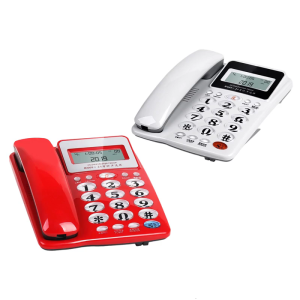
Corded Landline Telephone Landline Desktop Landline Phone Noise Reduction Calling Suitable for Home Hotel Office
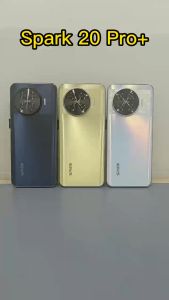
Spark 20 Pro+ 4G/5G Smart Phone 7.6inch Ultra-Clear Screen Memory 16GB+1TB Battery 7800Mah Android 14.0
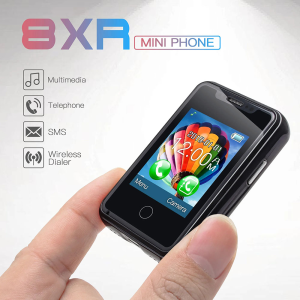
8XR Mini Small Phone: A Compact Device with Magic Features

2025 Suitable for students Global Version Pad 6 Pro Snapdragon 888 Tablet PC Android 13 RAM 16GB ROM 1TB 5G HD 4K Screen WIFI Tab PC
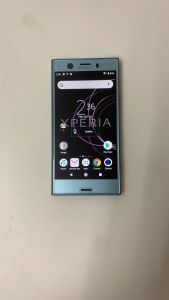
Original Sony Xperia XZ1 Compact SO-02K 4G Mobile Phone 4GB RAM 32GB ROM
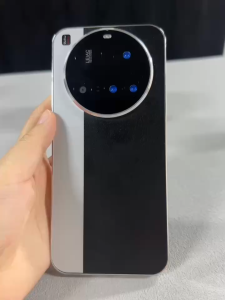
NEW M15 Ultra 4G/5G Smartphone 6.7inch Full Screen Phone Memory 12GB RAM+512GB ROM Camera 50MP+108MP Battery 8000Mah
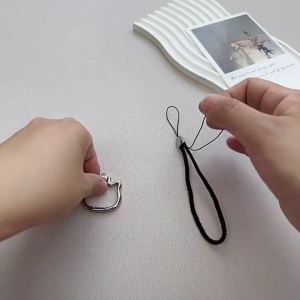
Stylish Cats Phone Chain Unique Phone Fashion Phone Pendant Alloy Texture Portable Phone Holder Strap for Woman
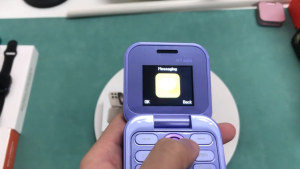
I16 Pro Flip Phone Dual SIM Mobile Phone 1.77inch Screen Keypad Cellphone Mini Basic phone COD Feature Phone