M-VAVE Mini Universe Digital Reverb Guitar Pedal: 9 Reverb Effects Explained
M-VAVE Mini Universe Digital Reverb Guitar Pedal: 9 Reverb Effects Explained
What is the M-VAVE Mini Digital Reverb Guitar Pedal?
Overview of the M-VAVE Mini Digital Reverb Guitar Pedal
The M-VAVE Mini Digital Reverb Guitar Pedal is a compact, versatile guitar effects pedal designed to provide a wide range of reverb effects. It is perfect for musicians who want to add depth, texture, and atmosphere to their guitar sound. The M-VAVE Mini Digital Reverb Guitar Pedal features nine different reverb effects, including room, shimmer, lofi, and spring reverb, making it an essential accessory for any guitarist.
Key Features of the M-VAVE Mini Digital Reverb Guitar Pedal
- Compact design
- Nine reverb effects
- Easy-to-use controls
- Compatible with various guitar setups
How to Choose the Right Reverb Effect for Your Music
Choosing the right reverb effect depends on the genre, style, and mood of your music. Here are four popular reverb effects and how they can enhance your guitar sound:
Room Reverb: Creating a Natural Sound
Room reverb simulates the natural acoustic environment of a room, creating a sense of space and depth. It is ideal for genres like rock, pop, and folk, where a natural and organic sound is desired. Room reverb can add warmth and richness to your guitar sound, making it an excellent choice for acoustic guitars and clean electric guitar tones.
Shimmer Reverb: Adding Ethereal Texture
Shimmer reverb adds a dreamy, ethereal quality to your guitar sound, making it perfect for genres like ambient, shoegaze, and electronic music. It creates a sense of space and atmosphere, enhancing the emotional impact of your music. Shimmer reverb is particularly effective when used with delay effects, creating a lush, layered sound.
Lofi Reverb: Embracing Imperfection
Lofi reverb is designed to mimic the imperfections and warmth of vintage recording equipment. It is ideal for genres like lofi hip hop, indie rock, and alternative music, where a raw, gritty sound is desired. Lofi reverb can add character and personality to your guitar sound, making it stand out in a mix.
Spring Reverb: Recreating Vintage Sounds
Spring reverb simulates the sound of vintage spring reverb units, creating a distinctive, warm, and organic tone. It is ideal for genres like surf rock, country, and blues, where a classic sound is desired. Spring reverb can add depth and character to your guitar sound, making it an essential effect for any guitarist who wants to recreate vintage sounds.
Setting Up and Using the M-VAVE Mini Digital Reverb Guitar Pedal
Setting up and using the M-VAVE Mini Digital Reverb Guitar Pedal is simple and straightforward. Here are some tips to help you get started:
Connecting the M-VAVE Mini Digital Reverb Guitar Pedal to Your Setup
To connect the M-VAVE Mini Digital Reverb Guitar Pedal to your guitar setup, simply plug one end of a guitar cable into the input jack of the pedal and the other end into the output jack of your guitar. Then, plug another guitar cable into the output jack of the pedal and connect it to your amplifier or other effects pedals.
Adjusting the Reverb Settings for Optimal Performance
The M-VAVE Mini Digital Reverb Guitar Pedal features easy-to-use controls that allow you to adjust the reverb settings to achieve the perfect sound. Experiment with different settings to find the right balance of reverb and dry signal that works best for your music.
Tips for Maximizing Your Reverb Experience
To get the most out of your M-VAVE Mini Digital Reverb Guitar Pedal, try using it in combination with other effects pedals, such as delay or chorus. This will create a more complex and interesting sound. Additionally, consider experimenting with different reverb settings during live performances to add variety and interest to your music.
Troubleshooting Common Issues with the M-VAVE Mini Digital Reverb Guitar Pedal
If you encounter any issues with your M-VAVE Mini Digital Reverb Guitar Pedal, here are some common solutions:
Fixing Audio Distortion and Interference
Audio distortion and interference can occur if the input signal is too strong or if there is electromagnetic interference. To fix this issue, try lowering the input signal level or moving the pedal away from sources of interference, such as power cables or fluorescent lights.
Addressing Battery Life Concerns
If your M-VAVE Mini Digital Reverb Guitar Pedal is draining its battery quickly, try turning off any unused effects or adjusting the reverb settings to use less power. Additionally, consider using a power supply instead of batteries to extend the battery life.
Resolving Connectivity Problems
If you are experiencing connectivity issues with your M-VAVE Mini Digital Reverb Guitar Pedal, try checking the connections between the pedal and your guitar or amplifier. Ensure that all cables are securely connected and that there are no loose or damaged connectors.

GlobalTechMart
You May Also Like

Barbara ONeills Natural Remedies Handbook 9 Foundational Health Pillars Home Self-Care & Wellness Guide
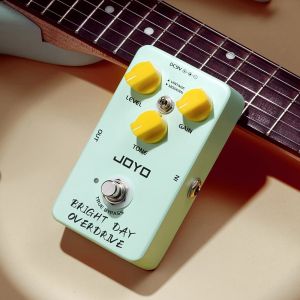
JOYO JF-25 BRIGHT DAY OVERDRIVE Vintage Blues Overdrive Guitar Effect Pedal Modern & Vintage Tone True Bypass Overdrive Pedal
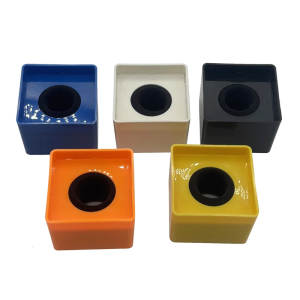
Professional Mic Holder Block Shockproof ABS Construction Not Reflective Finish Universal for Interviewing

Avatar PD708 Sampler Pad Professional Electronic Drum Pad
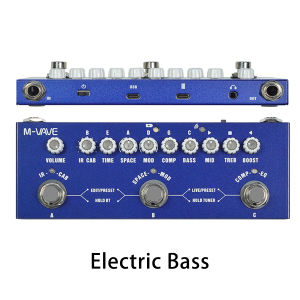
M-vave Cube BABY Multi Effects Pedal Rechargeable Electric Bass Recording Audio Interface Function Cuvave Pedal

Science Workbook for Beginners: A 60-Page Learning Material for Kindergarten & Grade 1

Leadership Roles and Management Functions in Nursing: Theory and Applications - 9781975189808 - C E Bookshop
Mechanical Keyboards Plate Mounted Stabilizers Tape Plate Stabilizers Foam DIY Keyboards Repair Foam Pad
Metal Guitar Control KnobGuitar Volume Tone Control Dome KnobsTelevision or Guitar Bass Replacement Parts

TOY STORY COLORING ACTIVITY BOOK – FUN & EDUCATIONAL GIFT BIRTHDAY GIVEAWAY PARTY LOOT BAG FOR KIDS

Comprehensive Guide to GACHIAKUTA BOOK ENGLISH VERSION VOLUME 1-14