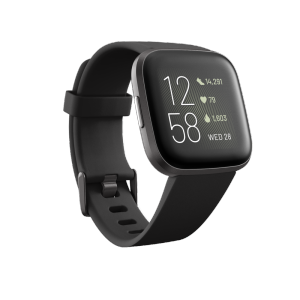
Fitbit Versa 2 Health and Fitness Smartwatch with Heart Rate Music Alexa Built-In Sleep and Swim Tracking Black/Carbon
Fitbit Versa 2 Health and Fitness Smartwatch with Heart Rate Music Alexa Built-In Sleep and Swim Tracking Black/Carbon
Key Features of Fitbit Versa 2
The Fitbit Versa 2 smartwatch is a sleek, black/carbon wearable device that offers a variety of features to help users stay fit, healthy, and connected. This comprehensive guide will walk you through the key features of the Fitbit Versa 2, including heart rate monitoring, built-in Alexa voice assistant, sleep tracking, and swim tracking.
Heart Rate Monitoring
One of the standout features of the Fitbit Versa 2 is its advanced heart rate monitoring capabilities. This smartwatch continuously tracks your heart rate throughout the day, providing valuable insights into your overall health and fitness levels. With the ability to monitor your heart rate during exercise, at rest, and even during sleep, the Fitbit Versa 2 helps you stay informed about your cardiovascular health.
Built-in Alexa Voice Assistant
The Fitbit Versa 2 comes equipped with a built-in Alexa voice assistant, allowing you to control your smart home devices, play music, check the weather, and more, all without having to take out your phone. Simply ask Alexa to perform tasks, and the Fitbit Versa 2 will respond with ease.
Sleep and Swim Tracking
In addition to heart rate monitoring and Alexa integration, the Fitbit Versa 2 also offers advanced sleep tracking and swim tracking features. With its water-resistant design, this smartwatch can track your swimming workouts, providing valuable insights into your performance in the water. Meanwhile, its sleep tracking capabilities help you understand your sleep patterns, allowing you to make adjustments to improve your overall sleep quality.
Fitbit Versa 2: A Sleek Black/Carbon Design
The Fitbit Versa 2 boasts a sleek black/carbon design that is both stylish and comfortable to wear. Its lightweight build and adjustable strap make it easy to wear throughout the day, whether you're at the gym, in the office, or out running errands. Additionally, its water-resistant design allows you to wear it while swimming, making it a versatile fitness companion.
Stylish & Comfortable Wearable Device
The Fitbit Versa 2 is a stylish and comfortable wearable device that is perfect for anyone looking to stay fit and healthy. Its sleek black/carbon design and lightweight build make it easy to wear all day long, while its advanced features help you track your progress and stay motivated.
Water-Resistant for All Your Fitness Needs
With its water-resistant design, the Fitbit Versa 2 is perfect for all your fitness needs, whether you're swimming laps at the pool or sweating it out during a workout. Its water-resistant capabilities allow you to track your progress in the water, providing valuable insights into your performance and helping you stay motivated to reach your fitness goals.
How to Maximize Your Fitbit Versa 2 Experience
To get the most out of your Fitbit Versa 2 smartwatch, it's important to set it up correctly and learn how to use its various features effectively. In this section, we'll walk you through the process of setting up your smartwatch, using its heart rate monitoring, Alexa voice assistant, sleep tracking, and swim tracking features, and customizing your Fitbit Versa 2 to suit your individual needs.
Setting Up Your Smartwatch
Setting up your Fitbit Versa 2 is easy and straightforward. Simply download the Fitbit app on your smartphone, connect your smartwatch to your phone via Bluetooth, and follow the on-screen instructions to complete the setup process. Once your smartwatch is set up, you can begin using its various features to track your health and fitness goals.
Using Heart Rate Music Alexa Built-In Sleep and Swim Tracking
To use the heart rate monitoring, Alexa voice assistant, sleep tracking, and swim tracking features on your Fitbit Versa 2, simply follow these steps:
- Heart Rate Monitoring: To check your heart rate, swipe left on the home screen until you see the heart rate icon, then tap on it to view your current heart rate.
- Alexa Voice Assistant: To activate the Alexa voice assistant, press and hold the side button on your smartwatch until you hear the Alexa chime, then ask Alexa to perform a task.
- Sleep Tracking: To track your sleep, wear your Fitbit Versa 2 to bed and let it automatically detect when you fall asleep and wake up. You can also manually log your sleep sessions if needed.
- Swim Tracking: To track your swims, make sure your Fitbit Versa 2 is water-resistant, then wear it during your swim session and let it automatically detect your strokes and distance.
Customizing Your Fitbit Versa 2
One of the great things about the Fitbit Versa 2 is that it allows you to customize your smartwatch to suit your individual needs. You can change the watch face, add or remove apps, and adjust settings to optimize your experience. To customize your Fitbit Versa 2, simply go to the settings menu on your smartwatch and make the desired changes.

GlobalSuperBazaar
Review
You May Also Like

Compatible with AirTag Case Anti-Scratch Lightweight Waterproof Cover with Key Ring for AirTags Finder Tracker
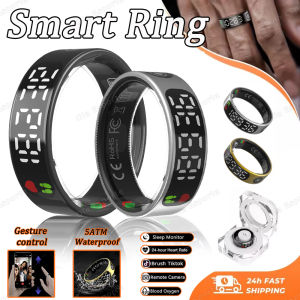
New SR08 Smart Ring: A Comprehensive Guide

The Clapper Sound Activated Switch On/Off Clap Hand 110v Sound Control Switch Electronic Gadget
Original X10 Ultral 3 7+1 Gold Smart Watch Series 10 With 2.06 inch AMOLED Men Women Smartwatch Bluetooth Call Waterproof Sport Fitness For SAMSUNG HUAWEI XIAOMI Android Phone
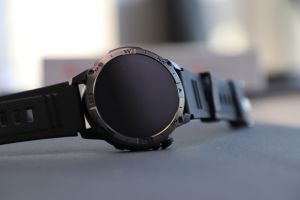
NORTH EDGE AMOLED GPS Outdoor Sports Smartwatch Bluetooth Call Barometer Altimeter Cycling Running Mountaineering IP68 Waterproof Compatible Android IOS HK08 Relo For Men Watch

2025 New Xiaomi Gen25 Smart Watch Richard Watch Bluetooth Call Blood Pressure Oxygen Health Monitoring Intelligent Alert Sleep Heart Rate Blood Message Remind original branded
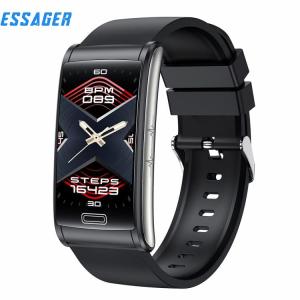
ESSAGER E600: A Comprehensive Guide to the Waterproof Blood Glucose Bracelet
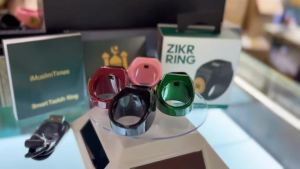
Smart Tasbih Zikr Ring22mm(13) Muslim Digital Azan Alarm ClockAPP Support Digital Counter Prayer Reminder Rings Waterproof 4 Digit Finger Counter zikr Ring for Muslims
![[COD] E-WOITD New Smart Switch DIY Wireless Switch Control Smart Home Automation](https://img.lazcdn.com/g/p/1219804ff3a6fa34d25fdbcc2675fe77.jpg_300x300q80.jpg)
[COD] E-WOITD New Smart Switch DIY Wireless Switch Control Smart Home Automation

Portable handheld metal detector Security Scanner Metal Detector high sensitivity and safety alarm
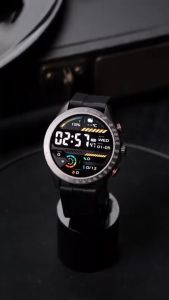
Haylou Solar Pro LS18 Fitness Tracker Bluetooth 5.3 SOS + AI Assistant Military-Grade Design