SmartKids S28 1180A 5G Android Learning Tablet for Kids 8 inches IPS LCD
SmartKids S28 1180A 5G Android Learning Tablet for Kids 8 inches IPS LCD
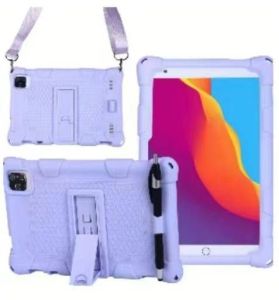
SmartKids S28 1180A is a 5G Android learning tablet designed specifically for kids, featuring an 8-inch IPS LCD display. This innovative educational tablet offers a wide range of features and benefits, making it an ideal choice for parents looking to provide their children with engaging learning experiences. In this article, we'll explore the key features of the SmartKids S28 1180A, how to choose the right kids educational tablet, getting started with your new device, and the benefits of using this advanced learning tool.
What is the SmartKids S28 1180A?
The SmartKids S28 1180A is a 5G Android learning tablet designed specifically for children. It comes with an 8-inch IPS LCD display, providing a clear and vibrant viewing experience. This tablet is packed with features that make it perfect for educational purposes, including access to a vast library of learning apps and content, built-in parental controls, and safety features to ensure a secure learning environment.
Key Features
The SmartKids S28 1180A offers several key features that set it apart from other kids educational tablets:
- 8-inch IPS LCD Display: A large, vibrant screen provides an engaging visual experience for children.
- 5G Connectivity: Stay connected and access the latest educational content and apps at lightning-fast speeds.
- Android OS: The familiar Android operating system makes it easy for both parents and children to navigate and use the tablet.
- Educational Apps & Content: Access to a vast library of learning apps and content, covering a wide range of subjects and skills.
- Parental Controls & Safety Features: Built-in controls and features to ensure a secure learning environment.
Included Accessories
The SmartKids S28 1180A comes with the following accessories:
- 1*SmartKids Tablet: The main device.
- 1*Charger: To keep your tablet powered up and ready to go.
- 1*User Manual: A comprehensive guide to help you get started with your new device.
How to Choose the Right Kids Educational Tablet
When selecting a kids educational tablet, there are several factors to consider, including screen size and display quality, connectivity and compatibility.
Screen Size & Display Quality
The screen size and display quality are crucial factors when choosing a kids educational tablet. A larger screen provides a more immersive viewing experience, making it easier for children to engage with educational content. Additionally, a high-quality display ensures clear and vibrant visuals, which can enhance the learning experience.
Connectivity & Compatibility
Connectivity and compatibility are essential considerations when selecting a kids educational tablet. Ensure that the device offers fast and reliable connectivity options, such as 5G, to access the latest educational content and apps. Additionally, consider compatibility with other devices and platforms, as this can expand the range of learning opportunities available to your child.
How to Get Started with Your SmartKids S28 1180A
Getting started with your new SmartKids S28 1180A is easy and straightforward. Follow these steps to set up your tablet and download apps and content:
Setting Up the Tablet
- Unbox your device: Carefully remove the SmartKids S28 1180A from its packaging and familiarize yourself with the included accessories.
- Charge the tablet: Connect the charger to the tablet and plug it into a power source. Allow the battery to charge fully before using the device.
- Follow the setup instructions: Once charged, turn on the tablet and follow the on-screen instructions to complete the initial setup process.
Downloading Apps & Content
- Access the Google Play Store: Open the Google Play Store app on your tablet to browse and download a wide range of educational apps and content.
- Search for educational apps: Use the search bar to find apps and content that align with your child's learning goals and interests.
- Download and install apps: Tap on the desired app or content, then select the 'Download' or 'Install' button to add it to your tablet.
Benefits of Using the SmartKids S28 1180A
The SmartKids S28 1180A offers numerous benefits for children and parents alike, including access to educational content and learning tools, as well as built-in parental controls and safety features.
Educational Content & Learning Tools
The SmartKids S28 1180A provides access to a vast library of educational apps and content, covering a wide range of subjects and skills. These resources can help children develop essential learning skills, such as reading, writing, math, and problem-solving, while also fostering creativity and imagination.
Parental Controls & Safety Features
Built-in parental controls and safety features ensure a secure learning environment for children. Parents can customize settings to restrict access to certain apps and content, monitor their child's online activity, and set time limits for tablet usage. Additionally, the tablet offers features such as safe browsing and content filtering to protect children from inappropriate material.
In conclusion, the SmartKids S28 1180A is an excellent choice for parents looking to provide their children with engaging and effective learning experiences. With its large 8-inch IPS LCD display, fast 5G connectivity, and access to a vast library of educational apps and content, this kids educational tablet offers numerous benefits for both children and parents.

ZSK.ph
Review

You May Also Like
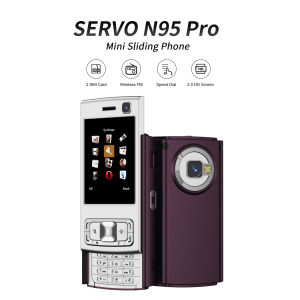
SERVO N95 Pro New Slider Mobile Phone Dual SIM Bluetooth Magic Voice Flashlight FM Radio Keyboard Mini 2G GSM Cellphones Type-C
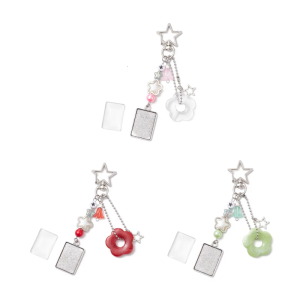
Adorable Simple Star and Flower Bead Mobile Strap Phone Chain Charm for Creative DIY Enthusiasts and Fashion Lovers
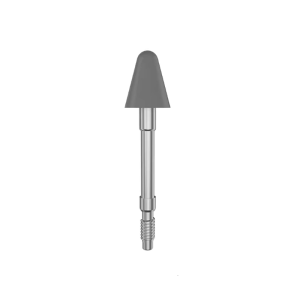
Precise Replacement Tip for Xiaoxin Tab Legion Y700 2023/ Pad 2024 /Pad 12.7 Wear Resistant Nib Smooth Writing
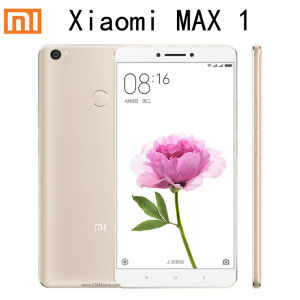
Smartphone Xiaomi MI MAX 1/MAX 2/MAX 3 Celular 3G 64G 4850mAh Fingerprint Android Cellphone In Stock Big Promotion
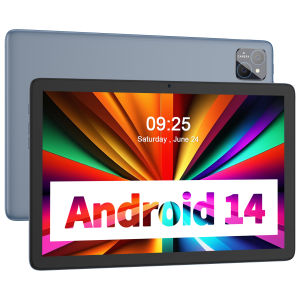
PRITOM TAB11: A Comprehensive Guide to the Octa-Core 5G Tablet
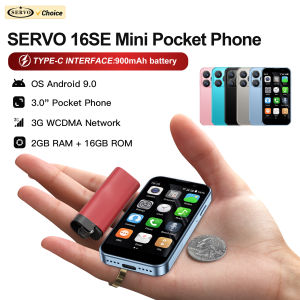
SERVO 16SE MINI Cute Smartphone 3G WCDMA Android System 2GB+16GB Play Store WhatsAPP Face Unlock WiFi Small Pocket Smart Phones
Linkvil W610W Wi-Fi phone Telephone Unit
Heart Camera Pendant Colorful Heart Phone Charm Handmade Phone Acrylic Material Purse Dangle for Key Phone Bag
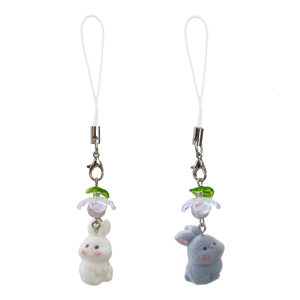
Adorable Flocking Rabbit Phone Accessory Soft and Comfortable Phone Charm Adds Unique Style for Female Users
![[NEW] Xiaomi 15T Pro 12+256/12+512GB | Leica 5x Pro telephoto camera | MediaTek Dimensity 9400+ | 24-month quality assurance one free screen replacement within 6 months](https://img.lazcdn.com/g/ff/kf/S94e3f3c22a374566bf781a4d8333028a4.png_300x300q80.png)
[NEW] Xiaomi 15T Pro 12+256/12+512GB | Leica 5x Pro telephoto camera | MediaTek Dimensity 9400+ | 24-month quality assurance one free screen replacement within 6 months
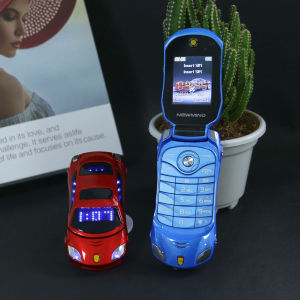
Mini Car Shape Flip Funny Mobile Phone for Kids Dual SIM Flashing LED Lights Big Button Clear Call Student Toy Phone Gift