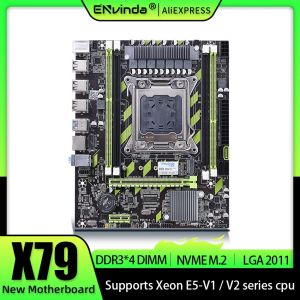
ENVINDA X79 Motherboard: REG Memory ECC & NVMe M.2 Support
ENVINDA X79 Motherboard: REG Memory ECC & NVMe M.2 Support
Overview of ENVINDA X79 Motherboard
The ENVINDA X79 motherboard is a high-performance solution designed for users who require robust memory and storage capabilities. This motherboard supports LGA 2011 sockets, which are compatible with Intel Xeon E5 processors. With REG Memory ECC and NVMe M.2 support, the ENVINDA X79 delivers exceptional reliability and speed, making it an ideal choice for demanding workloads.
Key Features
- LGA 2011 socket
- REG Memory ECC support
- NVMe M.2 support
- Xeon E5 4DDR3 PCI-E processor compatibility
- USB2.0 and SATA3 support
Compatibility & Support
The ENVINDA X79 motherboard supports a wide range of processors, including Intel Xeon E5 series, and is compatible with DDR3 memory modules. It offers multiple storage options, such as SATA3 ports and NVMe M.2 slots, providing users with flexible and reliable data storage solutions.
REG Memory ECC Explained
Error Correcting Code (ECC) memory is a type of RAM that detects and corrects single-bit errors, ensuring data integrity and system stability. Registered (REG) memory ECC is a specialized version of ECC memory that includes a register buffer, reducing the load on the memory controller and improving performance.
Benefits of Using REG Memory ECC
- Enhanced data integrity and system stability
- Improved performance through reduced load on the memory controller
- Compatibility with high-performance processors, such as Intel Xeon E5 series
How to Install REG Memory ECC
- Ensure the system is powered off and disconnected from the power source.
- Open the computer case and locate the DIMM slots on the motherboard.
- Carefully insert the REG Memory ECC modules into the appropriate slots, aligning the notches with the slot connectors.
- Secure the modules by pressing down gently until the retention clips lock into place.
- Close the computer case and reconnect the power source.
NVMe M.2 Support on ENVINDA X79 Motherboard
NVMe M.2 is a high-speed storage interface that utilizes the PCIe bus for data transfer. This technology offers significantly faster read and write speeds compared to traditional SATA-based storage solutions.
What is NVMe M.2?
NVMe M.2 is a small form factor storage device that connects directly to the motherboard via a PCIe interface. It provides exceptional performance and reliability, making it an ideal choice for users who require fast data access.
Enabling NVMe M.2 on ENVINDA X79 Motherboard
To enable NVMe M.2 support on the ENVINDA X79 motherboard, follow these steps:
- Open the computer case and locate the M.2 slot on the motherboard.
- Carefully insert the NVMe M.2 module into the slot, aligning the notches with the slot connectors.
- Secure the module by tightening the retention screw or clip.
- Close the computer case and power on the system.
Xeon E5 4DDR3 PCI-E Processor Compatibility
The ENVINDA X79 motherboard supports Intel Xeon E5 processors, which are designed for high-performance computing and server applications. These processors offer exceptional performance and reliability, making them ideal for demanding workloads.
Supported Processors
- Intel Xeon E5-16xx series
- Intel Xeon E5-26xx series
Optimizing Performance with Xeon E5 4DDR3 PCI-E
To optimize performance with Xeon E5 processors, consider the following tips:
- Ensure the system is properly cooled to maintain optimal operating temperatures.
- Install sufficient memory to meet the demands of your workload.
- Utilize NVMe M.2 storage for faster data access.
LGA 2011 USB2.0 SATA3 Support
The ENVINDA X79 motherboard offers multiple USB2.0 and SATA3 ports, providing users with flexible connectivity options for their devices.
Connecting USB2.0 Devices
To connect USB2.0 devices to the ENVINDA X79 motherboard, simply plug the device into the appropriate port on the rear I/O panel or on the front panel of the computer case.
Utilizing SATA3 Ports
To utilize SATA3 ports on the ENVINDA X79 motherboard, connect the SATA cables from the storage devices to the appropriate ports on the motherboard. Ensure the cables are securely connected and properly seated.
In conclusion, the ENVINDA X79 motherboard offers exceptional performance and reliability, making it an ideal choice for users who require robust memory and storage capabilities. With REG Memory ECC, NVMe M.2 support, and compatibility with Intel Xeon E5 processors, this motherboard delivers the performance and stability needed for demanding workloads.

GlobalSuperBazaar
You May Also Like
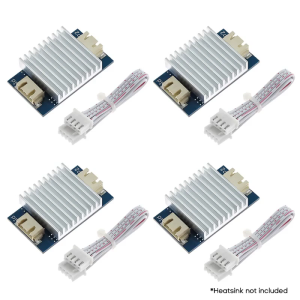
4x TL Smoother Addon Modules Pattern Elimination Motor Clipping 3D Printer Stepper Motor Driver for 3D Printer
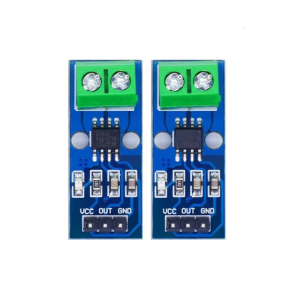
High Stability Current Sensors Module 5A/20A/30A Ranges NonContact Measurement Easy Integration for Microcontrollers

Keytech TrueRated Power Supply 80 Plus Bronze BTS450 BTS550 BTS650 | 450W 550W 650W PSU
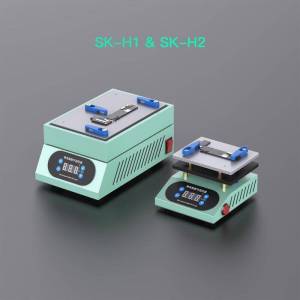
SK-H1 Large & SK-H2 Mini Preheating Platform for Motherboard Repair 30-260°C Temp Digital Thermostat Aluminum & Stone Insulation

15.6" LCD Screen NV156QUM-N44 For Lenovo ThinkPad T570 T580 P51s P52s Display Matrix Panel Replacement UHD 3840x2160 eDP 40 Pins

AIODIY Brand 22 inch HD All In One PC Computer Desktop Brand New Intel Core i3 / i5 / i7 8G/16G RAM 120G/ 240G/512G SSD suitable for online courses / Office / fashion energy saving PC full set of 20/22 inch monitor is larger than the laptop screen

JONSBO NV10 Chassis ITX MINI Full Aluminum Mesh Breathable Support 1U FLEX Power Supply Standing or Lying Desktop Computer Case
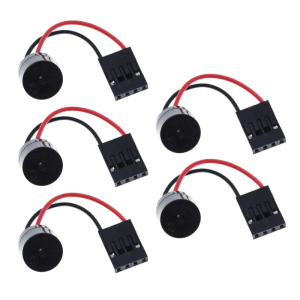
5Pieces/set Mini Plug Speaker For PC Internal Computer Motherboard Mini Mainboard Case Buzzer Board Beep Alarm
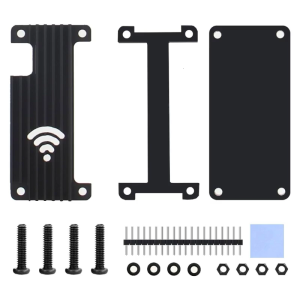
Protector Case for RaspberryPiZero 2W/PiZero/PiZeroW Aluminum Enclosure Box Heatsink Case

dell laptop E7490/14 inches/Intel Core i7/16GB memory/256GB 512GB 1TB SSD/laptop brand new original/Built in WiFi camera
![[COD] E-WOITD 1 Set 2.4Ghz Bluetooth-compatible WIFI Card IPX Connector Card RTL8822CE Dual-Band 802.11ac 1200Mbps M2 Wifi Card](https://img.lazcdn.com/g/p/b395722d9d035aa7a5cd44b5aed90151.jpg_300x300q80.jpg)
[COD] E-WOITD 1 Set 2.4Ghz Bluetooth-compatible WIFI Card IPX Connector Card RTL8822CE Dual-Band 802.11ac 1200Mbps M2 Wifi Card