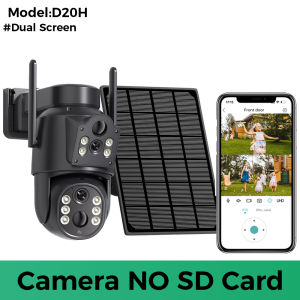
8MP 4K HD Solar WiFi Camera: A Comprehensive Guide
8MP 4K HD Solar WiFi Camera: A Comprehensive Guide
Introduction to 4K HD Solar WiFi Camera
In today's world, security has become a top priority for homeowners and businesses alike. With the advancement of technology, outdoor security cameras have evolved to offer more features and benefits than ever before. One such innovation is the 8MP 4K HD Solar WiFi Camera, which combines the power of high-definition video with the convenience of solar energy and wireless connectivity.
Key Features of the 8MP 4K HD Solar WiFi Camera
The 8MP 4K HD Solar WiFi Camera offers a range of features that make it an ideal choice for outdoor security. Here are some of its key features:
- High-resolution video: With 8 megapixels and 4K resolution, this camera captures crystal-clear images and videos, allowing you to see every detail of your surroundings.
- Solar-powered: This camera is equipped with a built-in solar panel, making it an eco-friendly and cost-effective solution for outdoor security.
- WiFi connectivity: Connect the camera to your home network wirelessly, eliminating the need for cables and simplifying installation.
- Dual lens technology: The dual lens design allows for both wide-angle and zoomed-in views, providing comprehensive coverage of your property.
Benefits of Using a Built-in Battery Camera
One of the standout features of the 8MP 4K HD Solar WiFi Camera is its built-in battery. This feature offers several advantages over traditional wired security cameras:
- Increased flexibility: With no wires to worry about, you can place the camera anywhere on your property, even in hard-to-reach areas.
- Cost savings: By harnessing solar energy, you can save money on electricity bills while reducing your carbon footprint.
- Easy installation: The built-in battery eliminates the need for complicated wiring, making installation quick and hassle-free.
How to Install and Set Up Your Wireless Video Surveillance System
Installing and setting up the 8MP 4K HD Solar WiFi Camera is a straightforward process. Follow these steps to get started:
Step-by-Step Installation Process
- Find a suitable location for the camera, taking into account factors such as sunlight exposure and desired field of view.
- Mount the camera securely using the included mounting hardware.
- Connect the camera to your home network via WiFi.
- Download and install the iCSee app on your smartphone or tablet.
- Log in to the app and follow the on-screen instructions to complete the setup process.
Connecting the Camera to Your Network
To connect the 8MP 4K HD Solar WiFi Camera to your network, follow these steps:
- Power on the camera and wait for it to boot up.
- Open the iCSee app and select "Add Device".
- Follow the on-screen prompts to connect the camera to your WiFi network.
- Once connected, you can access live footage and recorded clips from the app.
Maximizing Security with Dual Lens Surveillance Camera
The dual lens technology of the 8MP 4K HD Solar WiFi Camera offers several benefits for outdoor security:
Understanding the Dual Lens Technology
The dual lens design allows for both wide-angle and zoomed-in views, providing comprehensive coverage of your property. The wide-angle lens captures a broad view of your surroundings, while the zoomed-in lens allows you to focus on specific areas of interest.
Enhancing Your Home Security with Dual Lens Camera
By combining the wide-angle and zoomed-in views, the dual lens technology helps you monitor your property effectively. You can easily spot potential threats and zoom in for a closer look, giving you peace of mind knowing that your home is secure.
Troubleshooting Common Issues
Like any technology, the 8MP 4K HD Solar WiFi Camera may encounter some issues from time to time. Here are some common problems and their solutions:
Dealing with Connectivity Problems
If you're experiencing connectivity issues with your camera, try the following troubleshooting steps:
- Check that the camera is powered on and connected to your WiFi network.
- Restart the camera and your router.
- Reset the camera to factory settings and reconnect it to your network.
Solving Battery Life Concerns
If you're concerned about the battery life of your camera, consider the following tips:
- Place the camera in a location with adequate sunlight exposure.
- Adjust the camera's settings to optimize battery usage, such as reducing the frame rate or disabling motion detection during low-activity periods.
Conclusion: Why Choose the 8MP 4K HD Solar WiFi Camera?
The 8MP 4K HD Solar WiFi Camera is an excellent choice for outdoor security due to its high-resolution video, solar-powered design, and dual lens technology. Its built-in battery makes it flexible and easy to install, while its WiFi connectivity allows for remote monitoring and control. With its comprehensive coverage and advanced features, this camera provides the peace of mind you need to protect your home or business.

Global Merch Park
You May Also Like
Hikvision DVR 4 Channne 8 Channel H.265+/H.265 Video Compression Motion Detection Digital Video Recorder For CCTV Camera
YOOSEE 12V 2A 1.3m Outdoor Waterproof monitor Power Adaptor Switching power supply Rainproof CCTV Security Adapters
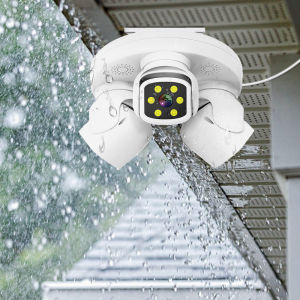
6K Triple-Lens PTZ Security Camera – 15MP HD Outdoor WiFi IP Camera 3-Screen Display Human Auto Tracking Surveillance iCam365
![[BUY 1 TAKE 1] V380 Pro Dual Lens CCTV Bulb Camera HD 8MP PTZ Controls Indoor and Outdoor Waterproof 360 Rotation Night Vision With Two Way Audio and Speaker ip Security Cameras Full HD Night Vision Human Detection Smart CCTV Camera](https://img.lazcdn.com/g/ff/kf/S75a156a2c97b481d81131828bae77056J.png_300x300q80.png)
[BUY 1 TAKE 1] V380 Pro Dual Lens CCTV Bulb Camera HD 8MP PTZ Controls Indoor and Outdoor Waterproof 360 Rotation Night Vision With Two Way Audio and Speaker ip Security Cameras Full HD Night Vision Human Detection Smart CCTV Camera
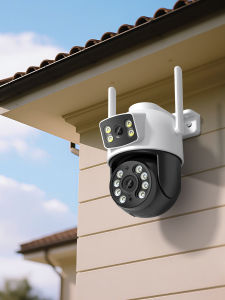
Outdoor iCSee Wifi PTZ Camera 5K 10MP HD Dual Lens Security IP 4K 8MP AI Tracking ONVIF CCTV Surveillance Wifi Camera

Fuji Kodak Color Negative Film Sweet Heart 200VIBE All-Match Portrait Film for Office Equipment And Supplies Related Services
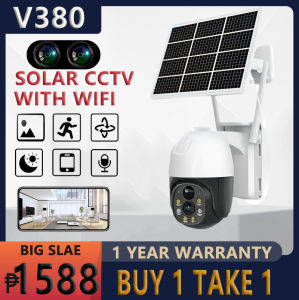
V380 PRO Solar CCTV Outdoor Waterproof Alarm Surveillance CCTV Camera Wifi Connect 360 APP Control Auto Tracking Smart Security Cameras

tp-link Tapo C530WS Outdoor Pan/Tilt Security Wi-Fi Camera | TP-Link by EJD
![[Original 24 hours delivery] A9 Mini Camera CCTV Surveillance Cameras WifI HD Mini Camera With Night Vision Camcorder Web Video Surveillance CCTV Home IP Camera Package](https://img.lazcdn.com/g/ff/kf/S8d4cdda773894f9e96c70184ef788fbf7.jpg_300x300q80.jpg)
[Original 24 hours delivery] A9 Mini Camera CCTV Surveillance Cameras WifI HD Mini Camera With Night Vision Camcorder Web Video Surveillance CCTV Home IP Camera Package
MD80 Mini Camera DVR Voice Video Recorder Micro Cam For Outdoor Hiking Helmet Portable Two-way Intercom Camaras
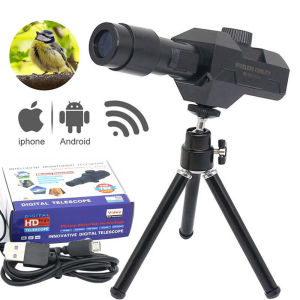
2025 WiFi Digital Telescope 70X Large Aperture Objective Lens 2MP Photos Video Mobile-detective Crosshairs Positioning Monocular