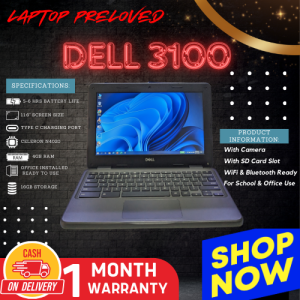
Dell 3100 Intel Celeron N4020 4GB RAM & 11.6 Inch Built-In Camera
Dell 3100 Intel Celeron N4020 4GB RAM & 11.6 Inch Built-In Camera
What is the Dell 3100 Preloved Laptop?
The Dell 3100 is a compact, lightweight laptop that comes equipped with an Intel Celeron N4020 processor, 4GB RAM, and a 11.6-inch built-in camera. This preloved laptop is an excellent choice for individuals looking for a budget-friendly device that still offers solid performance and portability.
Key Features & Specifications
- Intel Celeron N4020 Processor
- 4GB RAM
- 11.6 Inch Built-In Camera
- Windows 10 Operating System
Why Choose a Preloved Laptop?
Preloved laptops offer a great opportunity to save money while still enjoying the features and performance of a new device. They're perfect for students, professionals, and anyone looking to stay connected on a budget. Additionally, purchasing a preloved laptop helps reduce electronic waste and promotes sustainability.
How to Buy a Used Laptop for Sale
When shopping for a used laptop, it's important to consider the following factors:
Finding Reliable Sellers
Look for reputable sellers who have positive reviews and a history of satisfied customers. Online marketplaces like eBay, Craigslist, and Facebook Marketplace can be great places to find preloved laptops, but be sure to research the seller before making a purchase.
Verifying the Condition
Before buying a used laptop, inspect it thoroughly to ensure it's in good condition. Check for any visible damage, such as scratches or dents, and test the keyboard, touchpad, and screen to make sure they're functioning properly. If possible, have a professional technician inspect the laptop before purchasing.
Negotiating the Price
Don't be afraid to negotiate the price with the seller. Research the market value of the laptop and use this information to determine a fair price. Be prepared to walk away if the seller isn't willing to meet your price.
Dell 3100 Performance & Usage
The Dell 3100 is a versatile laptop that can handle a variety of tasks.
Ideal Use Cases
- Web browsing and email
- Light document editing
- Video streaming
- Basic photo and video editing
Tips for Optimizing Performance
- Keep the operating system and software up-to-date
- Uninstall unnecessary programs
- Close unused tabs and applications
- Regularly clean the laptop's air vents
Battery Life Expectancy
The battery life of the Dell 3100 can vary depending on usage and settings. On average, users can expect around 4-6 hours of battery life.
Common Issues & Solutions
Like any electronic device, the Dell 3100 may experience issues over time.
Troubleshooting Tips
- Restart the laptop
- Update drivers and software
- Check for viruses and malware
- Run a hardware diagnostic test
Extending Lifespan
To extend the lifespan of your Dell 3100, follow these tips:
- Handle the laptop with care
- Keep the laptop clean and free of dust
- Avoid exposing the laptop to extreme temperatures
- Store the laptop in a cool, dry place
Upgrading Components
While the Dell 3100 has limited upgrade options, users can consider upgrading the RAM or SSD to improve performance.
Final Thoughts & Recommendations
The Dell 3100 is a great choice for individuals looking for a budget-friendly laptop that still offers solid performance and portability.
Pros & Cons
Pros:
- Affordable price point
- Lightweight and portable design
- Good battery life
Cons:
- Limited upgrade options
- Lower-end processor may struggle with demanding tasks
Final Verdict
Overall, the Dell 3100 is a reliable and affordable preloved laptop that's perfect for everyday tasks. With its Intel Celeron N4020 processor, 4GB RAM, and 11.6-inch built-in camera, this laptop offers a great balance of performance and portability. Whether you're a student, professional, or just looking to stay connected on a budget, the Dell 3100 is definitely worth considering.

LAPTOP PRELOVED
Review

You May Also Like
for DC/for DC Converter Regulator 12V To 5V 3A 15W Car LED Display Power Supply
Durability 6Pin Shielded Extension Cable For Lab X1C/X1/P1S/P1P Stable Connection In X1C/X1/P1S/P1P 3D Printers
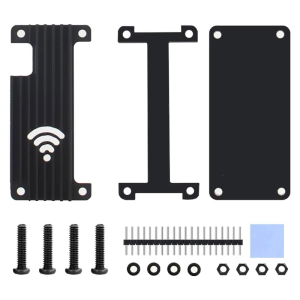
Case for RaspberryPiZero 2W Mainboard Heatsink Box Aluminum Alloy Metal Enclosure Cover Heat Dissipation
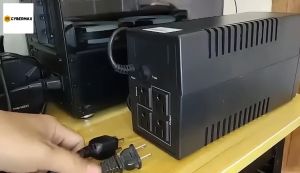
Secure UPS: 650VA to 3000VA Uninterruptible Power Supply for PC & Laptop\\n\\n Understanding Secure UPS\\n\\n What is an Uninterruptible Power Supply?\\n\\nAn Uninterruptible Power Supply (UPS) is a backup power source designed to provide continuous electricity during unexpected power outages. Secure UPS models offer reliable protection for your computer systems, including PCs and laptops, by maintaining a consistent power supply. This ensures your work remains uninterrupted and helps prevent data loss.\\n\\n How Does Secure UPS Work?\\n\\nSecure UPS works by continuously monitoring the incoming electrical supply. If it detects a drop or surge in voltage, it switches to battery power almost instantaneously. This transition is seamless, allowing your devices to continue operating without interruption. Once the primary power source is restored, the UPS automatically reverts back to normal operation.\\n\\n Choosing the Right Secure UPS\\n\\n Selecting the Right Capacity: 650VA to 3000VA\\n\\nWhen choosing a Secure UPS, consider the total power requirements of your devices. Secure UPS offers various models with capacities ranging from 650VA to 3000VA. This range caters to different needs, whether you're protecting a single laptop or a larger desktop setup.\\n\\n* 650VA: Ideal for laptops and small devices\n* 1000VA: Suitable for desktop computers and moderate-sized systems\n* 1500VA: Offers extended runtime for power-hungry applications\n* 2000VA: Provides robust protection for gaming PCs and larger setups\n* 3000VA: Perfect for server rooms and high-power configurations\\n\\n Comparing Secure UPS Models for Desktop & Laptop\\n\\nWhen selecting a Secure UPS model, consider the specific needs of your desktop or laptop setup. For laptops, a smaller capacity UPS may suffice, while desktop users might require more substantial power reserves. Additionally, some Secure UPS models offer advanced features like WiFi connectivity and remote management capabilities, which can be beneficial for home office environments.\\n\\n Setting Up Your Secure UPS\\n\\n Installing a Secure UPS for Home Office\\n\\nInstalling a Secure UPS in your home office is a straightforward process. First, ensure you've chosen the appropriate capacity for your devices. Next, connect your UPS to a power outlet and plug your devices into the UPS's output ports. Finally, configure any necessary settings, such as battery runtime or surge protection levels.\\n\\n Configuring WiFi Connectivity for Secure UPS\\n\\nMany Secure UPS models come equipped with built-in WiFi capabilities, allowing you to monitor and manage your UPS remotely. To set up WiFi connectivity, simply connect your Secure UPS to your home network using the provided instructions. Once connected, you can access real-time data, receive notifications, and perform maintenance tasks from anywhere.\\n\\n Maximizing Your Secure UPS Performance\\n\\n Maintaining Your Secure UPS\\n\\nRegular maintenance is essential to ensure your Secure UPS operates at peak performance. Follow these tips:\\n\\n* Check battery levels regularly\\n* Keep the unit clean and free from dust\\n* Replace batteries every 3-5 years\\n* Update firmware if necessary\\n\\n Troubleshooting Common Issues\\n\\nIf you encounter problems with your Secure UPS, refer to the troubleshooting guide provided by Secure UPS. Common issues may include:\\n\\n* Incorrect power settings\\n* Battery issues\\n* Connectivity problems\\n\\nBy addressing these concerns promptly, you can maintain a reliable power supply for your PC and laptop.\"\n}
5Port PC Cooling Hubs 12V 4Pin Pwms Fan Speed Control Satas Power Connectors For Multiple Case Fan Back Sticker Mount
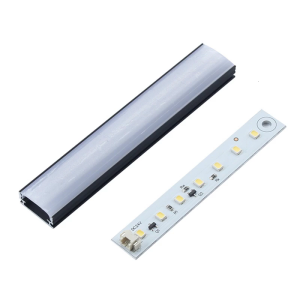
3D Printer Lighting Kit Heat Resistant LED Light Kit for Plus 3D Printer Accessories LED Light Bar Replacement
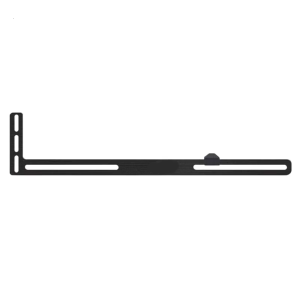
GPU Support Bracket Graphics Card Support GPU Bracket Brace Video Card Sags Holder Bracket GPU Stand Adjustable Bracket
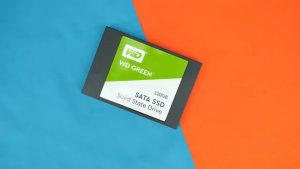
Western Digital Green SATA III Solid State Drive 960GB/480GB/240GB/120GB WD Internal SSD 2.5-Inch 7mm 6GB/s

American Standard Bipolar 150W Dimming Power Supply: ETL Certified CLASS 2
HARDISK DRIVE 1TB and 500GB FOR DESKTOP PC and CCTV 100% HEALTH and 100% PERFORMANCE.
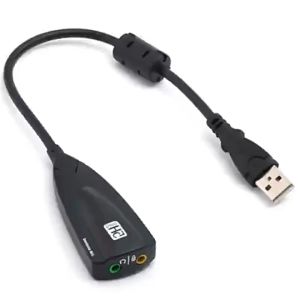
7.1 External USB Sound Card Jack 3.5mm USB Audio Adapter Earphone Micphone Sound Card for Macbook Computer Laptop PC External USB 7.1 Sound Card to 3.5mm Jack 5HV2 Adapter USB to 3D CH Antimagnetic Audio Microphone for Laptop PC PS4 D85