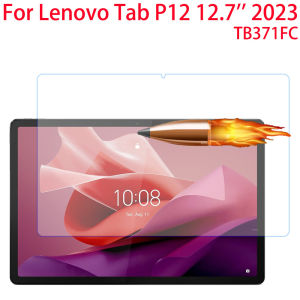
Tempered Glass Screen Protector For Lenovo Tab P12 12.7 inch 2023 Tablet Protective Film For Xiaoxin Pad Pro 12.7 TB371FC
Tempered Glass Screen Protector For Lenovo Tab P12 12.7 inch 2023 Tablet Protective Film For Xiaoxin Pad Pro 12.7 TB371FC
Introduction to Tempered Glass Screen Protectors
What is a Tempered Glass Screen Protector?
A tempered glass screen protector is a thin layer of reinforced glass that adheres to your tablet's screen, providing protection against scratches, cracks, and other damage. This type of screen protector is made from high-quality tempered glass, which is heat-treated to increase its strength and durability.
Why Choose Tempered Glass for Your Tablet?
Tempered glass screen protectors offer several advantages over other types of screen protectors. Firstly, they provide superior protection against scratches and cracks, which can occur from everyday use. Secondly, they have a high level of transparency, which means that they won't affect the quality of your tablet's display. Lastly, tempered glass screen protectors are easy to install and remove, making them a great choice for anyone who wants to protect their tablet without compromising on functionality.
Choosing the Right Screen Protector for Your Tablet
Lenovo Tab P12 12.7 inch: Key Features & Compatibility
The Lenovo Tab P12 is a powerful tablet that offers a large 12.7-inch display, making it perfect for work, entertainment, and everything in between. If you own a Lenovo Tab P12, a tempered glass screen protector is an excellent choice to protect your tablet's screen. Look for a screen protector that is specifically designed for the Lenovo Tab P12, as this will ensure a perfect fit and maximum protection.
Xiaoxin Pad Pro 12.7 TB371FC: Key Features & Compatibility
The Xiaoxin Pad Pro 12.7 TB371FC is another popular tablet that offers a large 12.7-inch display and impressive performance. If you own a Xiaoxin Pad Pro 12.7 TB371FC, a tempered glass screen protector is an excellent choice to protect your tablet's screen. Look for a screen protector that is specifically designed for the Xiaoxin Pad Pro 12.7 TB371FC, as this will ensure a perfect fit and maximum protection.
Installation Guide: Applying Your New Screen Protector
Preparing Your Tablet for Installation
Before installing your new tempered glass screen protector, make sure your tablet is clean and free of dust, dirt, and fingerprints. This will help ensure that the screen protector adheres properly to your tablet's screen.
Step-by-Step Installation Process
- Clean your tablet's screen using a microfiber cloth and a cleaning solution designed for electronic devices.
- Peel off the protective film from the tempered glass screen protector.
- Align the screen protector with your tablet's screen, making sure it is centered and straight.
- Slowly press the screen protector onto your tablet's screen, starting from the center and working your way outward.
- Use a squeegee or credit card to remove any air bubbles or wrinkles from the screen protector.
Maintaining Your Screen Protector
Cleaning & Care Tips
To keep your tempered glass screen protector in good condition, follow these care tips:
- Clean your screen protector regularly using a microfiber cloth and a cleaning solution designed for electronic devices.
- Avoid using abrasive materials, such as paper towels or rough cloths, as these can scratch the screen protector.
- If you notice any scratches or damage to the screen protector, replace it immediately to prevent further damage to your tablet's screen.
Troubleshooting Common Issues
If you encounter any issues with your tempered glass screen protector, try the following troubleshooting tips:
- If the screen protector is not adhering properly to your tablet's screen, make sure your tablet is clean and free of dust, dirt, and fingerprints before reapplying the screen protector.
- If you notice any air bubbles or wrinkles in the screen protector, use a squeegee or credit card to remove them.
- If the screen protector is scratched or damaged, replace it immediately to prevent further damage to your tablet's screen.

GlobalLifestyle
Review
You May Also Like
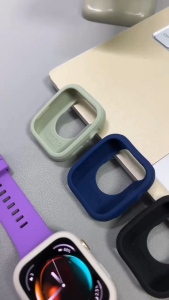
Soft Silicone Case: Essential Smartwatch Accessories for Huawei Watch Fit 3
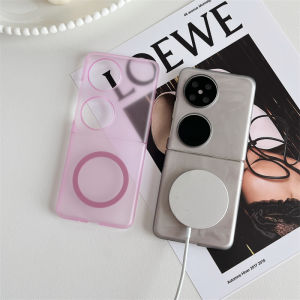
Ultra-Thin Magnetic Ice Fog Foldable Screen Huawei P50 Pocket S Flip Cover PC Hard Shell Protective Case for Huawei Nova Flip
Full Cover 3M Film for Samsung Galaxy S24 Ultra S23 Ultra S22 Ultra S23 Plus Anti-Scratch Sticker Back Case

SUMI SHOP Portable Washing Machine Mini 220V 135W Washing Machine Wash separately Avoid Cross Infection Definite Time Appliances Home Laundry Bucket
High Definition Tempered Glass Film for Oppo Reno4: A Comprehensive Guide
3Pcs Tempered Glass For Xiaomi Redmi Note 13 12 Pro 4G 5G Redmi Note 13 12 13C 12C Screen Protector
Mr. Xiaoke Magsafe Double-Sided Magnetic Attraction Ring Holder New Mobile Phone Stand Powerful 360 Degree Rotation Car Support Bracket Desktop Metal Magnetic Circle Portable Foldable Multi-Function Rotatable
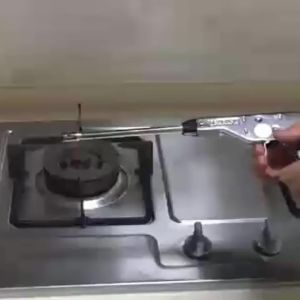
37cm Extra Long Lighter Metal Igniter Stainless Steel Gas Stove Ignition Gun For Kitchen Outdoor Camp KKPH
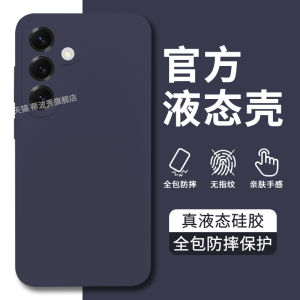
Liquid Silicone Phone Case for Samsung S25+ Full Edge Protection Precision Lens Hole Skin-Friendly Soft Pure Color for Men And Women
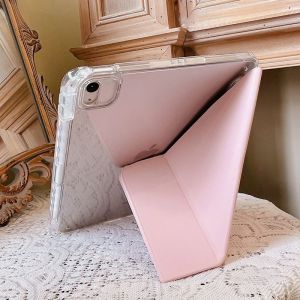
Acrylic iPad Protective Case Foldable Shockproof Anti-Bend with Pen Slot for Apple pro 11 10.9 Inch 10.2 Inch Tablets Clear Shell
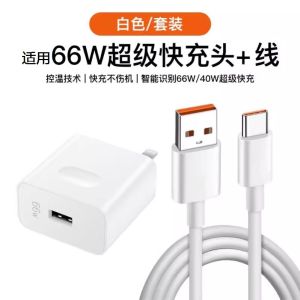
Super Fast Charging 6A Data Cable Compatible with Huawei Mate30 40Pro P30 P40 Nova5 6 7 8SE Honor 50 V20 V40 Charging Head