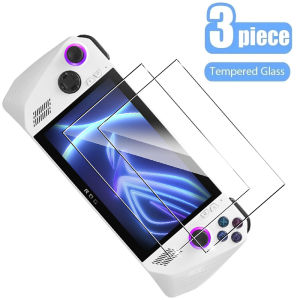
1/2/3PCS Protective Tempered Glass for Asus ROG Ally Anti-scratch Screen Protective Film for Asus ROG Ally 7 \" Glass Accessories
1/2/3PCS Protective Tempered Glass for Asus ROG Ally Anti-scratch Screen Protective Film for Asus ROG Ally 7 " Glass Accessories
Introduction
Protecting your device is essential, and one of the best ways to safeguard your Asus ROG Ally's screen is by using a high-quality screen protector. This article will guide you through the process of choosing the right anti-scratch screen protector, installing it, and troubleshooting any issues that may arise.
What Are 1/2/3 PCS Screen Protectors?
Screen protectors come in various types, including 1/2/3 PCS options, which refer to the number of screen protectors included in a package. These screen protectors are designed to provide maximum protection against scratches, impacts, and other potential damage.
Types of Screen Protectors Available
There are several types of screen protectors available, including:
- Tempered glass screen protectors
- Plastic screen protectors
- Hybrid screen protectors
Benefits of Using Screen Protectors
Using a screen protector provides numerous benefits, including:
- Protection against scratches and impacts
- Enhanced screen clarity
- Improved touch sensitivity
- Easy installation and removal
How to Choose the Right Anti-scratch Screen Protector
Choosing the right anti-scratch screen protector involves considering several factors, such as the device's screen size, the type of screen protector, and the level of protection required.
Factors to Consider When Selecting a Screen Protector
When selecting a screen protector, consider the following factors:
- Screen size compatibility
- Type of screen protector
- Level of protection required
- Brand reputation and reviews
Comparing Different Screen Protectors
To compare different screen protectors, consider their features, benefits, and drawbacks. For example, tempered glass screen protectors offer excellent scratch resistance and clarity, while plastic screen protectors may be more affordable but less durable.
Installation Guide for Asus ROG Ally Accessories
Installing a screen protector on your Asus ROG Ally is a simple process that can be completed in just a few steps.
Step-by-step Instructions for Installing the Screen Protector
- Clean the screen thoroughly using a microfiber cloth and alcohol wipes.
- Remove the backing from the screen protector.
- Align the screen protector with the device's screen.
- Slowly press the screen protector onto the screen, starting from the center and working outward.
- Use a credit card or similar tool to remove any air bubbles.
Troubleshooting Common Issues During Installation
If you encounter any issues during installation, such as air bubbles or misalignment, refer to the manufacturer's instructions or contact customer support for assistance.
Conclusion & Final Thoughts
Investing in a high-quality screen protector for your Asus ROG Ally is essential for protecting your device and ensuring its longevity. By following the guidelines outlined in this article, you can choose the right screen protector, install it correctly, and troubleshoot any issues that may arise. Remember to prioritize your device's screen size, the type of screen protector, and the level of protection required when making your selection.

Global Merch Park
You May Also Like
Red Gasket Included CPU Fan Screws Computer Chassis Cooler Fan Long Screw Easy Installation Colorful Anodized 32CM

14/15.6 Inch Portable Monitor: A Comprehensive Guide
Vention Live Streaming Cable Micro Usb To 3.5mm V8 Sound Card Singing Bar Recording Microphone For Karaoke Tiktok
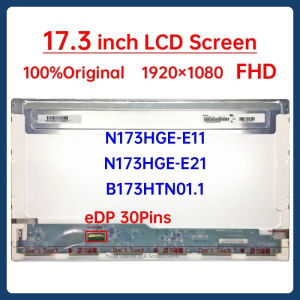
17.3 Inch Laptop LCD Screen N173HGE-E11 N173HGE-E21 B173HTN01.1 For ASUS G74SX-A1 FX71 MSI GL72 GP72 GS70 Display Matrix Panel
4Pieces Laptop Rubber Feet For 840 G6 745 830 735 Bottom Shell Case Pad Lower Cover Rubber Pad Foot Replacement
EXPOSE 19 22 24 27 Inch Monitor Flat Screen for PC 1080P 75Hz Gaming Monitor Laptop Monitor With HDMI VGA
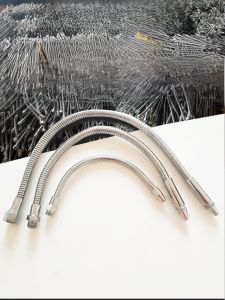
Adjustable Metal Cooling Tube Universal Joint Water Spray Nozzle Machine Tool Water Tap Bent Iron Pipe Machine Accessories
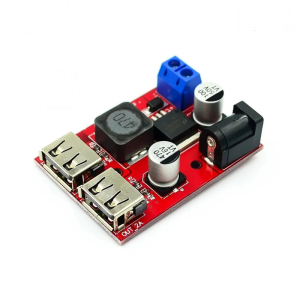
Double USB Output DCBuck Converters Module for Stable 5V 3A Power Supply in Automotive and Solar Use 1pc/2pcs

Mean Well EPS-15: A Compact Open Frame Power Supply
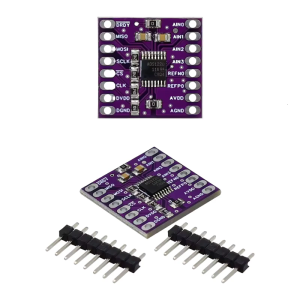
Compactly 24Bit/16Bit ADC Module High Resolution I2C Interfaces Stable Output For Portable Devices Scientific Research
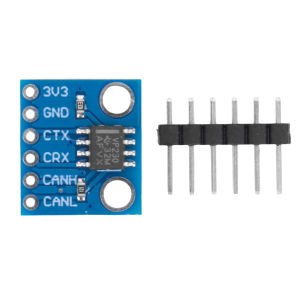
New Arrival: SN65HVD230 CAN Bus Transceiver Module