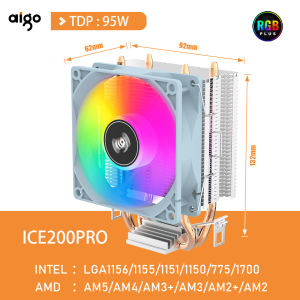
Aigo CPU Cooler 2, 4 & 6 Heat Pipes PC Radiator Cooling 3PIN PWM Silent Rgb Fan For Intel 1700, 1150, 1155, 1156, 1366, AM2/AM3/AM4 AMD
Aigo CPU Cooler 2, 4 & 6 Heat Pipes PC Radiator Cooling 3PIN PWM Silent Rgb Fan For Intel 1700, 1150, 1155, 1156, 1366, AM2/AM3/AM4 AMD
Introduction to Aigo CPU Cooler
Aigo CPU Cooler is a top-notch cooling solution designed to keep your system running at optimal temperatures. With its wide compatibility range, this cooler is suitable for both Intel and AMD processors, including Intel 1700, 1150, 1155, 1156, and 1366, as well as AMD AM2, AM3, and AM4 sockets.
Overview of Aigo CPU Cooler Features
The Aigo CPU Cooler offers three different configurations, each featuring either 2, 4, or 6 heat pipes. These heat pipes efficiently transfer heat away from your processor, ensuring that it stays cool under heavy workloads. Additionally, the cooler comes equipped with a 3PIN PWM radiator and a silent RGB fan, providing both enhanced aesthetics and performance.
Benefits of Using Aigo CPU Cooler
Investing in the Aigo CPU Cooler brings numerous benefits, including:
- Improved cooling efficiency
- Increased system stability
- Extended component lifespan
- Enhanced visual appeal through RGB lighting
Cooling Solutions for Different Processors
Cooling Solution for Intel 1700, 1150, 1155 & 1156
For Intel processors with the 1700, 1150, 1155, and 1156 sockets, the Aigo CPU Cooler provides an excellent cooling solution. The cooler's compatibility ensures seamless installation and optimal performance, making it an ideal choice for users with these specific Intel processors.
Cooling Solution for AMD AM2, AM3 & AM4
The Aigo CPU Cooler is also compatible with AMD processors featuring the AM2, AM3, and AM4 sockets. This makes it a versatile option for users with various AMD systems, offering reliable cooling performance and extended component longevity.
Enhancing Performance with 3PIN PWM Radiator Cooling
How to Install 3PIN PWM Radiator Cooling
Installing the 3PIN PWM radiator cooling system is straightforward. First, attach the radiator to your case, then connect the fan to the radiator using the provided screws. Finally, plug the fan into your motherboard's 3PIN PWM header to enable automatic speed control based on system temperature.
Advantages of 3PIN PWM Radiator Cooling
Utilizing a 3PIN PWM radiator cooling system offers several advantages, such as:
- Improved cooling efficiency due to automatic fan speed adjustment
- Reduced noise levels thanks to lower fan speeds during idle periods
- Increased system stability and reliability
Silent RGB Fan for Enhanced Aesthetics & Performance
RGB Fan Installation Guide
To install the silent RGB fan, simply attach it to the radiator and connect it to your motherboard's RGB header. The fan will automatically sync with other RGB components in your system, creating a visually appealing lighting effect.
Silent RGB Fan Benefits
The silent RGB fan brings numerous benefits to your system, including:
- Enhanced aesthetics through synchronized RGB lighting
- Low noise levels for a quieter computing experience
- Improved airflow and cooling performance

Global Merch Park
Review
You May Also Like

【🥇BEST N95 】FIntexPro 15.6-inch black notebook computer Laptops 12th generation N95-Beat N5095(up to 3.4GHz)DDR4 16G memory512GB NVME solid-state drive,Windows 11pro Laptops fingerprint lock portable notebook computer
High Performances Control Board For M53 M53S M63 Mining Machines Enhances Cooling System And Stable Hashrate Output
ARGB Controller 12V 5A 6Pin ARGB Cooling Fan Hub Splitter Smart Remote Control PC Computer Case Cooling Chassis Silent Radiator
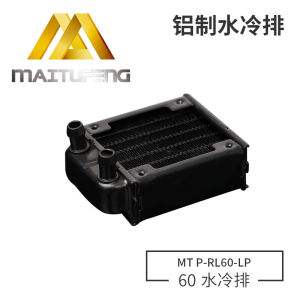
MPTF MTP-RD60-LP Pure Aluminum Straight Port Computer Beauty Device 6 Tube Small Water Cooling Radiator Heat Sink for Desktop
Compactly 1.8inch TFT LCD Screen Module Boards for STM32 C51 Featuring SPI Serial Connection and Clear Resolution
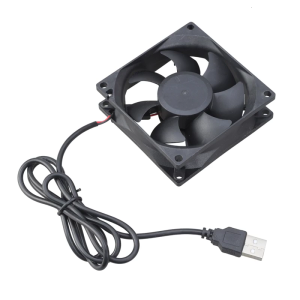
DC5V Fast Speed Cooling Fan USB Power 80x80x25mm Efficient Fan For Computer 3D Printer

Modern GenZ Piso Arcade: Business Arcade Game & Light Gun System

COOLMOON ST350 LIQUID COOLER TUBE ARGB VEST

COMPUTER SET RYZEN 5 5600GT RADEON VEGA 7 GRAPHICS B450 MOTHERBOARD 8GB RAM DDR4 256GB SSD 19" INCHES WIDE MONITOR MMA K88 ROBOTIC CASE LED KEYBOARD AND MOUSEAVRHEADSET AND EXTENDED MOUSEPAD
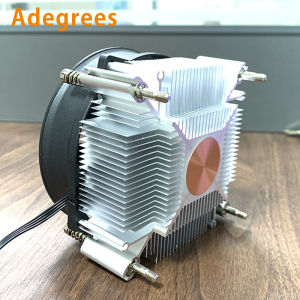
CPU Air Cooler 4PIN PWM 90MM PC Processor Cooling Fans for Intel 1150/1151/1155/1156/1700/1200/1366/2011/2011-3/X99/X79
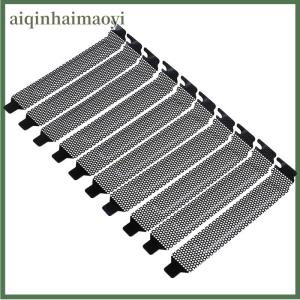
aiqinhaimaoyi 10Pcs New black PCI slot cover dust filter blanking plate hard steel