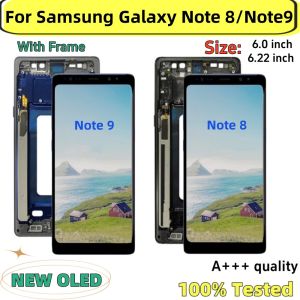
NEW OLED Note 8 N950 Display for SAMSUNG Galaxy Note 9 LCD N960 With Frame Touch Screen 6.22\" Digitizer Assembly Replacement
NEW OLED Note 8 N950 Display for SAMSUNG Galaxy Note 9 LCD N960 With Frame Touch Screen 6.22" Digitizer Assembly Replacement
What is SAMSUNG Galaxy Note 9 LCD & 6.22 inch Digitizer Assembly?
The SAMSUNG Galaxy Note 9 LCD is a high-quality display panel specifically designed for the Samsung Galaxy Note 9 smartphone. It comes equipped with a 6.22 inch Digitizer Assembly, which includes the touch screen, digitizer, and frame, providing users with a seamless and responsive touch experience.
How to Identify N960 Frame Touch Screen
To identify the N960 Frame Touch Screen, look for the model number printed on the back of the display assembly. The N960 model is specifically designed for the Samsung Galaxy Note 9 smartphone, ensuring compatibility and optimal performance.
Key Features of OLED Note 8 Display
The OLED Note 8 Display boasts several key features that make it an excellent choice for upgrading your SAMSUNG Galaxy Note 9 LCD:
- High-resolution display with vibrant colors and deep blacks
- Super AMOLED technology for superior contrast and viewing angles
- Touch screen sensitivity and responsiveness for smooth navigation
Why Choose OLED Note 8 Display for SAMSUNG Galaxy Note 9 LCD?
Upgrading your SAMSUNG Galaxy Note 9 LCD with an OLED Note 8 Display offers several benefits:
Benefits of Using a High-Quality Display
- Improved visual experience with better color accuracy and contrast
- Enhanced touch sensitivity for smoother navigation
- Extended battery life due to lower power consumption
Compatibility & Installation Considerations
Before installing the OLED Note 8 Display, ensure compatibility with your device by checking the model number and consulting the manufacturer's guidelines. Proper installation requires careful handling and adherence to the step-by-step guide provided.
How to Install OLED Note 8 Display for SAMSUNG Galaxy Note 9 LCD?
Upgrading your SAMSUNG Galaxy Note 9 LCD with an OLED Note 8 Display involves several steps:
Preparing for Touch Screen Replacement
- Backup important data and settings before beginning the process
- Gather necessary tools such as a screwdriver and spudger
- Remove the back cover and battery to access the internal components
Step-by-Step Guide to Replace the Display
- Carefully separate the old display from the frame using a spudger
- Disconnect the data cable connecting the display to the motherboard
- Align the new OLED Note 8 Display with the frame and gently press it into place
- Reconnect the data cable and secure the new display with screws
- Reinstall the battery and back cover
Troubleshooting Common Issues During Installation
If you encounter any issues during installation, consult the manufacturer's guidelines or seek assistance from a professional technician. Common issues include misaligned displays, damaged data cables, or incorrect screw placement.
By following these steps and guidelines, you can successfully upgrade your SAMSUNG Galaxy Note 9 LCD with an OLED Note 8 Display, enhancing your visual experience and touch sensitivity.

Global Merch Park
Review

You May Also Like

Gold Sandflow Cat & Treasure Box Phone Cases: A Stylish Choice for Women
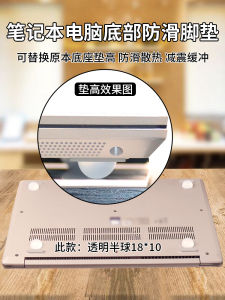
High-Heat Dissipation Silicone Pad Anti-Slip Shock-Reduction Bottom Base for Laptop Computer Corner Protection Sticky Backing
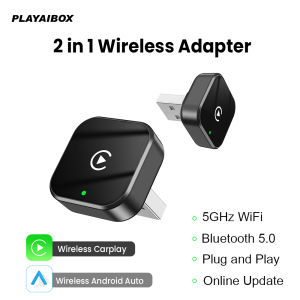
2In1 Wired to Wireless Carplay Dongle Android auto Adapter Auto Connection Bluetooth Wifi OTA Update Plug and Play Universal
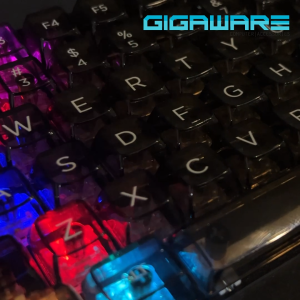
Dark Alien K83 Transparent Crystal Clear Wireless Keyboard: Tri-Mode Bluetooth 2.4G Wired RGB Backlight Hot-Swappable Mechanical Gaming Keyboard

Antique Wooden Coffee Bean Grinder Portable Manual Design Coffee Bean Grinder for Easy Use in Kitchen or Camping
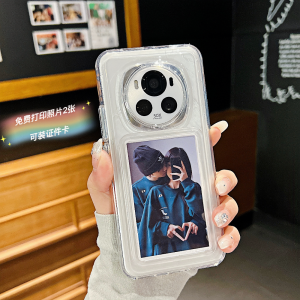
Honor Magic6 Pro New Model Compatible Silicone Transparent Soft Shell with 2 Photo Gifts Instant Camera Phone Case Protection

Magic Girls Witch Trial Sticker for Laptop Mobile Suit Luggage Travel Box Cartoon Style Personalized Decal
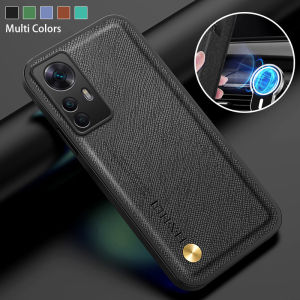
Comprehensive Guide to Soft TPU Anti-Drop Phone Cases & Luxury Leather Covers
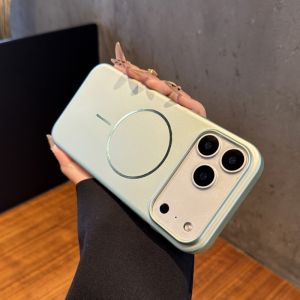
Slim Wireless Magnetic Apple iPhone 17 pro Max Case Womens Style Fingerprint Resistant Anti-Fall Business Hard Shell Cover
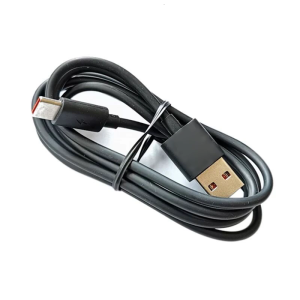
Speaker Chargers Cable Replacement for Flip4/5/6 Speaker USB C Chargers Adapters Charging Cable
Fast Shipping Laptop Keyboard Protector: Huawei Matebook D14 D15 Keyboard Cover 2020 2021