F1 Mario Handheld Game Console: A Nostalgic Gaming Experience
F1 Mario Handheld Game Console: A Nostalgic Gaming Experience
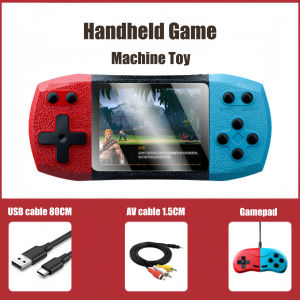
The F1 Mario Handheld Game Console is a nostalgic gaming device designed to bring back cherished childhood memories. With its compact design, two-player mode, and large 3-inch screen, this handheld console offers a unique gaming experience that caters to both old and new generations.
What is the F1 Mario Handheld Game Console?
The F1 Mario Handheld Game Console is a portable gaming device that features a nostalgic gaming experience, reminiscent of classic handheld consoles. This device offers a variety of games, including Mario-themed titles, allowing players to relive their childhood memories while enjoying new adventures.
Key Features & Specifications
- Nostalgic Gaming Experience: The F1 Mario Handheld Game Console is designed to evoke memories of classic handheld gaming devices, offering a unique blend of retro charm and modern technology.
- Two-Player Mode: With its built-in two-player mode, the F1 Mario Handheld Game Console allows friends and family to enjoy games together, fostering social interaction and shared experiences.
- 3-Inch Large Screen: The F1 Mario Handheld Game Console features a large 3-inch screen, providing a clear and immersive gaming experience. This screen size ensures that players can easily see game details and navigate through menus.
- Compact Design: The F1 Mario Handheld Game Console is lightweight and portable, making it easy to take on-the-go. Its compact size allows for comfortable handling and storage.
How It Revives Nostalgic Childhood Memories
The F1 Mario Handheld Game Console is more than just a gaming device; it's a time machine that transports players back to their childhood. By offering a nostalgic gaming experience, this handheld console helps players relive cherished memories while introducing new generations to classic games.
Setting Up Your F1 Mario Handheld Game Console
Setting up your F1 Mario Handheld Game Console is a straightforward process. Follow these simple steps to get started:
Step-by-Step Guide to Assembly
- Remove the F1 Mario Handheld Game Console from its packaging.
- Charge the device using the included USB cable and power adapter.
- Once charged, press the power button to turn on the console.
- Select your preferred language and game from the main menu.
Charging & Battery Life Expectations
The F1 Mario Handheld Game Console comes with a rechargeable battery that provides up to 6 hours of continuous gameplay. To ensure optimal performance, it's recommended to charge the device fully before use and keep it charged when not in use.
Playing Games on the F1 Mario Handheld Console
Playing games on the F1 Mario Handheld Console is a breeze. Here's how to get started:
Two-Player Mode: How to Connect & Play Together
To play games with a friend or family member, simply connect the two controllers by pressing the sync button on both devices. Once connected, select a multiplayer game from the main menu and enjoy the experience together.
Exploring the 3-Inch Large Screen Experience
The F1 Mario Handheld Game Console features a large 3-inch screen that offers a clear and immersive gaming experience. Take advantage of this feature by adjusting the brightness and contrast settings to suit your preferences.
Tips & Tricks for Maximizing Your Gaming Experience
To get the most out of your F1 Mario Handheld Game Console, here are some tips and tricks:
Optimizing Gameplay Settings
- Adjust the brightness and contrast settings to ensure optimal visibility.
- Customize the control layout to suit your preferences.
- Enable vibration feedback for a more immersive gaming experience.
Care & Maintenance Tips
- Keep the console clean and free of dust by wiping it down with a soft, dry cloth.
- Avoid exposing the device to extreme temperatures or humidity.
- Store the console in a safe place when not in use to prevent damage.

Little Buddy Mall
Review
You May Also Like
Mario Kart 9 Daisy NFC Card Compatible with Mario Kart 8 Deluxe for Switch New Version
Bd JB For PS4 9.00 to 12.52 legit hindi na kailangan ng usb ready to use na
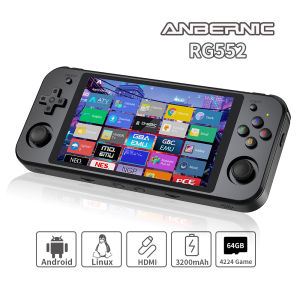
ANBERNIC RG552 Handheld Game Console 5.36‘’ IPS Screen Android Linux Dual Systems Retro Video Game Player Built in 4000+ Games
PlayStation 5 Gears of War: Reloaded (ASI)
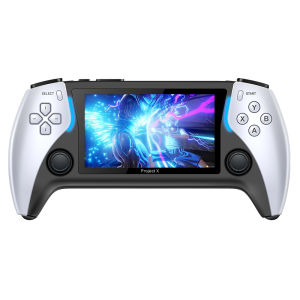
2023 New Project X 4.3-Inch High-Definition Console Game IPS Screen Supports PS1 Arcade HD Output for Two-Player Battle Handheld Game Console
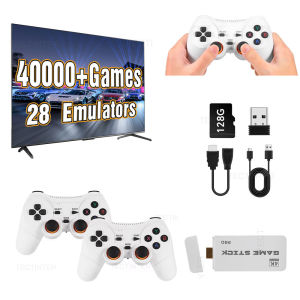
M15 Pro Game Stick Retro Video Game Console with Wireless Gamepads Controller Mini TV Handheld Game Player 64/128G 40000+ Games
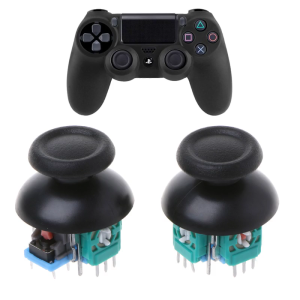
3D Joystick Axis Analog Sensor Module Replacement for 4 Slim PRO Controller Thumb Rocker Replacement
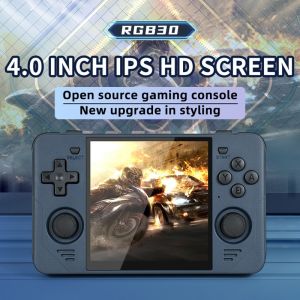
POWKIDDY RGB30: A Comprehensive Guide to the Retro Pocket Handheld Game Console

Customize Rate for AFP V1 Tactical Polo Shirt - Design and Source File Only
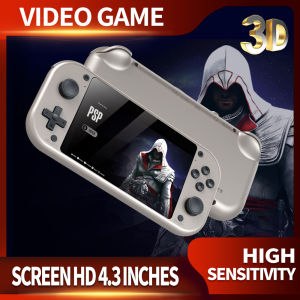
M17 Handheld Game Console: A Deep Dive
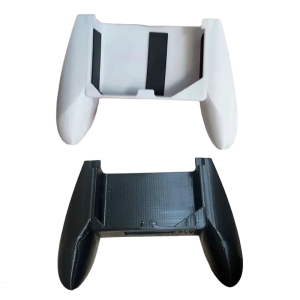
Versatile Game Controller Handle with Ergonomic Design & not Slip Home Entertainment Grip Suitable for Consoles RG35XX