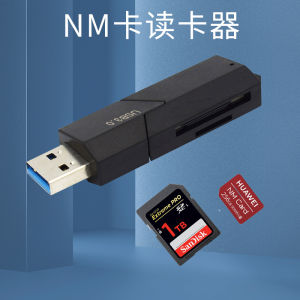
Portable External Hard Drive: 500GB & 1TB Gaming Solutions
Portable External Hard Drive: 500GB & 1TB Gaming Solutions
Introduction to Portable External Hard Drives
A portable external hard drive is a convenient storage device that can be connected to a laptop or desktop computer via USB. In this article, we will discuss the Retrobat USB Drive, which offers 500GB and 1TB storage options for gaming enthusiasts. This device provides access to over 40,000 games from various consoles, including PS1, PS2, PSP, and more.
Understanding the Retrobat USB Drive
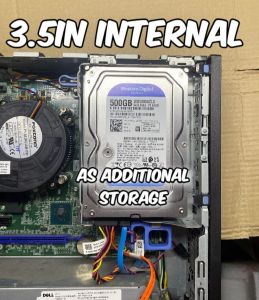
The Retrobat USB Drive is a versatile gaming solution that combines a portable external hard drive with a vast library of classic games. The device supports both 2.5-inch and 3.5-inch gaming options, making it compatible with a wide range of systems. Additionally, the games included on the drive are fixed (full disk), meaning no requests can be made for specific titles.
Exploring the 2.5inch & 3.5inch Gaming Options
The Retrobat USB Drive comes in two sizes: 500GB and 1TB. Both options support 2.5-inch and 3.5-inch gaming formats, ensuring compatibility with various devices. The 500GB option provides ample space for most users, while the 1TB version offers even more storage capacity for those who want to store additional games or files.
System Requirements & Compatibility
Before purchasing the Retrobat USB Drive, it's important to ensure that your system meets the minimum requirements. The device is compatible with both Intel and AMD processors, as well as specific graphics cards.
Minimum System Requirements for Laptop & Desktop
- Intel: 2nd generation or newer
- AMD: FM2 or newer
- Graphics Card: Intel HD Graphics (Intel) or Radeon HD (AMD)
Compatibility with Intel & AMD Processors
The Retrobat USB Drive is compatible with both Intel and AMD processors, making it suitable for a wide range of systems. Users with Intel processors should have a 2nd generation or newer CPU, while those with AMD processors should have an FM2 or newer CPU.
Graphics Card Requirements
In addition to processor compatibility, the Retrobat USB Drive requires specific graphics cards to function properly. Users with Intel processors should have an Intel HD Graphics card, while those with AMD processors should have a Radeon HD graphics card.
How to Use Your Portable External Hard Drive
Once you've purchased the Retrobat USB Drive, setting it up and accessing games is simple. Here's how:
Setting Up Your Portable External Hard Drive
- Connect the Retrobat USB Drive to your laptop or desktop via USB.
- Open Windows Explorer and navigate to the drive.
- Explore the library of games and select the ones you want to play.
Accessing Games via Windows Explorer
To access games stored on the Retrobat USB Drive, simply open Windows Explorer and navigate to the drive. From there, you can browse through the library of games and select the ones you want to play.
Troubleshooting Common Issues
If you experience any issues with the Retrobat USB Drive, try the following troubleshooting steps:
- Ensure your system meets the minimum requirements.
- Check that the drive is properly connected to your computer.
- Restart your computer and try again.
If the issue persists, contact customer support for further assistance.
Benefits of Using a Portable External Hard Drive
Using the Retrobat USB Drive offers several benefits, including:
100% Original & Smart Health Guarantee
All items sold by Retrobat are 100% original and guaranteed to be in good health. Each device undergoes rigorous testing before shipping to ensure optimal performance.
Plug & Play Functionality
The Retrobat USB Drive is designed for ease of use, offering plug-and-play functionality. Simply connect the drive to your laptop or desktop via USB, and you're ready to go.
No Technician Needed
With its user-friendly design, the Retrobat USB Drive requires no technical expertise to set up or use. Anyone can enjoy the vast library of games included on the device.
Warranty & Customer Support
Retrobat offers a 30-day replacement warranty for all products sold. If you experience any issues with your Retrobat USB Drive within this time frame, you can request a replacement or a refund. For more information, contact customer support.
Chat us for more info.

PCblitz.ph
Review
You May Also Like
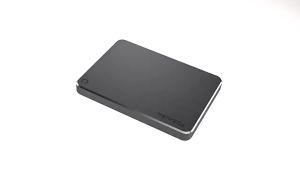
Toshiba Canvio Basics Original External Hard Drive Storage 2TB/1TB Portable 2.5' USB 3.0 Hard Drive for Windows
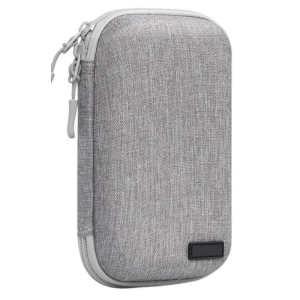
Shockproof Hard Carrying Case Travel Pouch for Hard Drive Cellphone Small Electronic Storage Case Accessories
3.0 USB Flash Drive 128GB 64GB 32GB 16GB 8GB Memory Stick Pendrive 64GB 128GB 3.0 High Speed USB Drive 64GB Pen Drive Gift Color
Sandisk Portable SSD USB 3.2 Type-C ~ 1TB (SDSSDE30)
【Ready Stock】Samsung M3 Hard Disk Portable External Hard Drive USB 3.0 HDD 2TB/1TB
ORICO 3500MB/s Portable Outdoor M.2 NVMe SATA SSD Case: Dual Protocol Shockproof Enclosure with Lanyard Heatsink
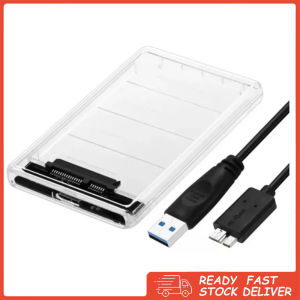
USB 3.0 to SATA Adapter: A Compact Storage Solution
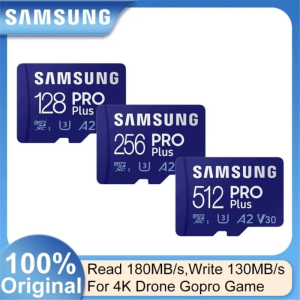
Samsung Original Micro SD Memory Card C10 TF SDXC 128GB 256GB 512GB U3 4K No Refurbished And Brand New Products Suitable For Mobile Phones Drones Gopro Cameras
Toshiba Canvio Basics External Hard Drive: 2TB/1TB 2.5” Portable USB 3.0 Hard Drive Black
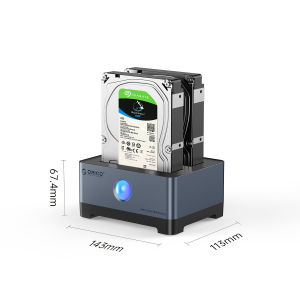
ORICO RGB HDD Docking Station Type-C Aluminum 2.5/3.5 Inch HDD Case RGB Cyberpunk Design 10Gbps Fast Speed Hard Disk Bay for PC(Y20 SSD)
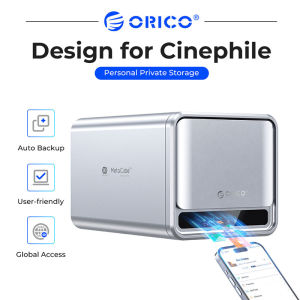
ORICO NAS Storage 2.5"/3.5"SATA HDD/SSD Personal Network Attached Storage Support Remote Access Share Data Intelligent Classification Automatic Backup 2/5-bay (TS500)