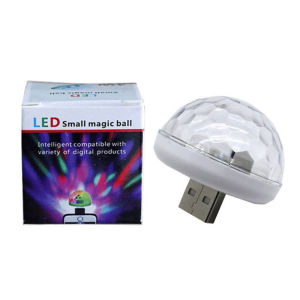
Small Magic Ball Disco Party USB Colorful Neon Lights 4W for Birthday Party Christmas Night Lights
Small Magic Ball Disco Party USB Colorful Neon Lights 4W for Birthday Party Christmas Night Lights
What Are Small Magic Ball Disco Party Lights?
Welcome to our store! We are excited to introduce you to our Small Magic Ball Disco Party USB Colorful Neon Lights 4W, a perfect addition to your birthday party, Christmas night, or any other festive occasion. Our lights are designed to bring vibrant, colorful lighting effects to your party atmosphere, making it more lively and memorable.
Product Description
Our Small Magic Ball Disco Party Lights are 100% brand new with retail packaging, making them ideal for resale or as a gift to a friend. These lights feature a colorful neon light source, consisting of 4PCS LEDs that provide a low heat and low power consumption experience. The automatic control mode ensures a mixed color lighting effect, adding to the overall festive ambiance.
Key Features
- 100% brand new with retail box
- Perfect for resale or as a gift
- Low heat and low power consumption
- Automatic control mode
- Mixed color lighting effect
- Neon light source
- 4PCS LEDs
- 4W power output
Compatibility & Usage
These Small Magic Ball Disco Party Lights can be easily connected to any USB port, making them compatible with various devices, including computers, laptops, and smartphones. However, please note that if you wish to use these lights with your mobile phone, you will need to purchase an OTG adapter separately. Additionally, some phones may require enabling the OTG power output function and USB devices in settings.
How to Use Small Magic Ball Disco Party Lights
Setting Up Your Device
To set up your Small Magic Ball Disco Party Lights, simply connect the USB cable to your device's USB port. If using a mobile phone, ensure you have an OTG adapter and enable the necessary settings in your phone's menu.
Power Output Function
To activate the power output function on your mobile phone, navigate to the settings menu and enable the OTG power output function. Some phones may require enabling USB devices in settings as well.
Enabling USB Devices
To enable USB devices on your mobile phone, go to the settings menu and locate the USB devices option. Enable this option to allow your Small Magic Ball Disco Party Lights to connect to your device.
Why Choose Small Magic Ball Disco Party Lights?
Quality Assurance
Our Small Magic Ball Disco Party Lights are designed to meet high standards of quality and performance. We guarantee that the product pictures are consistent with the actual products, and we will send you photos of the actual products before packaging. We take pride in delivering a reliable and durable product that meets your expectations.
Perfect For Resale Or As A Gift
With their vibrant colors and low power consumption, our Small Magic Ball Disco Party Lights are an excellent choice for resale or as a gift. The retail packaging makes them easy to display and sell, while their attractive design and functionality make them a popular choice for gifting.
Low Heat & Low Power Consumption
Our Small Magic Ball Disco Party Lights are designed to operate at low heat and low power consumption levels, ensuring a safe and energy-efficient lighting solution. This makes them ideal for extended use during parties and other events.
FAQs About Small Magic Ball Disco Party Lights
Are These Lights Safe To Use?
Yes, our Small Magic Ball Disco Party Lights are safe to use. They are designed to operate at low heat levels, reducing the risk of overheating and potential hazards. However, please ensure you follow the instructions provided and take necessary precautions when using these lights.
What Is The Warranty?
We offer a warranty on our Small Magic Ball Disco Party Lights to ensure customer satisfaction. Please refer to the warranty terms and conditions for more details.
Can I Use These Lights With Other Devices?
Yes, our Small Magic Ball Disco Party Lights can be used with various devices, including computers, laptops, and smartphones. However, please note that some mobile phones may require an OTG adapter and enabling specific settings in the phone's menu.

Aaron0716
You May Also Like

NIV Classic Bible (Bonded Leather) - Comfort Print Lightweight Thinline Red Letter English For Men & Women
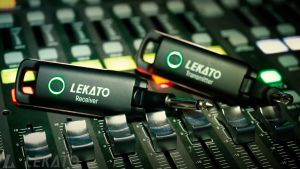
LEKATO WS-70 Wireless Guitar Transmitter and Receiver 70 Channels Rechargeable Wireless Guitar System
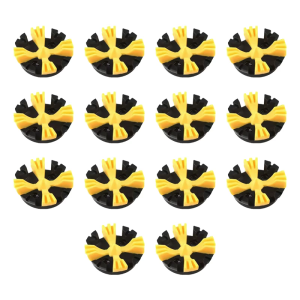
14Pcs Golf Shoe Spikes Replacement Cleats Pin Fast Twists Turn Screw Studs Nonslip Golf Shoes Pin Easy to Use

Sudden Superstar Claire Betita de Guzman: Original Description & Specifications

A Dozen Lessons for Entrepreneurs
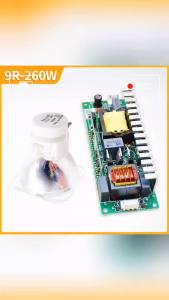
Maielpu Free Shipping Beam 9R 260W Sharpy Beam Light Bulb Moving Beam Bulb 260 Beam Lamp 260 Sicily for Stage Lighting
Thickened Black Z-Type Piano Stand for 61-Key And 88-Key Electronic Pianos Foldable U-Shaped Keyboard Stand ANYSEN/Aliexpress
![[PRELOVED] Borrowing Brilliance](https://img.lazcdn.com/g/ff/kf/S15acc48076d147acb4c53275f3ba46a1E.png_300x300q80.png)
[PRELOVED] Borrowing Brilliance
Fast Guitar Strings Cleaner Eraser Rust Remover Piano String Polishing Fret Care Tool for Acoustic Eletric Guitar Bass
Creative Automatic Rotation LED Lotus Crystal Magic Ball Light Sound Actived Disco Stage Light for Christmas Wedding Home Party KTV Show
Reading and Writing