Uru4500 Biometric Fingerprint Scanner: A Comprehensive Guide
Uru4500 Biometric Fingerprint Scanner: A Comprehensive Guide
What is the Uru4500 Biometric Fingerprint Scanner?
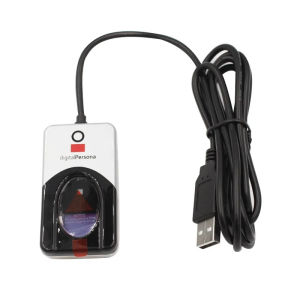
The Uru4500 Biometric Fingerprint Scanner, also known as the Digital Persona U.are.U 4500 Reader, is a high-performance, sleek fingerprint identification device designed for power users and shared environments. It is an elegant, powerful fingerprint identity machine developed by Digital Person, a well-known manufacturer of biometric solutions.
Key Features & Benefits
-
Executive-class look and feel: The Uru4500 Biometric Fingerprint Scanner has a sleek and compact design that conserves valuable desk space while maintaining its presence due to its nice heft and special undercoating.
-
Attractive blue glow: The scanner radiates an attractive blue glow that provides an unobtrusive presence in low light environments and ensures it does not come with alarm colors in settings such as healthcare.
-
High-speed scanning: The Uru4500 Biometric Fingerprint Scanner quickly and automatically scans fingerprints, making it ideal for power users and shared environments.
How It Works
The Uru4500 Biometric Fingerprint Scanner works by capturing an image of the fingerprint and comparing it to stored templates. To use, simply place your finger on the glowing window, and the reader quickly and automatically scans your fingerprint. The scanner then compares the captured fingerprint to the stored templates and authenticates the user if there is a match.
Installation & Setup
Connecting the USB Fingerprint Reader
To connect the Uru4500 Biometric Fingerprint Scanner, simply plug it into a USB port on your computer. The scanner is compatible with Windows, macOS, and Linux operating systems.
Installing the Fingerprint Sensor API SDK
To use the Uru4500 Biometric Fingerprint Scanner, you will need to install the Fingerprint Sensor API SDK. This software development kit provides developers with the tools they need to integrate the scanner into their applications. Follow the instructions provided by Digital Person to install the SDK and begin using the scanner.
Using the Uru4500 Biometric Scanner
Enrolling Fingerprints
To enroll fingerprints using the Uru4500 Biometric Fingerprint Scanner, follow these steps:
- Open the enrollment software provided by Digital Person.
- Place your finger on the scanner and wait for it to capture an image of your fingerprint.
- Repeat step 2 until the enrollment process is complete.
Authenticating Users
To authenticate users using the Uru4500 Biometric Fingerprint Scanner, follow these steps:
- Open the authentication software provided by Digital Person.
- Place your finger on the scanner and wait for it to capture an image of your fingerprint.
- If there is a match between the captured fingerprint and the stored templates, the user will be authenticated.
Tips & Best Practices
Optimal Usage Scenarios
The Uru4500 Biometric Fingerprint Scanner is ideal for power users and shared environments. It is perfect for securing access to sensitive data, controlling access to physical locations, and managing user identities in a variety of settings.
Troubleshooting Common Issues
If you experience any issues with the Uru4500 Biometric Fingerprint Scanner, refer to the troubleshooting guide provided by Digital Person. If you continue to experience issues, contact Digital Person's customer support team for assistance.
In conclusion, the Uru4500 Biometric Fingerprint Scanner is a powerful, sleek fingerprint identification device designed for power users and shared environments. With its high-speed scanning capabilities and attractive blue glow, it is an ideal solution for securing access to sensitive data and managing user identities in a variety of settings.

jun723968
Review

You May Also Like
Canon GI-790 High-Yield Four-Color Printer Ink for G1000/G2000/G3000/G4000/G1010/G2010/G3010/G4010
PU Leather Protector Scratch Resistant Name Label For Healthcare Clinical Doctors Nurses Favor Gift

Phomemo M02 Mini Bluetooth Thermal Label PrinterPortable Inkless Sticker Maker MachineGreat For PhotoBarcodeLogoStudy NotesDIY Stickers
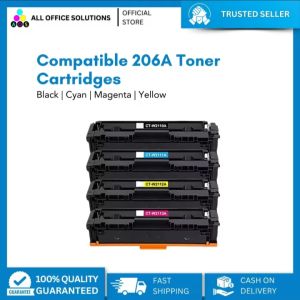
AOS Compatible Toner Cartridge Replacement for HP206A 206A 206X W2110A W2111A W2112A W2113A Color Laserjet Pro M255dw MFP M283fdw M283cdw M283 M255 Printer Ink (Black Cyan Yellow Magenta
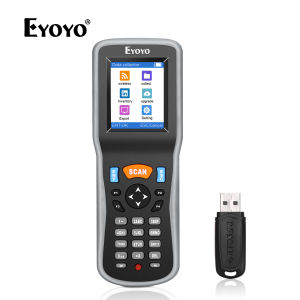
Eyoyo 1D Wireless Barcode Scanner: A Portable Bar Code Reader with 2.2 Inch TFT Color LCD Screen
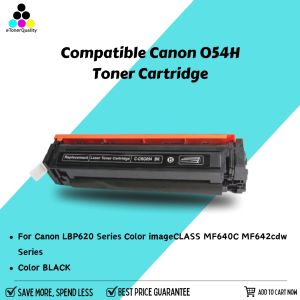
eTONER Compatible Canon 054H CRG054H CRG-054H Toner Cartridge: A Comprehensive Guide
110mm*20m Ultrasound Thermal Paper For Sony Mitsubishi Printers Ultrasound Paper Type 1
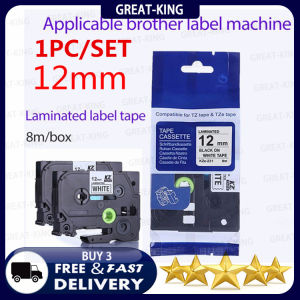
1PC/Pack TZe-231 Label Tapes Compatible for Brother P-Touch Machines Standard Laminated Adhesive Cassette tz231 Black on White 12mm x 8m tze-231

3D Printer Filament Vacuum Bag with USB Rechargeable Electric Air Pump Vacuum Sealing for PLA ABS PETG Filament Storage

Samsung D111s T111s Compatible Black Toner Cartridge (MLT D111s) for 2020 2022w 2070w
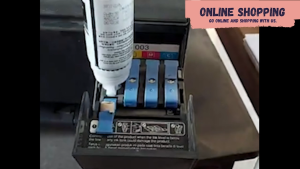
Epson 003 Ink Bottle – Your Reliable Printing Solution for Home or Office