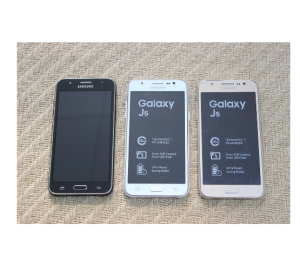
Samsung Galaxy J5 J500F LTE Dual SIM Card Bluetooth Unlocked Original 5.0 Screen 16GB ROM Mobile Phone
Samsung Galaxy J5 J500F LTE Dual SIM Card Bluetooth Unlocked Original 5.0 Screen 16GB ROM Mobile Phone
Introduction to the Samsung Galaxy J5 J500F
The Samsung Galaxy J5 J500F is a reliable and feature-packed smartphone designed to meet the needs of users looking for a robust device at an affordable price point. This 16GB ROM smartphone is equipped with an unlocked dual SIM card capability, making it an excellent choice for those who wish to maintain separate personal and professional communication lines.
Key Features of the 16GB ROM Smartphone
The Samsung Galaxy J5 J500F boasts several noteworthy features, including:
- 16GB internal storage: Adequate space for storing photos, videos, and applications.
- Unlocked dual SIM card support: Enables users to switch between two different phone numbers effortlessly.
- Bluetooth connectivity: Seamlessly connect to compatible devices, such as headphones, speakers, and smartwatches.
- 5.0 inch screen: Provides a comfortable viewing experience for multimedia consumption and web browsing.
Bluetooth Compatible Mobile Device: Exploring Connectivity Options
The Samsung Galaxy J5 J500F offers Bluetooth connectivity, enabling users to connect with various devices effortlessly. Some popular Bluetooth applications include:
- Wireless headphones: Enjoy music and podcasts without the hassle of tangled wires.
- Speakers: Amplify sound for group gatherings or presentations.
- Smartwatches: Monitor health metrics and receive notifications on the go.
Enhancing Your Mobile Experience with Bluetooth
To get the most out of your Samsung Galaxy J5 J500F's Bluetooth capabilities, consider the following tips:
- Pair compatible devices: Connect your smartphone to other Bluetooth-enabled gadgets for a seamless experience.
- Manage connections: Keep track of paired devices and disconnect when necessary to conserve battery life.
- Update firmware: Ensure your device runs the latest software version for optimal performance.
Bluetooth Pairing & Troubleshooting Tips
When experiencing issues with Bluetooth pairing, try the following solutions:
- Restart both devices: Sometimes, a simple reboot can resolve connectivity problems.
- Check Bluetooth settings: Verify that Bluetooth is enabled and set to discoverable mode.
- Clear paired devices: Remove all previously connected devices and attempt to pair again.
5.0 Inch Screen Mobile Phone: Design & Display
The Samsung Galaxy J5 J500F features a 5.0 inch screen, providing users with a comfortable viewing experience for various multimedia activities. Some key aspects of the device's display include:
- Screen resolution: The display boasts a resolution of 720 x 1280 pixels, offering clear visuals and sharp text.
- Display quality: The screen produces vivid colors and accurate contrast ratios, enhancing the overall viewing experience.
Ergonomics & User Experience
The Samsung Galaxy J5 J500F's design prioritizes ergonomics and user experience, making it easy to handle and navigate. Some notable features include:
- Lightweight build: The device weighs approximately 140 grams, allowing for extended use without strain.
- User-friendly interface: The intuitive Android operating system simplifies navigation and application management.
Package Contents & Setup
The Samsung Galaxy J5 J500F comes with a comprehensive set of accessories, including:
- Mobile phone: The Samsung Galaxy J5 J500F itself.
- Charger: A compatible charger for powering up the device.
- Battery: An included battery for seamless usage.
- Earphone: A pair of earphones for listening to music or taking calls.
- Retail box: A protective retail box for storage and transportation.
Setup Instructions & Initial Configuration
To set up your Samsung Galaxy J5 J500F, follow these simple steps:
- Unbox the device: Carefully remove all components from the retail box.
- Charge the battery: Connect the charger to the mobile phone and plug it into a power outlet.
- Insert SIM cards: Place your desired SIM cards into the appropriate slots.
- Turn on the phone: Press and hold the power button until the device powers on.
- Complete initial setup: Follow the on-screen prompts to configure your device, such as selecting a language and connecting to Wi-Fi.
Conclusion & Final Thoughts
The Samsung Galaxy J5 J500F LTE Dual SIM Card Bluetooth Unlocked Original 5.0 Screen 16GB ROM Mobile Phone is a reliable and feature-packed smartphone designed to cater to a wide range of users. With its unlocked dual SIM card capability, Bluetooth connectivity, and comfortable 5.0 inch screen, the Samsung Galaxy J5 J500F offers a well-rounded mobile experience at an affordable price point.

Mobile Collection Hobby Store
Review

You May Also Like
BlackBerry Classic Q20 Original Unlocked Phone Dual Core 2GB RAM 16GB ROM 8MP Camera
Complete Display Assembly Drop Defense Shockproof Touches Screens Assembly Cracks Screens Replacement for S21 G991
A10 Ultra Thin Small Mini Card Soo Jin Portable Cell Phone
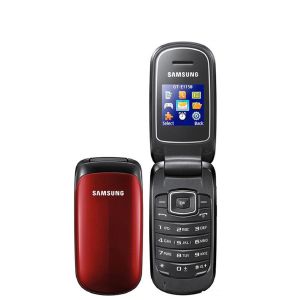
Original Samsung Phone E1150 Unlocked GSM 1.43 Inch 800 mAh Single SIM Phone Multicolor Flip Phone E1150
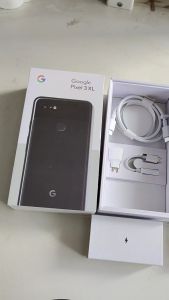
Google Pixel 3XL XL3 Pixel3XL 6.3" 4GB RAM 64G/128G ROM NFC Snapdragon Original Unlocked 4G LTE Phones

Google Pixel 8a - US Model - (128GB/256GB) with 5G/eSIM and Google AI
Original Unlocked Sony Xperia L2 Single Sim 3GB 32GB 13MP 5.5 3300mAh Android 7.1.1 NFC FM radio Phones
Original Nokia 9210 Communicator Vintage Phone Factory Unlock Rare
GT10Pro 5G Smartphone: 7.3inch Ultra-clear Large Screen & 16GB RAM+1TB ROM
Fast Delivery Original Nokia C3-00 Classic Phone
Sony Ericsson C902 3G Mobile Phone Original Unlocked 2.0 Display 5MP Bluetooth Radio FM CellPhone