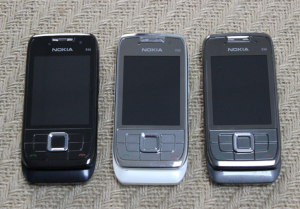
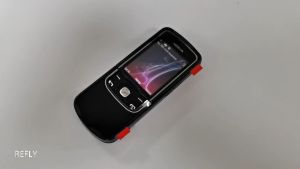
For Nokia E66 Unlocked Original GSM 3G WIFI Bluetooth 3.15MP Camera Keyboard Slider Phone
For Nokia E66 Unlocked Original GSM 3G WIFI Bluetooth 3.15MP Camera Keyboard Slider Phone
Introduction to Original Nokia E66
The Nokia E66 is a classic GSM 3G WiFi Bluetooth smartphone with a unique keyboard slider design. This device offers users a robust set of features and functionalities, making it a popular choice among smartphone enthusiasts. In this article, we will explore the key specifications and features of the Nokia E66, as well as provide guidance on how to use and troubleshoot common issues.
Overview of GSM 3G WIFI Bluetooth Smartphone
The Nokia E66 is a GSM 3G WiFi Bluetooth smartphone that supports multiple languages, including German, Polish, French, Norwegian, Turkish, Italian, Spanish, Portuguese, Russian, Arabic, and English. It features a 3.15MP camera, a detachable battery, and a dedicated memory card slot.
Key Specifications & Features
The Nokia E66 boasts the following specifications:
- Battery Type: Detachable
- ROM: Other
- Charging Power: Other
- Origin: CN(Origin)
- Operation System: Android
- Biometrics Technology: No
- Front Camera Quantity: 1
- Rear Camera Pixel: 3MP
- Battery Capacity(mAh): 1000
- Touch Screen: No
- Fast Charging: Nonsupport
- Display Resolution: 240 x 320 pixels
- RAM: ≤512M
- Rear Camera Quantity: 1
- Certification: NONE
- Charging Interface Type: Micro USB
- Front Camera Pixel: ≤1MP
- Wireless Charging: No
- Design: Slider
- SIM Card Quantity: 1
- SIM Card Display Size: ≤4.0"
- 3.5mm Headphone Port: No
- Screen Type: Normal Screen
- Cellular: GSM
- Standby Time: Up To 10 Hours
- Wi-Fi Transmission Standard: 802.11b/g
- NFC: No
- Memory Card Type: Dedicated slot
- Optical Zoom: No
- Other Features: Photograph Phone Screen Mat
How to Use Your Nokia E66
In this section, we will provide guidance on setting up and activating your Nokia E66, as well as basic navigation and functionality.
Setting Up & Activating Your Phone
To set up and activate your Nokia E66, follow these steps:
- Insert a compatible SIM card into the dedicated slot.
- Charge the phone using the provided micro USB cable.
- Turn on the device by pressing the power button located on the side of the phone.
- Follow the on-screen prompts to complete the initial setup process.
Basic Navigation & Functionality
The Nokia E66 features a slider keyboard design, allowing for easy navigation and functionality. Here are some basic tips for using your phone:
- To access the main menu, press the 'Menu' button located on the keypad.
- To open an application, navigate to the desired app using the directional keys and press the 'OK' button.
- To adjust settings, navigate to the 'Settings' menu and make the desired changes.
Enhancing Your Nokia E66 Experience
In this section, we will explore ways to customize your phone settings and utilize the camera and multimedia features.
Customizing Your Phone Settings
To personalize your Nokia E66 experience, you can customize various settings such as:
- Language
- Display resolution
- Sound settings
- Screen timeout
Utilizing Camera & Multimedia Features
The Nokia E66 offers a 3.15MP camera and supports multimedia features such as:
- Taking photos
- Recording videos
- Playing music
- Browsing the internet
Troubleshooting Common Issues
In this section, we will address common issues related to battery life, charging problems, connectivity, and network issues.
Battery Life & Charging Problems
If you are experiencing issues with battery life or charging, try the following solutions:
- Ensure that the phone is fully charged before using it.
- Replace the battery if it is old or damaged.
- Charge the phone using a compatible charger.
Connectivity & Network Issues
If you are experiencing connectivity or network issues, try the following solutions:
- Check if your SIM card is properly inserted.
- Ensure that you are within range of a cellular network.
- Reset the phone's network settings.
We hope this article has provided valuable insights into the Nokia E66 Unlocked Original GSM 3G WIFI Bluetooth 3.15MP Camera Keyboard Slider Phone. For further assistance, please refer to the user manual or contact customer support.

Mobile Collection Hobby Store
Review

You May Also Like
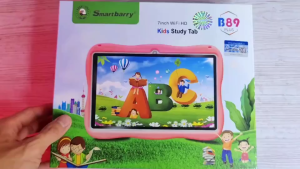
B89 Tablet for Kids 7inch Tablet IPS Screen Study Tablet
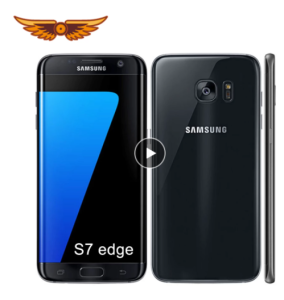
Samsung Galaxy S7 Edge G935F: A Comprehensive Guide
【1 year Warranty】Samsung Tab Global Version tablet HOT 50Pro+ 5G 12 inch 12GB+256G BGaming Tablet Original Big Sale 2025 for Kids Samsung Tablet Online Class Smart Dual Sim Card On Sale Screen 5G Business Tablet COD

4G Fixed Cordless Telephone with SIM Card Slot Landline Google Play inside Wireless Video Desktop Home Phone
Intercom Handset - N8000

❄️Christmas Mega Sales❄️ POCO M7 5G Smartphone | 6.88” FHD+ 120Hz Display | Snapdragon 4 Gen 2 | 5 Year Warranty
![]C idea Kids Tablets 10.1 inchUpgraded Android 13 Tablet for KidsRealist 4GB RAM+64GB ROM(1TB TF) FHD IPS Screen 6000mAh large Battery5G WiFiGreat Gift for Toddler](https://img.lazcdn.com/g/ff/kf/Sf1b2363692224526920eec242b6283f1l.jpg_300x300q80.jpg)
]C idea Kids Tablets 10.1 inchUpgraded Android 13 Tablet for KidsRealist 4GB RAM+64GB ROM(1TB TF) FHD IPS Screen 6000mAh large Battery5G WiFiGreat Gift for Toddler
2 Pieces Scratch Proof HD Screen Protector Tempered Glass For iPad Air 11 2024 M2 13" Air 6th Gen Hard Film

OUKITEL WP20 Pro: The Ultimate Rugged Smartphone
Blackberry 9320 Curve: A Comprehensive Guide
Nokia 8600 Luna Mobile Phone: A Comprehensive Guide