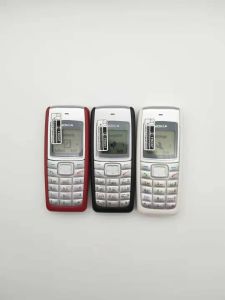
For Nokia 1110 1110i 1112 White Screen Unlocked GSM 2G Keyboard Original Mobile Phone
For Nokia 1110 1110i 1112 White Screen Unlocked GSM 2G Keyboard Original Mobile Phone
What is the Nokia 1110 1110i 1112?
The Nokia 1110, 1110i, and 1112 are classic GSM 2G mobile phones known for their simplicity, durability, and affordability. These phones are perfect for users who prefer a straightforward experience with no unnecessary complications. They feature a white screen keyboard interface, making them easy to navigate and use. The Nokia 1110 series is widely regarded as a reliable choice for those looking for an unlocked GSM 2G mobile phone.
Key Features & Specifications
- Display: Monochrome LCD display with a resolution of 96x65 pixels
- Battery Life: Up to 20 days of standby time and up to 4 hours of talk time
- Storage: 12 MB internal memory for storing contacts, messages, and other data
- Connectivity: GSM 2G network support, allowing you to stay connected to friends and family
- Keyboard: White screen keyboard interface for easy navigation and use
Package Contents & Accessories
The package includes the following items:
- 1x Mobile phone
- 1x Charger
- 1x Battery
- 1x Retail box
How to Set Up Your Nokia 1110 1110i 1112
Charging Your Phone
Before using your new Nokia 1110 series mobile phone, ensure it is fully charged. To charge your device, simply connect the charger to the power outlet and plug the other end into the charging port on your phone. Allow it to charge for at least 2 hours before using it.
Inserting the SIM Card
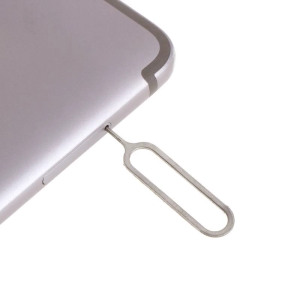
Inserting the SIM card is a straightforward process. First, locate the SIM card tray on the side of your phone. Press the tray gently until it pops out. Then, insert your SIM card into the tray, ensuring it is facing the correct way. Once inserted, push the tray back into the phone until it clicks into place.
Configuring Basic Settings
After inserting the SIM card, power on your Nokia 1110 series mobile phone. You can then configure basic settings such as date, time, and language. To access these settings, press the Menu button and navigate to the appropriate options.
Tips for Using Your Nokia 1110 1110i 1112
Making Calls & Sending Text Messages
Making calls and sending text messages on your Nokia 1110 series mobile phone is easy. To make a call, simply enter the recipient's phone number and press the Call button. To send a text message, navigate to the Messages app, select New Message, enter the recipient's phone number, and type your message before sending it.
Managing Contacts
Managing contacts on your Nokia 1110 series mobile phone is simple. To add a new contact, navigate to the Contacts app, select New Contact, and enter the necessary information such as name, phone number, and email address. To edit or delete existing contacts, simply select the contact and choose the appropriate option.
Setting Alarms & Reminders
Setting alarms and reminders on your Nokia 1110 series mobile phone can help you stay organized and on schedule. To set an alarm, navigate to the Alarm app, select New Alarm, and enter the desired time and any other settings. To set a reminder, navigate to the Notes app, select New Note, and enter the reminder details before saving it.
Frequently Asked Questions About the Nokia 1110 1110i 1112
Troubleshooting Common Issues
If you encounter any issues with your Nokia 1110 series mobile phone, refer to the user manual or visit the official Nokia website for troubleshooting tips and solutions.
Battery Life & Maintenance
To extend the battery life of your Nokia 1110 series mobile phone, turn off unnecessary features such as Bluetooth and Wi-Fi when not in use. Additionally, avoid exposing your phone to extreme temperatures and keep it charged regularly.
Where to Buy Nokia Mobile Accessories
Nokia mobile accessories, including chargers, batteries, and protective cases, can be purchased from authorized retailers or online marketplaces such as Amazon and eBay.
For more information about the Nokia 1110 1110i 1112 White Screen Unlocked GSM 2G Keyboard Original Mobile Phone, visit the official Nokia website or contact customer support.

Mobile Collection Hobby Store
Review

You May Also Like
Device 120W Quick for Travel Office Use
Trendy Strawberry Bag Charm Colorful Pendant Phone Chain Mobile Lanyard Accessories for Fashion Enthusiasts
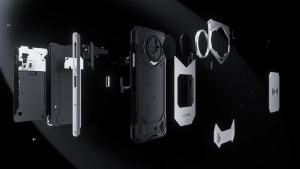
DOOGEE S200 5G Rugged Smartphone: Features & Performance
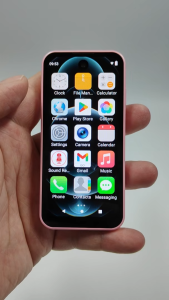
SOYES XS19 Dual SIM card 3.88 inches 2GB RAM 16GB ROM Android 10.0 Smartphone Face ID Type-C OTG 3G Network Small Phone
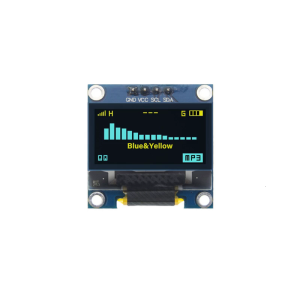
High Contrast 0.96Inch OLEDs Display 128x64Pixels Display Screen for Portable Devices and Wearables Quite Readable
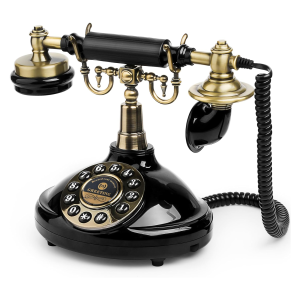
Audio Guest Book Wedding Phone Vintage Style Audio Message Voicemail for Graduation Retirement Party Birthdays Baby Shower
OPPO A31 Phone: Fingerprint Recognition & Gaming Experience
Cute Artistic Feline Design Magnetic Closure Flip Phone Case With Holder And Build In Foldable Stand Functionality
Traditional Wall Phones for Landline with Mechanical Ringing: Retro Wall Mounted Phone & Waterproof Classic 2554 Wall Telephone with Voicemail Indicator
F5pro 5G Smartphone 7.3-inch Ultra Clear Screen Memory 16GB RAM+1TB ROM Android 13.0 Battery 8000mAh
UMIDIGI G9 5G Ultra-Thin Smartphone Android 14 6GB 256GB 6.75\" 90Hz HD+ Mobile Phone 50MP 5000mAh 18W Charging Slim Cellphone