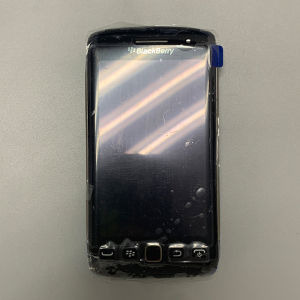
Original BlackBerry Torch 9860 3G 3.7 Display 5MP WIFI BlackBerrys OS Smartphone
Original BlackBerry Torch 9860 3G 3.7 Display 5MP WIFI BlackBerrys OS Smartphone
The BlackBerry Torch 9860 is a powerful and feature-rich smartphone designed for both personal and professional use. With its impressive specifications and sleek design, this device has become a popular choice among users who value productivity and connectivity. In this article, we will explore the key features and specifications of the BlackBerry Torch 9860, what's included in the package, and how to maximize your experience with this device.
Key Features & Specifications
5MP Camera
The BlackBerry Torch 9860 comes equipped with a 5MP camera, making it perfect for capturing high-quality photos and videos. With its advanced camera features, you can take stunning pictures and share them with friends and family through email, social media, or other apps.
3G Connectivity
Stay connected on-the-go with the BlackBerry Torch 9860's 3G connectivity. This allows you to access the internet, make calls, and send messages while traveling or working remotely. With its fast data speeds, you can stay productive and connected no matter where you are.
3.7 Display
The BlackBerry Torch 9860 features a 3.7-inch display, providing ample screen real estate for browsing the web, reading emails, and using apps. With its high-resolution display, you can enjoy crisp and clear visuals, making it perfect for both work and entertainment.
What's Included in the Package
When you purchase the BlackBerry Torch 9860, you will receive the following items:
- Mobile phone
- Charger
- Battery
- Retail box
The package includes everything you need to get started with your new device, including the charger and battery, so you can start using it right away.
How to Maximize Your Experience
To get the most out of your BlackBerry Torch 9860, here are some tips and tricks:
Setting Up Your Device
Before you start using your new device, make sure to set it up properly. This includes connecting it to Wi-Fi, setting up your email accounts, and installing any necessary apps. By taking the time to set up your device correctly, you can ensure that it works seamlessly and meets your needs.
Customizing Your Interface
The BlackBerry Torch 9860 allows you to customize your interface to suit your preferences. You can change the wallpaper, icons, and other settings to make your device look and feel just the way you want it to. By customizing your interface, you can make your device more personalized and enjoyable to use.
Optimizing Battery Life
To get the most out of your BlackBerry Torch 9860's battery life, there are several things you can do. First, make sure to turn off any unnecessary features or apps that may be draining your battery. Additionally, you can adjust the screen brightness and other settings to conserve power. By optimizing your device's battery life, you can ensure that it lasts longer and works more efficiently.

Mobile Collection Hobby Store
You May Also Like
10pcs Sim eject Pin for Key Tool ejetor pin For huawei p8 lite for iPhone X
NEW Smart Tablet 4G/5G Pad6s Pro 10.1-inch Ultra Clear Smooth Screen Memory 12GB+512GB Camera 16MP+32MP Battery 10000mAh Support SIM card
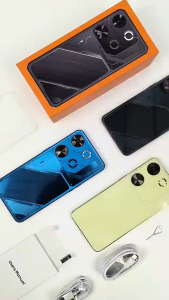
Pova7 Pro 4G/5G Smartphone 6.6inch Screen Memory 8GB RAM+256GB ROM Camera 72MP+108MP Battery 8800Mah Android 13.0
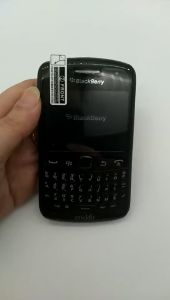
Blackberry 9360 Original Curve Apollo QWERTY 5.0MP Camera GPS WiFi BlackBerry OS Cellphone
Vintage Rotary Dials Telephone Resins Desk Decors For Cafes Bar Home Office Antique Decoration Display With Nonslip Base
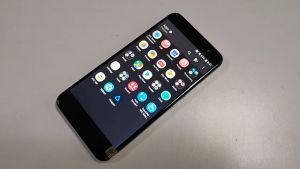
HTC U11 Original Unlocked LTE 4GB RAM 64GB/128GB ROM 5.5 Inch 12MP Android SmartPhone
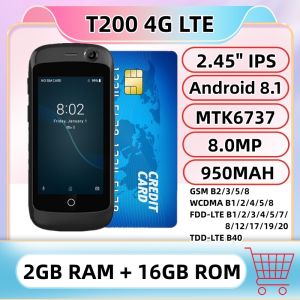
4G LTE Super Mini Smartphone 2GB RAM 16GB ROM 2.45" Android 8.1 MTK6737 2.0+8.0MP Google Play Small Card Mobile Pocket Phone
Numchai N110 4G 2023 New Original 1.8" Dual SIM Cards Bluetooth 5.0 FM Radio 1450mAh Battery Feature Phone Rugged Push-button Phone
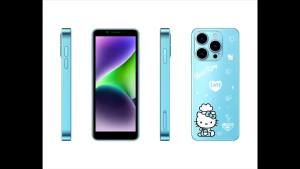
2025 New KT68 Heltty Smart Phone Dual Card Dual Standby Ultra Clear Camera 300W+800w Long Battery Life 2380mAh Cartoon Cute Childrens Music Mobile Phone Version
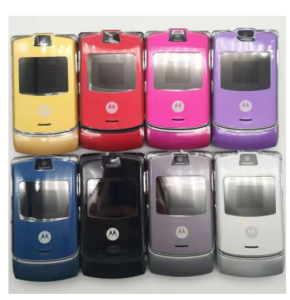
Motorola Razr V3 Original 2.2 Inches 680 MAh Unlocked Cell Phones
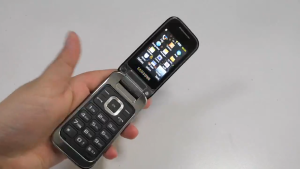
Original Unlocked Samsung C3595 Big Buttons 3G WCDMA Black Color Flip Mobile Phone