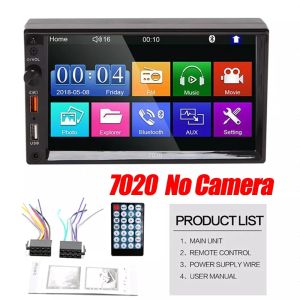
7021B 2Din Car Stereo Audio Radio Bluetooth 7\" HD 2Din 7 Inch Touch Screen Monitor MP5 Player SD FM USB Rear View Camera
7021B 2Din Car Stereo Audio Radio Bluetooth 7" HD 2Din 7 Inch Touch Screen Monitor MP5 Player SD FM USB Rear View Camera
Introduction to 7021B 2Din Car Stereo Audio Radio
The 7021B 2Din Car Stereo Audio Radio is a cutting-edge audio system designed to enhance your driving experience. It combines a 7-inch touch screen monitor, Bluetooth connectivity, and SD FM USB connectivity, making it an ideal choice for music lovers and tech enthusiasts alike. This comprehensive guide will help you understand the features, benefits, installation process, and troubleshooting tips for this remarkable device.
Key Features & Benefits
The 7021B 2Din Car Stereo Audio Radio boasts several key features that make it stand out from the competition. Some of these include:
- 7-inch touch screen monitor for easy navigation and control
- Bluetooth connectivity for hands-free calling and streaming music
- SD FM USB connectivity for accessing your favorite tunes
- Remote control for convenient operation
- Optional rear view camera for added safety and convenience
These features ensure a seamless driving experience, allowing you to stay connected and entertained while on the road.
Target Audience & Usage Scenarios
This car stereo audio radio is perfect for drivers who enjoy a blend of technology and entertainment. It is particularly suited for those who frequently travel long distances and require a reliable audio system to keep them engaged during their journey. Additionally, the rear view camera makes it ideal for drivers who value safety and convenience while navigating tight spaces or reversing.
Installation & Setup
Installing the 7021B 2Din Car Stereo Audio Radio is a straightforward process that can be completed by following these simple steps:
- Remove your existing car stereo
- Mount the new unit in place
- Connect the necessary wiring harnesses
- Connect the rear view camera (optional)
- Set up Bluetooth connectivity
Connecting Rear View Camera (Optional)
If you have chosen to include the rear view camera, follow these steps to connect it:
- Install the camera in the desired location
- Connect the camera cable to the appropriate port on the unit
- Power on the system and adjust the camera settings as needed
Setting Up Bluetooth Connectivity
To set up Bluetooth connectivity, follow these steps:
- Turn on your device's Bluetooth
- Pair your device with the car stereo audio radio
- Connect and enjoy hands-free calling and streaming music
Exploring the 7021B 2Din Car Stereo Audio Radio Features
The 7021B 2Din Car Stereo Audio Radio offers a range of features that make it a must-have for any driver. Here are some of the key features to explore:
7 Inch Touch Screen Monitor
The 7-inch touch screen monitor allows for easy navigation and control of the audio system. It provides a clear and crisp display, making it simple to access your favorite tunes, adjust settings, and control other functions.
SD FM USB Connectivity
The SD FM USB connectivity feature enables you to access a variety of music sources, including CDs, USB drives, and FM radio stations. This ensures that you always have access to your favorite tunes, no matter where you are.
Remote Control & English Manual
The remote control allows for convenient operation of the audio system, while the English manual provides detailed instructions for setup and troubleshooting.
Troubleshooting & Maintenance
While the 7021B 2Din Car Stereo Audio Radio is designed to be user-friendly, some common issues may arise. Here are some solutions to address these problems:
Common Issues & Solutions
- Issue: No sound Solution: Check the volume settings and ensure that the audio source is properly connected.
- Issue: Bluetooth connectivity issues Solution: Restart both devices and try pairing again.
- Issue: Rear view camera not working Solution: Check the camera cable connection and ensure that the camera is powered on.
Regular Maintenance Tips
To keep your 7021B 2Din Car Stereo Audio Radio in top condition, follow these maintenance tips:
- Clean the touch screen regularly using a soft cloth
- Keep the audio system free from dust and debris
- Store the remote control and manual in a safe place
Customer Support & Warranty Information
If you encounter any issues with your 7021B 2Din Car Stereo Audio Radio, don't hesitate to reach out to our customer support team for assistance. We offer a warranty period of [X months/years], during which any defects will be repaired or replaced free of charge.
In conclusion, the 7021B 2Din Car Stereo Audio Radio is a versatile and reliable audio system that enhances your driving experience. With its advanced features, easy installation process, and comprehensive support, it is the perfect choice for drivers who value technology and entertainment while on the road.

TaTa Car
You May Also Like
4inch General Car Headlights 70W Highlight Waterproof fog Light LED Dual Color Fog Lamp for Jeep Wrangler

1Set Universal Car License Plate Holder Stainless Steel Car Plate Frame Acrylic Car Plate Cover

1 pc Honda Click 125/150 v3 version 3 raven v5 Bracket Top Box Bracket Tail Box Alloy Luggage Rack Heavy Duty Motorcycle
40 LED Strobe Light Emergency Flash Warning Lamp Auto Windshield Bar Traffic Advisor Flashlight Red Blue Car Accessories 12V-24V
PRO TIRE/SYK GENUINE TIRE SEALANT 500ML

ZCAUTO 23 Inch Universal Car Front Bumper Number Plate Vehicle SUV Off Road Car Front Plate Holder
BrakeForce Extreme Carbon Ceramic Rear Brake Pads For Geely Coolray 2018 Up To Present Model
![TRANSPEED AW60-40LE AW60-42LE AF13 Auto Transmission Front Brake Band For CHRYSLER Suzuki Esteem Vauxhaul Opel Holden Astra Monza [1982-ON] Car Accessories](https://img.lazcdn.com/g/ff/kf/S78c2485e4b5e485e882a965cce4163b0D.jpg_300x300q80.jpg)
TRANSPEED AW60-40LE AW60-42LE AF13 Auto Transmission Front Brake Band For CHRYSLER Suzuki Esteem Vauxhaul Opel Holden Astra Monza [1982-ON] Car Accessories
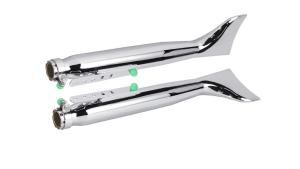
Chrome Motorcycle Exhaust: Universal Fish Tail Left & Right Side Vintage Silencer

For Yamaha MT09 FZ09 FJ09 TRACER 900 XSR900 2014 2015 2016 2017 2018 2019 2020 Adjustable Kickstand Foot Side stand Support
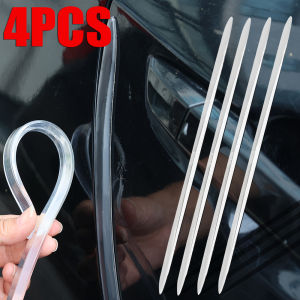
4Pcs Car Door Anti-collision Strip Universal Transparent Extended Side Guard Protector Bumper Protective Sticker Cover Auto Exterior Accessories