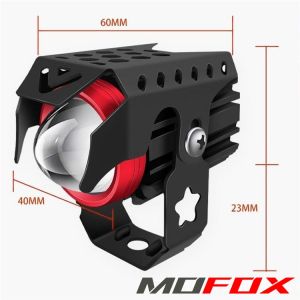
MOFOX K2 Laser Gun Mini Driving Light 4Modes DRL Auxiliary Light 40W Hi/Lo Beam Flashlight Red Fog Light
MOFOX K2 Laser Gun Mini Driving Light 4Modes DRL Auxiliary Light 40W Hi/Lo Beam Flashlight Red Fog Light
Introduction
The MOFOX K2 Laser Gun Mini Driving Light is a versatile and compact driving light designed to enhance visibility while driving at night or in low-light conditions. This powerful auxiliary light features four modes of operation, including Daytime Running Light (DRL), Red Fog Light, and 40W Hi/Lo Beam Flashlight, making it an ideal addition to any vehicle. In this comprehensive guide, we'll cover everything you need to know about the MOFOX K2 Laser Gun Mini Driving Light, including its key features, installation process, usage, performance, maintenance, and more.
Key Features & Benefits
-
4 Modes DRL Auxiliary Light: The MOFOX K2 Laser Gun Mini Driving Light offers four distinct modes, allowing drivers to customize their lighting needs according to the driving conditions.
-
Red Fog Light: The Red Fog Light mode helps improve visibility during foggy or dusty conditions, ensuring safer driving experiences.
-
40W Hi/Lo Beam Flashlight: The 40W Hi/Lo Beam Flashlight provides powerful illumination, making it easy to navigate through dark roads or off-road terrains.
-
Compact Design: The MOFOX K2 Laser Gun Mini Driving Light is compact and lightweight, making it easy to install and mount on any vehicle.
Installation & Setup
Mounting Bracket Kits
The MOFOX K2 Laser Gun Mini Driving Light comes with basic mounting bracket kits, allowing users to easily install the light on their vehicles. The mounting process is straightforward and requires minimal tools.
Step-by-Step Installation Guide
-
Choose a suitable location on your vehicle to mount the MOFOX K2 Laser Gun Mini Driving Light.
-
Install the mounting brackets according to the instructions provided in the kit.
-
Connect the power wires to the appropriate terminals on your vehicle's electrical system.
-
Secure the MOFOX K2 Laser Gun Mini Driving Light onto the mounting brackets.
-
Test the light to ensure proper installation and functionality.
Usage & Performance
How to Use 4 Modes DRL Auxiliary Light
To use the 4 Modes DRL Auxiliary Light, simply turn on the light using the switch or button provided. Each mode offers a unique lighting experience, allowing drivers to customize their visibility needs.
40W Hi/Lo Beam Flashlight: Pros & Cons
Pros:
-
Powerful illumination
-
Easy to install and use
-
Compact design
Cons:
-
May require additional wiring for installation
-
Not suitable for all vehicles
Red Fog Light: Visibility Improvement
The Red Fog Light mode helps improve visibility during foggy or dusty conditions by emitting a red light that cuts through the haze, making it easier to see obstacles and other vehicles on the road.
Maintenance & Care
Cleaning & Storage Tips
To ensure optimal performance and longevity of the MOFOX K2 Laser Gun Mini Driving Light, it's essential to clean and store the light properly. Clean the lens regularly using a soft cloth and mild soap solution. Store the light in a dry and cool place when not in use.
Troubleshooting Common Issues
If you encounter any issues with the MOFOX K2 Laser Gun Mini Driving Light, refer to the troubleshooting guide provided in the user manual. Common issues include loose connections, faulty wiring, or damaged components.
Conclusion
The MOFOX K2 Laser Gun Mini Driving Light is a versatile and powerful auxiliary light that enhances visibility while driving at night or in low-light conditions. With its four modes of operation, compact design, and easy installation process, this light is an excellent choice for drivers looking to improve their safety and visibility on the road.

MOOKA
You May Also Like

Car Fragrance Hanging Ornament Empty Glass Bottle Essential Oil Aromatherapy DIY Assembly Sub-bottle Basketball Star Small
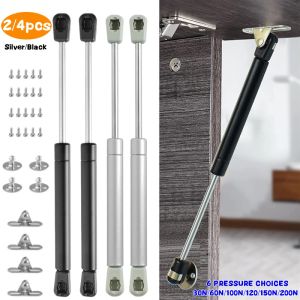
2/4Pcs 30N-200N Gas Struts Furniture Hinge Lift Supports Hydraulic Gas Spring Stay Lids Soft Close Pneumatic Support Gas Shocks
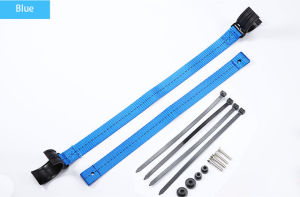
ASTMOTOR Universal Black Adjustable Rescue Pull Strap for Honda, Kawasaki, Yamaha, & Suzuki
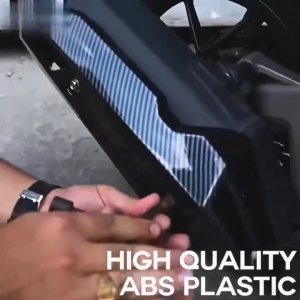
Takimoto Muffler Cover Heat Guard For Honda Click 125L/150L Version 2 Carbon / Black
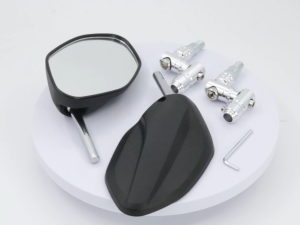
UNIVERSAL OBLONG CLASSIC OR LEAF STYLE SIDE MIRROR MECHANISM STEM REAR VIEW MIRROR 2 PCS
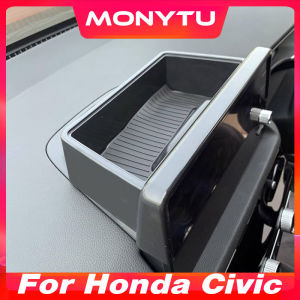
11th Honda Civic FE Accessories: Central Control Navigation Screen & Rear Storage Box
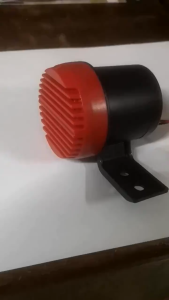
Spot wholesale Talking Reverse Back Up Horn 12 or 24 Volts - For Cars & Jeep - Reversing Siren Alarm Buzzer Warning Alert
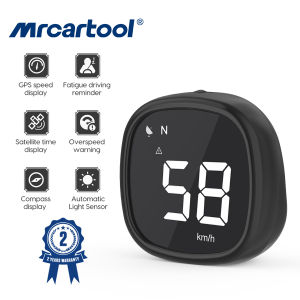
MRCARTOOL M30 GPS HUD: A Comprehensive Guide\\n\\n Overview & Key Features\\n\\nThe MRCARTOOL M30 GPS HUD is a cutting-edge Head Up Display (HUD) designed specifically for motorcycles and compatible with General Motors vehicles. This innovative device offers a range of features that enhance the driving experience while ensuring safety and convenience.\\n\\n Interface Display\\n\\nThe MRCARTOOL M30 GPS HUD features an intuitive interface display, allowing users to easily navigate through various functions. By sliding the \"function keys\" left and right, users can switch between different display interfaces effortlessly. This user-friendly design ensures a seamless experience for drivers, enabling them to focus on the road ahead.\\n\\n GPS Speed Display\\n\\nEquipped with a high-precision dual-channel satellite GPS signal module, the MRCARTOOL M30 GPS HUD provides real-time monitoring of vehicle speed. This feature allows drivers to keep track of their speed without having to look down at the speedometer, reducing the risk of accidents caused by distractions.\\n\\n Overspeed Warning\\n\\nSafety is a top priority for the MRCARTOOL M30 GPS HUD. The device includes an overspeed warning system that automatically alarms if the driver exceeds the set speed limit. This feature helps drivers maintain a safe speed, reducing the risk of accidents and potential fines.\\n\\n Additional Features\\n\\nIn addition to its core features, the MRCARTOOL M30 GPS HUD offers several other useful functions that enhance the driving experience.\\n\\n Fatigue Driving Reminder\\n\\nContinuous driving can lead to fatigue, which poses a significant risk to both the driver and others on the road. The MRCARTOOL M30 GPS HUD includes a fatigue driving reminder that issues an alarm prompt after four hours of continuous driving. This feature encourages drivers to take breaks and rest, promoting safer driving habits.\\n\\n Automatic Light Sensor\\n\\nTo ensure optimal visibility in various lighting conditions, the MRCARTOOL M30 GPS HUD features an automatic light sensor. This sensor adjusts the screen brightness based on the ambient light, providing a clear and easy-to-read display at all times.\\n\\n Compatibility & Warranty\\n\\nThe MRCARTOOL M30 GPS HUD is designed to be compatible with a wide range of vehicles, including vans, trucks, buses, cars, off-road vehicles, SUVs, and motorcycles. This versatility makes it an ideal choice for drivers of various vehicles. Additionally, the device comes with a 24-month warranty and 7x24 hours friendly customer service, ensuring a hassle-free shopping experience. No extra charges are required for warranty services, saving customers money in the long run.\\n\\n How to Use MRCARTOOL M30 GPS HUD\\n\\nTo get the most out of the MRCARTOOL M30 GPS HUD, it's essential to understand how to use it effectively.\\n\\n Installation Process\\n\\nInstalling the MRCARTOOL M30 GPS HUD is straightforward and can be completed in just a few simple steps. First, attach the device to the motorcycle using the included mounting bracket. Next, connect the power cable to the motorcycle's battery or fuse box. Finally, turn on the device and adjust the display settings to suit your preferences.\\n\\n Setting Up Alerts\\n\\nTo set up alerts on the MRCARTOOL M30 GPS HUD, navigate to the alert settings menu and select the desired options. For example, you can set the overspeed warning threshold or adjust the fatigue driving reminder interval. These customizable settings allow you to tailor the device to your specific needs and preferences.\\n\\n Adjusting Screen Brightness\\n\\nThe MRCARTOOL M30 GPS HUD features an automatic light sensor that adjusts the screen brightness based on ambient light conditions. However, you can also manually adjust the screen brightness by accessing the display settings menu. This feature ensures optimal visibility in various lighting conditions, providing a clear and easy-to-read display at all times.\\n\\nIn conclusion, the MRCARTOOL M30 GPS HUD is a versatile and reliable Head Up Display designed specifically for motorcycles and compatible with General Motors vehicles. With its intuitive interface display, GPS speed monitoring, overspeed warning system, fatigue driving reminder, automatic light sensor, and wide compatibility, this device offers a range of features that enhance the driving experience while ensuring safety and convenience. By following the installation process, setting up alerts, and adjusting screen brightness, users can get the most out of this innovative device.\"\n}
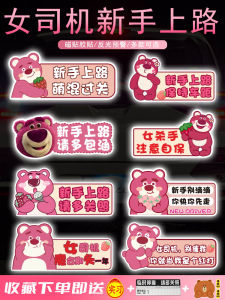
Reflective Magnetic Car Decals for Beginner Female Drivers Practical Internship Road Sign Stickers Auto Decoration
![[LIXIAOJU] 1Pair Loose Protector For Busbar Bus Bar Battery Isolation Cover Terminal Cover Protection PVC Flexible](https://img.lazcdn.com/g/p/036f8b7bea1848a681b5e47416f17e00.jpg_300x300q80.jpg)
[LIXIAOJU] 1Pair Loose Protector For Busbar Bus Bar Battery Isolation Cover Terminal Cover Protection PVC Flexible
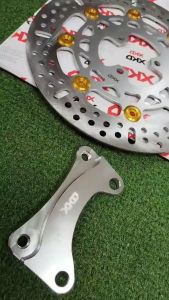
XKD Disc Brake For Mio SportyMio i 125Click/Beat 260mm