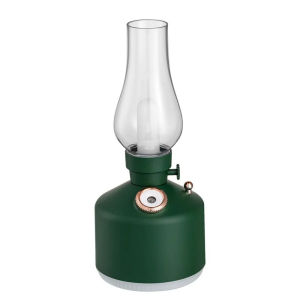
Desktop R Lamp Air Humidifier USB Rechargeable Wireless Aroma Diffuser
Desktop R Lamp Air Humidifier USB Rechargeable Wireless Aroma Diffuser
Product Overview
The Desktop R Lamp Air Humidifier is a versatile, cool-mist humidifier designed to bring soothing moisture and aromatherapy to your living space. This compact, USB-rechargeable wireless aroma diffuser is perfect for any home, office, or dorm room. With its 7-color lights and essential oil diffusing capabilities, it's a must-have for anyone seeking a relaxing atmosphere.
Key Features
- Humidifying capacity: 30ml/h
- Model number: Retro Lamp Air Humidifier
- Shape: Other
- Operation method: Keyboard type
- Application: Suitable for rooms between 11-20㎡
- Power type: Battery
- Humidity control: Piano type
- Use: Household
- Function: Aromatherapy
- Mist outlet quantity: One
- Classification: Humidification
- Timing function: No
- Water-shortage power-off protection: Yes
- Certification: CE, ROHS
- Type: Cool-mist impeller humidifier
- Noise: Low
- Humidification method: Mist discharge
- Capacity: Not specified
- Voltage: 5V
- Power: 2W
- Origin: Mainland China
Specifications & Certifications
The Desktop R Lamp Air Humidifier is equipped with a powerful impeller humidification system, providing up to 30ml/h of cool mist. With a compact design and easy-to-use keyboard controls, it's perfect for any room measuring between 11-20㎡. The battery-powered humidifier has a low noise level, making it ideal for use in bedrooms, offices, or living rooms. The unit is certified by CE and ROHS, ensuring its safety and environmental friendliness.
How to Use Your Cool Mist Humidifier
Setting Up & Charging
To get started with your Desktop R Lamp Air Humidifier, simply plug the included USB cable into a power source and charge the unit for at least 4 hours. Once charged, fill the water tank with clean, distilled water, and add a few drops of your favorite essential oil for aromatherapy.
Adding Essential Oils
Adding essential oils to your Desktop R Lamp Air Humidifier is simple. Just remove the top cover and add a few drops of your chosen oil to the water reservoir. Replace the cover and turn on the diffuser using the keyboard controls. The 7-color lights will illuminate, creating a soothing atmosphere.
Operating Instructions
Operating the Desktop R Lamp Air Humidifier is straightforward. Press the power button to turn the unit on and off. Use the other buttons to adjust the light colors and mist output. When the water level gets low, the unit will automatically shut off to prevent damage.
Benefits of a Cool Mist Humidifier
Humidifying Capacity & Coverage
The Desktop R Lamp Air Humidifier offers a humidifying capacity of 30ml/h, which is perfect for rooms measuring between 11-20㎡. Its compact design makes it ideal for use in bedrooms, offices, or living rooms, while its low noise level ensures a peaceful environment.
Aromatherapy & Relaxation
The Desktop R Lamp Air Humidifier is perfect for aromatherapy, thanks to its essential oil diffusing capabilities. Simply add a few drops of your favorite essential oil to the water reservoir, and the diffuser will disperse the scent throughout the room. The 7-color lights create a relaxing atmosphere, making it perfect for meditation, yoga, or just unwinding after a long day.
Water Shortage Power-off Protection
The Desktop R Lamp Air Humidifier features water shortage power-off protection, which automatically shuts off the unit when the water level gets low. This prevents damage to the unit and ensures safe operation.
Troubleshooting & Maintenance
Common Issues & Solutions
If your Desktop R Lamp Air Humidifier isn't working properly, check the following:
- Is the unit charged? If not, plug in the USB cable and charge the unit for at least 4 hours.
- Is the water level low? If so, refill the water tank and restart the unit.
- Are the lights not working? Check the battery level and replace the batteries if necessary.
Cleaning & Maintenance Tips
To keep your Desktop R Lamp Air Humidifier running smoothly, follow these maintenance tips:
- Clean the water tank and diffuser regularly with warm, soapy water.
- Allow the unit to dry completely before storing.
- Replace the water filter every 3 months.
- Store the unit in a cool, dry place when not in use.

ToKerNew
You May Also Like

Kalan de uling charcoal stove with blower
5-in-1 Upgraded Automatic Robot Vacuum Cleaner Smart Automatic Robot Household Smart Sweeper Robot Super Quiet 1800Pa Strong Suction for Pet Hair Hard Floor Carpet Hardwood Floor
Bladeless Electric Fan with Remote Control and Air Filtration Powerful Airflow Floor Standing Silent Type Vertical Fan

GOOJODOQ 2 in 1 Pocket Mini Handheld Fan USB 1200mAh Rechargeable Portable Fan for Outdoor Travel

Mini Fan Astronaut Hanging Neck Fan Portable Fan USB Handheld Bladeless Silent 360°Rotating
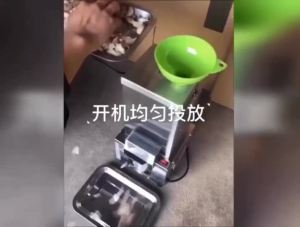
Commercial garlic peeling machine Snless steel fast peeling machine Food processing machine
![New Reciprocating Electric Shaver Travel CompactRazor Electric Washable Home Dual Head Beard Trimmer [ Free Shipping ]](https://img.lazcdn.com/g/p/e134b642fba8f8cd33ed00e3eb758cdd.jpg_300x300q80.jpg)
New Reciprocating Electric Shaver Travel CompactRazor Electric Washable Home Dual Head Beard Trimmer [ Free Shipping ]
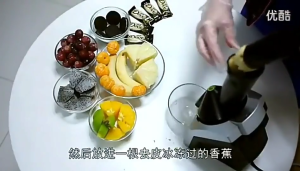
Electric frozen fruit ice cream machinefruit yogurt machine frozen dessert machine household use
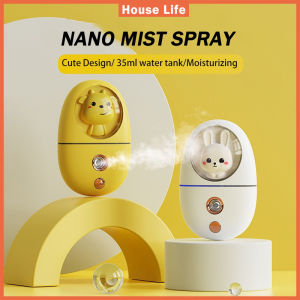
2021 Newest Nano Mist Spray Moisturizer: Portable Cool Mist Face Steamer & Handy Mist Sprayer
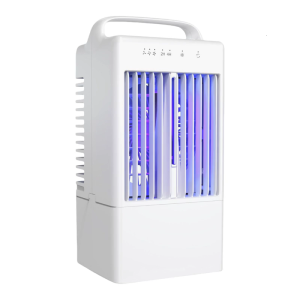
Desktop Air Cooling Fan Portable Unit 3 Speed Cooling Fan with LED Light 4H Timer For Desk Room Bedroom Outdoor Use
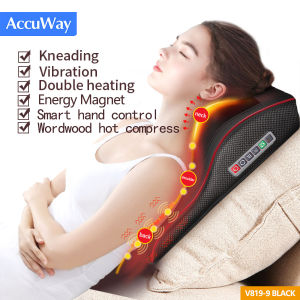
AccuWay Neck Massager 16 Roller Kneading Back Support Massager Electric Body Massage Machine with Heating Massage Pillow for Car Home Office