Xiaomi Pro Plus Micro SD Card: A Comprehensive Guide
Xiaomi Pro Plus Micro SD Card: A Comprehensive Guide
Introduction to Xiaomi Pro Plus Micro SD Card
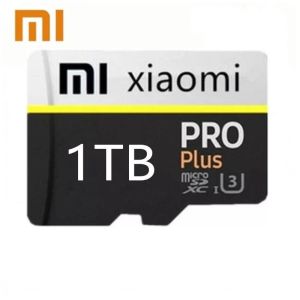
A portable storage device, such as the Xiaomi Pro Plus Micro SD Card, is a convenient and reliable solution for storing and transferring data. This comprehensive guide will help you understand the key features of this product, compare it with other TF cards for camera usage, and provide recommendations for choosing the right capacity for your needs.
What is a Portable Storage Device?
A portable storage device, like the Xiaomi Pro Plus Micro SD Card, is a small, removable data storage medium that can be easily inserted into various devices, such as cameras, smartphones, and tablets. These devices allow users to store and transfer data quickly and efficiently.
Key Features of Xiaomi Pro Plus Micro SD Card
The Xiaomi Pro Plus Micro SD Card offers a range of features that make it a top choice for photographers and videographers. Some of its key features include:
- High capacity: Available in various sizes, including 1TB, 512GB, 256GB, 128GB, and 64GB, the Xiaomi Pro Plus Micro SD Card provides ample storage space for your photos and videos.
- High speed: With High Speed Class 10 UHS-1 technology, the card offers fast read and write speeds, ensuring smooth performance during photo and video capture.
- Durability: The card is designed to withstand harsh conditions, making it ideal for outdoor photography and videography.
Comparison with Other TF Cards for Camera
When comparing the Xiaomi Pro Plus Micro SD Card with other TF cards for camera usage, it's essential to consider factors such as speed, capacity, and durability. The Xiaomi Pro Plus Micro SD Card offers a competitive edge with its High Speed Class 10 UHS-1 technology, ensuring fast read and write speeds for seamless photo and video capture.
How to Choose the Right Capacity for Your Needs
Selecting the right memory card capacity depends on your specific needs and usage patterns. Here's a breakdown of the available sizes and factors to consider:
Understanding Memory Card Sizes (1TB, 512GB, 256GB, 128GB, 64GB)
- 1TB: Ideal for professional photographers and videographers who require extensive storage space for high-resolution images and videos.
- 512GB: Suitable for advanced enthusiasts who frequently capture high-resolution photos and videos.
- 256GB: Perfect for intermediate users who take a mix of photos and videos.
- 128GB: Great for casual users who primarily capture photos.
- 64GB: Suitable for users who occasionally take photos and videos.
Factors to Consider When Selecting a Memory Card
When choosing a memory card, consider factors such as:
- Usage patterns: Determine how much data you typically store and transfer.
- Device compatibility: Ensure the card is compatible with your camera or device.
- Budget: Set a budget and select a card that offers the best value for your needs.
Real-life Scenarios and Recommendations
To help you make an informed decision, here are some real-life scenarios and recommendations:
- Scenario 1: If you're a professional photographer who captures high-resolution images and videos, opt for a 1TB or 512GB card.
- Scenario 2: If you're an advanced enthusiast who frequently captures high-resolution photos and videos, choose a 512GB or 256GB card.
- Scenario 3: If you're an intermediate user who takes a mix of photos and videos, select a 256GB or 128GB card.
- Scenario 4: If you're a casual user who primarily captures photos, go for a 128GB or 64GB card.
Enhancing Performance with High Speed Class 10 UHS-1
The Xiaomi Pro Plus Micro SD Card features High Speed Class 10 UHS-1 technology, which significantly improves performance during photo and video capture. Here's what you need to know:
What is UHS-1 and How Does it Impact Speed?
UHS-1 stands for Ultra High Speed 1, a standard that defines the maximum data transfer rate for memory cards. With UHS-1 technology, the Xiaomi Pro Plus Micro SD Card offers faster read and write speeds, ensuring smooth performance during photo and video capture.
Benefits of High Speed Class 10 for Camera Usage
High Speed Class 10 technology provides several benefits for camera usage:
- Faster read and write speeds: This ensures smooth performance during photo and video capture.
- Improved buffering: This helps reduce lag and stuttering during playback.
- Enhanced reliability: High Speed Class 10 technology offers better data integrity and reduced risk of corruption.
Real-world Examples of Performance Improvement
Here are some real-world examples of how High Speed Class 10 UHS-1 technology can improve performance:
- Example 1: A professional photographer captures high-resolution images and videos during a sports event. With a Xiaomi Pro Plus Micro SD Card featuring High Speed Class 10 UHS-1 technology, they can quickly transfer files to their computer without compromising on quality.
- Example 2: An advanced enthusiast captures time-lapse videos during a sunset. With a Xiaomi Pro Plus Micro SD Card featuring High Speed Class 10 UHS-1 technology, they can smoothly playback their video without any lag or stuttering.
Maximizing the Lifespan and Security of Your Memory Card
To ensure the longevity and security of your Xiaomi Pro Plus Micro SD Card, follow these best practices:
Best Practices for Maintaining Your Micro SD Card
- Handle with care: Avoid dropping or bending the card, as this can cause damage.
- Keep clean: Regularly clean the card with a soft, lint-free cloth to prevent dust buildup.
- Use a card reader: Transfer files using a card reader instead of directly inserting the card into your computer.
Preventing Data Loss and Ensuring Data Security
- Backup regularly: Regularly backup your data to prevent loss in case of card failure.
- Use encryption: Encrypt sensitive files to protect against unauthorized access.
- Store properly: Store the card in a cool, dry place away from direct sunlight.
Troubleshooting Common Issues with Xiaomi Pro Plus Micro SD Card
If you encounter any issues with your Xiaomi Pro Plus Micro SD Card, here are some troubleshooting tips:
- Slow performance: Ensure the card is compatible with your device and check for firmware updates.
- Corrupted files: Run a disk check to identify and repair corrupted files.
- Physical damage: If the card is physically damaged, consider replacing it with a new one.

PH7SBMFB38
Review
You May Also Like
SanDisk 128GB Ultra Dual Drive OTG USB Type C SDDDC2 Black USB3.1 Type C Reversible Connector Retractable Design On-the-Go Storage Device for Type-C Enabled Android devices 5-Year Limited Warranty / SDDDC2-128G-G46

Transcend ESD310C Portable SSD USB Type-C USB 10Gbps 1050MB/s Read and 950MB/s Write
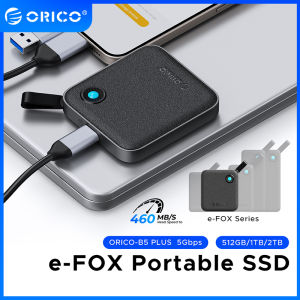
ORICO E-FOX 500MB/S Extreme SSD Portable SSD External Solid State Drives 128GB 256GB 1TB 2TB 4TB 3D NAND for Laptop/Desktop

TERRAMASTER F4 SSD NAS Storage - 4Bay All SSD NAS Server N95 QuadCore CPU 8GB DDR5 RAM 5GbE Port Palm-Sized High-Performance Network Attached Storage US Plug(Diskless)
MacOS 13.7.5 Installation Disk for Apple Laptop All-In-One Smart System Universal Original Mac Storage USB Flash Drive

Lexar JumpDrive TwistTurn2 32GB USB 2.0 Flash Drive
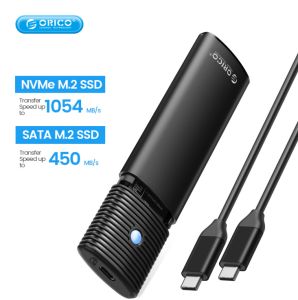
ORICO Dual Protocols M.2 NGFF NVMe Enclosure: A Comprehensive Guide

iCx toshiba usb 3.0 mobile hard drive
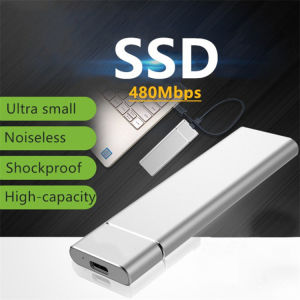
Portable 500GB-16TB Slim USB 3.1/Type-C External Hard Drive
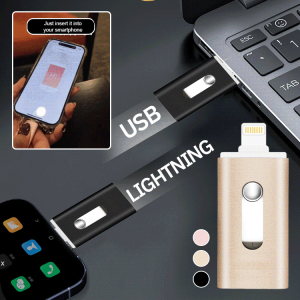
Dual-purpose USB Type-C Flash Drive 3-in-1 Design High-speed Transmission Large Capacity Suitable For Smartphones And Laptops
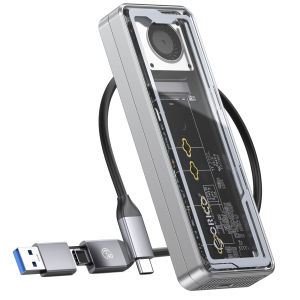
ORICO 40Gbps USB4 M.2 SSD Enclosure 8TB with Cooling Fan PCIe 4.0 NVME Enclosure Aluminum Compatible Thunderbolt 3/4 for Laptop