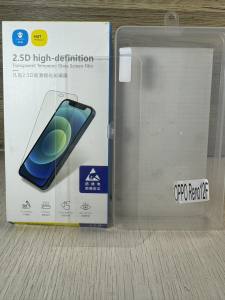
Premium CLEAR Tempered Glass Screen Protector for OPPO RENO 12F & 11F
Premium CLEAR Tempered Glass Screen Protector for OPPO RENO 12F & 11F
What is a Premium CLEAR Tempered Glass Screen Protector?
A Premium CLEAR Tempered Glass Screen Protector is a high-quality protective shield designed specifically for your OPPO RENO 12F and 11F devices. This screen protector offers superior protection, clarity, and ease of installation, making it an excellent choice for users looking to safeguard their devices from everyday wear and tear.
Key Features of a Tempered Glass Screen Protector
- No Punch Hole Required: This screen protector does not require any holes to be punched for the front camera, ensuring that the display remains crystal clear and unobstructed.
- Super Clear HD Display: With a premium quality tempered glass construction, the screen protector provides a clear and high-definition display, giving you an almost seamless viewing experience.
- Easy Installation: Designed with user-friendly installation in mind, this screen protector comes with included wipes to help you install it effortlessly.
How Does It Protect Your Device?
Tempered glass screen protectors are known for their exceptional durability and resistance to scratches, cracks, and impacts. By applying a layer of premium tempered glass to your device's screen, you can significantly reduce the risk of damage caused by accidental drops, bumps, or everyday wear and tear.
Why Choose a High-Quality Screen Protector for Your OPPO RENO 12F & 11F?
Investing in a high-quality screen protector, such as the Premium CLEAR Tempered Glass Screen Protector, is essential for maintaining the pristine condition of your OPPO RENO 12F and 11F devices. Not only does it provide superior protection against accidental damage, but it also ensures that your device remains visually appealing and easy to use.
No Punch Hole Required
Unlike some other screen protectors, the Premium CLEAR Tempered Glass Screen Protector does not require any holes to be punched for the front camera. This means that the display remains crystal clear and unobstructed, providing you with an uninterrupted viewing experience.
Super Clear HD Display
Made from high-quality materials, this screen protector offers a super clear HD display that is almost indistinguishable from the original screen. This ensures that your device remains visually appealing and easy to use, even after installation.
Easy Installation
Designed with user-friendly installation in mind, this screen protector comes with included wipes to help you install it effortlessly. Simply clean the screen, position the protector, and press it into place.
Benefits of Using a Premium CLEAR Tempered Glass Screen Protector
By investing in a Premium CLEAR Tempered Glass Screen Protector, you can enjoy a range of benefits that go beyond just protecting your device from accidental damage.
Anti-Screen Breakage
Tempered glass screen protectors are known for their exceptional durability and resistance to scratches, cracks, and impacts. By applying a layer of premium tempered glass to your device's screen, you can significantly reduce the risk of damage caused by accidental drops, bumps, or everyday wear and tear.
Dirt Resistance
The Premium CLEAR Tempered Glass Screen Protector is designed to resist dirt and grime, ensuring that your device remains clean and easy to use. This means that you can enjoy a pristine viewing experience, even after extended use.
Eye Protection from Harmful Light
In addition to protecting your device from accidental damage, the Premium CLEAR Tempered Glass Screen Protector also helps to protect your eyes from harmful light. By filtering out blue light, this screen protector can help to reduce eye strain and fatigue, making it an excellent choice for users who spend long hours looking at screens.
How to Install a Tempered Glass Screen Protector
Installing a tempered glass screen protector is a straightforward process that can be completed in just a few simple steps.
Step-by-Step Guide to Installation
- Clean the screen thoroughly with the included wipes.
- Peel off the protective film from the screen protector.
- Position the screen protector over the screen, making sure it is centered and aligned.
- Press the screen protector firmly into place, starting from the center and working your way outward.
Tips for Successful Installation
- Make sure the screen is completely clean before installation.
- Take your time and work slowly to avoid bubbles or air pockets.
- Use the included wipes to remove any dust or debris that may have accumulated during installation.
Troubleshooting Common Issues
If you encounter any issues during installation, such as bubbles or air pockets, simply peel off the screen protector and start again. If the issue persists, try cleaning the screen again before reapplying the screen protector.

htl
Review

You May Also Like
New Creative Metal Bracelet Chain for Xiaomi Band 9 Sports Smart Watch Band Replacement Strap for Men And Women Suitable for 5/4/3NFC Version

Extendable Cantilever Mount & Swivel Tilt Monitor Holder: A Comprehensive Guide
Case Realme 15 Pro Plus Pro+ 15T 5G Realme15Pro 5G Case with Magnetic Stand Holder Soft Shockproof Clear Luxury New Design
OPPO Reno 10 Pro 8T 8 7 7Z 8Z 6 6Z 5 4 4F Liquid Silicone Casing Solid Color Shockproof Case Soft Cover
Dual Triple Suction Cup Base Heavy Duty Twist Lock for GoPro Camera Mount Car Windshield Window Glass LED Phone Projector Holder
Soft Cover & Phone Cases for Vivo Y17s: A Comprehensive Guide
Buddhist culture taoist metal stickers Pixiu door stickers mobile phone stickers car metal stickers computer stickers furniture stickers
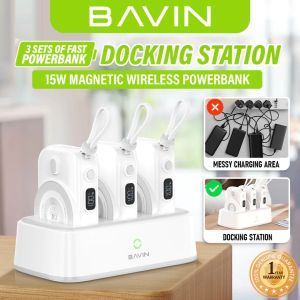
BAVIN PC1130 / PC1131 10000mAh Magnetic Wireless Docking Powerbank w/ 22.5W Type-C Output Fast Charging & Built-In Cable
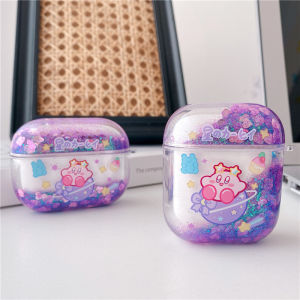
Cute Transparent Airpods 1 2 Generation Protective Case for Airpods Pro 3 Cartoon Planet Quicksand Apple Bluetooth Headset Casing Earphone Cover Accessories Flowing Bling Sequins
100% Legal OPPO 65W/80W/100W SUPERVOOC Flash Charge Kit for Oppo Realme
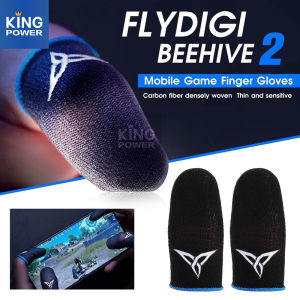
Flydigi Wasp & Beehive 2: Ultimate Sweat-proof Gaming Accessory