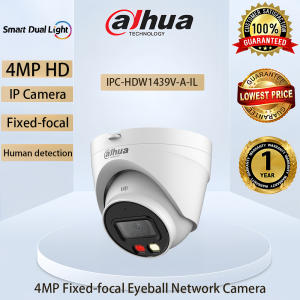
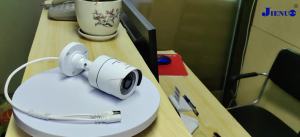
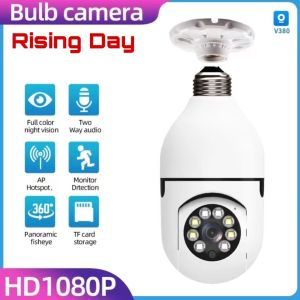
Dahua IP CCTV Camera 2MP/4MP Entry Smart Dual Light Fixed-focal Eyeball Camera With Audio Full Color Network Camera

Introduction to Dahua IP CCTV Camera
Dahua Technology is a leading global provider of intelligent video surveillance solutions, including the Fixed-focal Eyeball Camera, Dual Light Security Camera, and Audio Full Color Network Camera. This article will guide you through the features, benefits, installation, operation, and troubleshooting of these cameras.
Features of the Fixed-focal Eyeball Camera
The Fixed-focal Eyeball Camera offers several features, such as:
- High-resolution image quality in 2MP/4MP resolution
- IP67 weatherproof housing for outdoor installation
- Integrated infrared LEDs for night vision
- P-iris lens control for optimal image sharpness
Benefits of the Dual Light Security Camera
The Dual Light Security Camera provides numerous benefits, including:
- Advanced dual-light technology for both day and night monitoring
- Full-color imaging during low-light conditions
- Enhanced security with built-in motion detection and alarm functions
Advantages of the Audio Full Color Network Camera
The Audio Full Color Network Camera offers several advantages, such as:
- Two-way audio communication capabilities
- Support for multiple audio formats, including AAC and G.711
- Integrated microphone and speaker for clear audio transmission
Installation and Setup Instructions
Connecting the Dahua IP CCTV Camera to Network
To connect the camera to your network, follow these steps:
- Connect the camera to a power source.
- Connect the camera to your network using an Ethernet cable.
- Access the camera's web interface by entering its IP address in a web browser.
- Follow the on-screen instructions to configure the camera settings.
Configuring the Smart Camera Settings
To configure the camera settings, perform the following actions:
- Set up the camera's network settings, including IP address, subnet mask, and default gateway.
- Configure the camera's video settings, such as resolution, frame rate, and bit rate.
- Adjust the camera's audio settings, including volume levels and audio formats.
Setting Up Dual Light Security Camera
To set up the Dual Light Security Camera, follow these steps:
- Enable the dual-light feature in the camera's settings.
- Configure the camera's motion detection and alarm functions.
- Test the camera's performance under different lighting conditions.
Operating the Dahua IP CCTV Camera
Recording and Monitoring Live Video
To record and monitor live video, perform the following actions:
- Access the camera's web interface or mobile app.
- Start recording by clicking the "Record" button.
- Monitor live video by clicking the "Live View" button.
Controlling Audio Full Color Network Camera
To control the Audio Full Color Network Camera, perform the following actions:
- Access the camera's web interface or mobile app.
- Adjust the audio settings, such as volume levels and audio formats.
- Test the two-way audio communication capabilities.
Managing Smart Camera Alerts and Notifications
To manage smart camera alerts and notifications, perform the following actions:
- Configure the camera's alert settings, such as motion detection and alarm functions.
- Set up email or SMS notifications for specific events.
- Test the camera's alert and notification functions.
Troubleshooting Common Issues
Addressing Connectivity Problems
If you encounter connectivity issues, try the following solutions:
- Check the camera's network settings, including IP address, subnet mask, and default gateway.
- Verify the camera's connection to the network using an Ethernet cable.
- Restart the camera and router.
Resolving Video Quality Issues
If you experience video quality issues, try the following solutions:
- Adjust the camera's video settings, such as resolution, frame rate, and bit rate.
- Check the camera's lighting conditions and adjust the dual-light feature if necessary.
- Test the camera's performance under different lighting conditions.
Fixing Audio Full Color Network Camera Malfunctions
If you encounter audio malfunctions, try the following solutions:
- Adjust the camera's audio settings, such as volume levels and audio formats.
- Test the two-way audio communication capabilities.
- Check the camera's microphone and speaker connections.

DAHUA.CCTV.MALL
Review

You May Also Like

Xiaomi Outdoor CCTV Camera Connect Cellphone Wireless 1080P HD Wifi Connect To Cellphone V380 Pro Remote CCTV Security Cameras Outdoor Indoor Waterproof Night Vision 360 Loop Recording Surveillan

Vibration Resistant Lens Securing Collar Lens Retention System Optimized for 12mm Camera Modules In Robotics & Industrial

Wide Angle Intelligent Monitoring Camera 1080P HD Wifi Intelligent Mini Camera Anti-theft IR Night Vision Motion Cam Detection Remote Monitor

4K Digital Camera Dual Camera Flash 50 Million HD Pixel Retro CCD Portable Camera Auto Focus

SIRUI AURORA 85mm F1.4 Full Frame 127mm Equivalent Autofocus Teleportrait Lens Fuji X Mount MVP

4CH Wireless NVR Kits CCTV Wi-Fi Security system Real Plug and Play outdoor Home Survillance kits Tuya App smart view on cellphone AS-TY801KH

Three Lens Solar CCTV Camerea V380 Pro Outdoor Waterproof PTZ Wireless Wifi Night Vision

BUY 1 TAKE 1 V380 Pro HD 1080P Outdoor CCTV Camera IP66 Waterproof No WIFI Needed AI Human Tracking IP Camera Night Vision Security Alarm Auto tracking

Video Laryngoscope digital portable USB Video Endoscope for Intubation

28mm Eyepiece Ⅲ Generation Binoculars 20X50 High Quality Wide Angle Central Zoom Night Vision Telescope Golden Type Telescopio New

SVBONY SC432M Monochrome Cooled Planetary Camera 1.77MP IMX432 CMOS Global Shutter Astronomy Camera Telescope Camera for Planetary Astrophotography