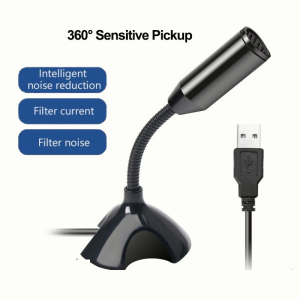
USB Desktop Gaming Microphone Plug And Play Computer Laptop Mic With Holder For PC Computer
USB Desktop Gaming Microphone Plug And Play Computer Laptop Mic With Holder For PC Computer
What Is A Plug & Play Microphone For PC?
A plug and play microphone for PC is a type of computer microphone that allows users to easily connect it to their computer and start using it without any complicated setup procedures. This makes it an ideal choice for gamers who want to communicate with their teammates or streamers who want to share their gaming experience with their audience.
Understanding The Basics Of Plug & Play Microphones
Plug and play microphones are designed to be simple and easy to use. They typically connect to your computer via a USB port, and once connected, they automatically install any necessary drivers or software. This means that you don't have to worry about manually installing drivers or configuring settings, making it perfect for those who may not be tech-savvy.
Key Features To Look For In A Plug & Play Microphone
When choosing a plug and play microphone, there are several key features to consider:
- Sound Quality: Look for a microphone that offers high-quality sound reproduction, with clear and crisp audio that won't distract from your gaming experience.
- Microphone Holder for PC: A sturdy and adjustable microphone holder will help you position your mic at the ideal angle for optimal sound quality.
- Compatibility: Make sure the microphone is compatible with your computer's operating system and hardware.
- Durability: A durable microphone will last longer and withstand the rigors of daily use.
Benefits Of Using A Plug & Play Microphone
Using a plug and play microphone for PC offers several benefits:
- Ease of Use: No complicated setup procedures means you can start using your microphone right away.
- High-Quality Sound: A good plug and play microphone will offer clear and crisp audio, enhancing your gaming experience.
- Affordability: Plug and play microphones tend to be more affordable than high-end studio microphones, making them a great choice for gamers on a budget.
Choosing The Best USB Gaming Microphone
When choosing a USB gaming microphone, there are several factors to consider:
Factors To Consider When Selecting A USB Gaming Microphone
- Sound Quality: Look for a microphone that offers high-quality sound reproduction, with clear and crisp audio that won't distract from your gaming experience.
- Microphone Holder for PC: A sturdy and adjustable microphone holder will help you position your mic at the ideal angle for optimal sound quality.
- Compatibility: Make sure the microphone is compatible with your computer's operating system and hardware.
- Durability: A durable microphone will last longer and withstand the rigors of daily use.
Top-Rated USB Gaming Microphones On The Market
Some top-rated USB gaming microphones include:
- HyperX QuadCast
- Blue Yeti
- Razer Kraken X Hypersense
- SteelSeries Arctis Pro
Comparing Different Brands And Models
It's important to compare different brands and models to find the best fit for your needs. Consider factors like sound quality, microphone holder compatibility, and durability when making your decision.
Setting Up Your Microphone Holder For PC
Once you've chosen your USB gaming microphone, it's time to set up your microphone holder for PC.
Installing Your Microphone Holder
Follow the manufacturer's instructions to install your microphone holder. Make sure it's securely mounted to your desk or monitor stand.
Adjusting Your Microphone Holder For Optimal Positioning
Adjust the microphone holder to the ideal angle for optimal sound quality. Experiment with different positions to find what works best for you.
Troubleshooting Common Microphone Holder Issues
If you're experiencing issues with your microphone holder, try adjusting the positioning or checking the manufacturer's troubleshooting guide.
Maximizing Your Desktop Gaming Mic Experience
Now that you've set up your desktop gaming mic, it's time to maximize your experience.
Enhancing Sound Quality With Your Desktop Gaming Mic
Experiment with different settings and positioning to enhance sound quality. Consider using noise-cancelling software or a pop filter to further improve sound quality.
Customizing Your Gaming Setup With A Desktop Gaming Mic
Use your desktop gaming mic to customize your gaming setup. Consider using a boom arm microphone holder for added flexibility.
Maintaining Your Desktop Gaming Mic For Long-Term Use
Regularly clean your desktop gaming mic to prevent dust buildup and extend its lifespan. Follow the manufacturer's instructions for maintenance and care.

Sunshine Life Hall
Review
You May Also Like
Baofeng BF-UV1706 Portable Walkie Talkies 10W High 2200mAh Power Dual Band Two Way Radio Portable Base Radio
Burmester 2024 New Arrival Headset Bluetooth Headset Radio Gaming Computer Cellphone Earmuff Noise Reduction
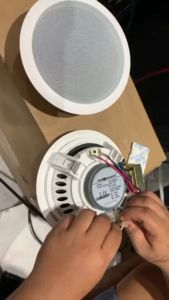
Studio Acoustics SA-360AW White 6 Inch Full Range 8 Ohms with 70V Transformer Ceiling Speaker(1 Pair)

Polvcdg- H50 LED Light Bone Conduction Sports Headphones Ipx8 Waterproof Swimming Headphones Bluetooth 6.0 Cycling Sports Headphones With Microphone
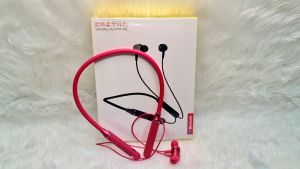
WBP22 Wireless Earphone Bluetooth Sports Ultra Deep Bass Headset With Microphone For IOS & Android Devices
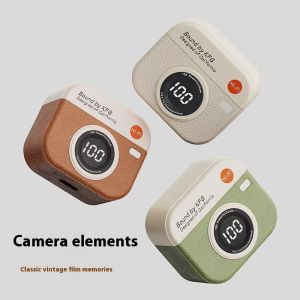
STAR FRUIT⭐ Wireless bluetooth headset retro camera design large number display in-ear headset sports game noise reduction long standby
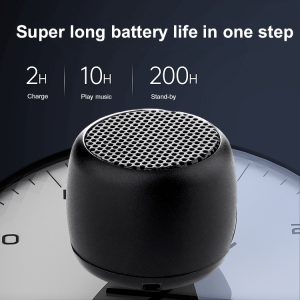
Top Picks for Outdoor Portable Metal Bluetooth Speakers
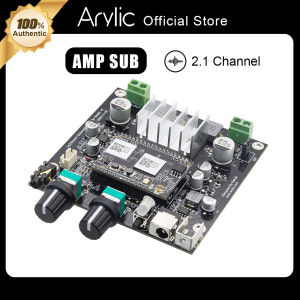
Arylic Up2Stream Amp Sub WiFi Multiroom Amplifier Audio Wireless 2.1 Channel Subwoofer Speakers Amplifier Board 100W Output 3.5mm Jack
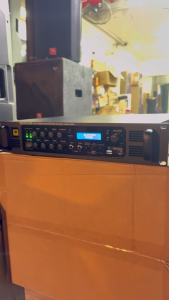
Kevler GX7000 High Power Integrated Amplifier / 1500W X 2 Channel / Original Kevler
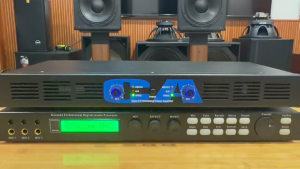
CA Audio Power Amplifier 500W 8Ohm High Power 2Channel Amplifier Digital Professional Subwoofer Stage Amplifier
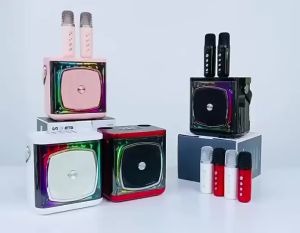
Karaoke Speaker With Mic Portable Speaker Amplifier Home KTV Outdoor Speaker Microphones 3D Stereo SurrounD