



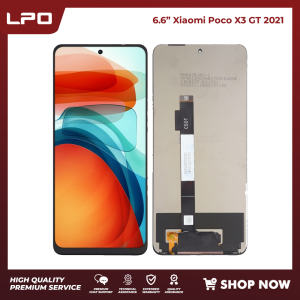
LPO Cellphone LCD 6.6 inches Compatible with Xiaomi Poco X3 GT with Digitizer Replacement Fully Assembly
LPO LAPTOP PC OUTLET. Item: Cellphone LCD Screen. Compatible Brand: XIAOMI. LCD size: 6.6". Guaranteed to work on the following models: Xiaomi Poco X3 GT 2021,21061110AG. LAPTOP PC OUTLET specializes in providing high-quality aftermarket products, including laptops, computers, cellphones, parts, and accessories, all featuring specified models that can be hard to find elsewhere. We offer a wide range of replacement items that are often difficult to find in the tech market, including cellphone LCD screens sourced from reputable third-party manufacturers who share the same factory origin as the original products. Experience our commitment to your satisfaction with our FREE ASSISTANCE in ensuring seamless compatibility with your unit. This way, you can avoid the inconvenience of returning items due to incompatibility. Feel free to reach out Click the chat button at the bottom of our website to inquire, our dedicated professional Customer Service Representatives are always eagerly awaiting

LPO
Review
You May Also Like

Video Editing Professional Pen Suitable for Touch Screen Mobile Phone Drawing And Photo Editing High Precision Editing Touch Pen
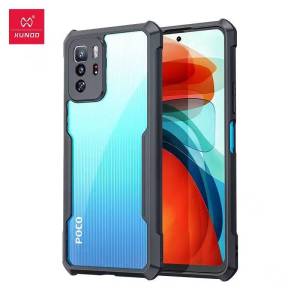
Ultimate Guide: REALME 10 & INFINIX HOT 20 5G Case Protection
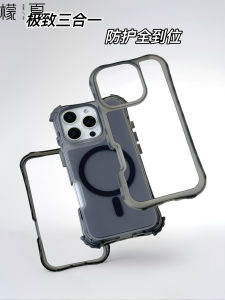
Mens Womens iPhone 16 17Air 14Pro Max Wireless Charging Case Anti-Fall Creative Protective Shell Transparent Shockproof Magsafe
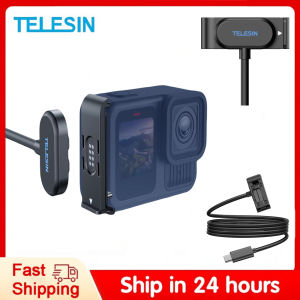
TELESIN Magnetic Waterproof Charging Side Cover Cable KIT For Gopro hero 9 10 11 12 13 Type-C Charging Cover Port Easy Removable
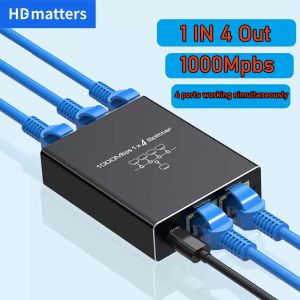
Network Splitter for Ethernet: A Comprehensive Guide\\n\\n Introduction to Network Splitters\\n\\n What is a Network Splitter?\\n\\nA network splitter is a device that allows you to distribute a single Ethernet connection to multiple devices. This is particularly useful if you have limited ports available on your router or switch and want to extend your network coverage. In this comprehensive guide, we will explore the different types of network splitters, how they work, and how to choose the right one for your needs.\\n\\n How Does a Network Splitter Work?\\n\\nNetwork splitters function by taking a single Ethernet connection and splitting it into multiple outputs. This allows you to connect several devices to a single network port, effectively extending your network coverage. There are two main types of network splitters: passive and active. Passive splitters rely solely on the signal strength of the incoming connection, while active splitters amplify the signal to maintain optimal performance across all connected devices.\\n\\n Types of Network Splitters\\n\\nThere are several types of network splitters available, including:\\n\\n- **RJ45 Splitter 1 in 4:** This type of splitter takes a single Ethernet connection and splits it into four outputs, allowing you to connect up to four devices to a single network port.\\n- **Gigabit Ethernet Splitter:** These splitters support speeds up to 1 Gbps, making them ideal for high-speed internet connections and demanding applications such as gaming or video streaming.\\n- **100M 1000M Splitter:** This type of splitter supports both 100 Mbps and 1 Gbps connections, providing flexibility for various network environments.\\n\\n Choosing the Right Network Splitter\\n\\n Key Features to Consider\\n\\nWhen selecting a network splitter, consider the following key features:\\n\\n- **Number of Outputs:** Determine how many devices you want to connect to a single network port.\\n- **Speed:** Choose a splitter that supports the desired speed of your internet connection.\\n- **Compatibility:** Ensure the splitter is compatible with your existing network setup and devices.\\n\\n Differences Between 100M & 1000M Splitter\\n\\nThe main difference between a 100M and a 1000M splitter lies in their supported speeds. A 100M splitter supports connections up to 100 Mbps, while a 1000M splitter supports connections up to 1 Gbps. If you have a high-speed internet connection, a 1000M splitter would be the better choice to ensure optimal performance.\\n\\n Gigabit Ethernet Splitter vs. RJ45 Splitter 1 in 4\\n\\nA Gigabit Ethernet splitter and an RJ45 splitter 1 in 4 differ primarily in their supported speeds and number of outputs. A Gigabit Ethernet splitter supports connections up to 1 Gbps and can have varying numbers of outputs depending on the model. An RJ45 splitter 1 in 4, on the other hand, splits a single Ethernet connection into four outputs and typically supports speeds up to 100 Mbps or 1 Gbps, depending on the model.\\n\\n How to Use a Network Splitter\\n\\n Connecting a Network Splitter to Your PC or Laptop\\n\\nTo connect a network splitter to your PC or laptop, follow these steps:\\n\\n1. Connect one end of an Ethernet cable to the input port of the network splitter.\\n2. Connect the other end of the Ethernet cable to a network port on your router or switch.\\n3. Connect the output ports of the network splitter to your desired devices using Ethernet cables.\\n\\n Setting Up a Network Splitter for Multiple Devices\\n\\nTo set up a network splitter for multiple devices, follow these steps:\\n\\n1. Connect one end of an Ethernet cable to the input port of the network splitter.\\n2. Connect the other end of the Ethernet cable to a network port on your router or switch.\\n3. Connect the output ports of the network splitter to your desired devices using Ethernet cables.\\n\\n Troubleshooting Common Issues with Network Splitters\\n\\nIf you encounter issues with your network splitter, try the following troubleshooting steps:\\n\\n- **Check Connections:** Ensure all Ethernet cables are securely connected to the network splitter and devices.\\n- **Restart Devices:** Restart your router, switch, and connected devices to refresh their network connections.\\n- **Check Network Settings:** Verify that the network settings on your devices are configured correctly.\\n\\n Conclusion\\n\\n Recap of Key Points\\n\\nIn this comprehensive guide, we explored the different types of network splitters, how they work, and how to choose the right one for your needs. We discussed key features to consider when selecting a network splitter, differences between 100M and 1000M splitters, and the distinctions between Gigabit Ethernet splitters and RJ45 splitters 1 in 4. We also provided step-by-step instructions for connecting a network splitter to your PC or laptop, setting up a network splitter for multiple devices, and troubleshooting common issues.\\n\\n Final Thoughts on Network Splitters\\n\\nNetwork splitters are a valuable tool for extending your network coverage and connecting multiple devices to a single network port. By understanding the different types of network splitters and their capabilities, you can choose the right one for your needs and enjoy a seamless networking experience.\n}

Ultra thin minimalist transparent PC hard case for iPhone 17 16 15 14 13 12 Pro Max plus air cover
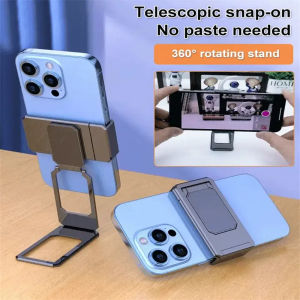
1PC 360 Rotation Foldable Stand Back Clip Phone Ring Holder Multi Angle Portable Desk Metal Finger Kickstand
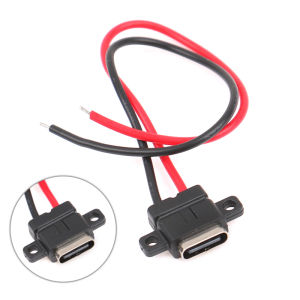
LEI TypeC 2Pin Waterproof Female USB C Socket Port With Screw Hole Fast Charge Charging Interface USB Connector With Cable H11.5mm
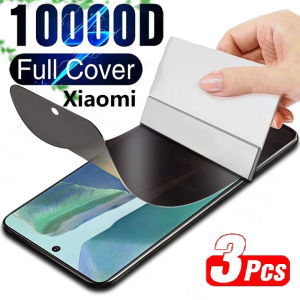
3Pcs Privacy Hydrogel Film For Redmi Note 14 13 12 11 Pro Plus 4G 5G Screen Protector Without Fingerprint Unlocking
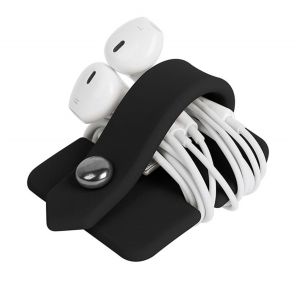
SH Holders Quality Earbuds Winder Holder Headset Winder/ 2018NEW LAOWANG Wrap Cable Cord Headphone

Honor X7i Protective Case Cute Cartoon Silicone Anti-fall Soft Shell Creative Personalized Earphone Cover Box Cool Trendy
![[Ready Stock+COD] Gas Bottle Mobile Bracket Barrel Water Base Gas Tank Rack Wheel with Brake Liquefied Bottle Rack Flower Pot Tray Liquefied Gas Floor Bracket Universal](https://img.lazcdn.com/g/ff/kf/S8271cc2e62744e0480d1797ecc7d47c7U.jpg_300x300q80.jpg)


















