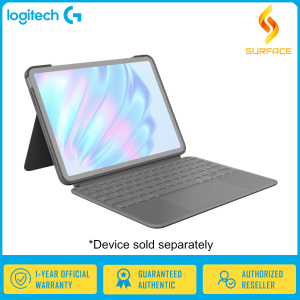
Logitech Combo Touch Backlit Keyboard Case for Apple 11\" iPad Air M2 (Graphite)
Logitech Combo Touch Backlit Keyboard Case for Apple 11" iPad Air M2 (Graphite)
Logitech has recently introduced the Logitech Combo Touch Backlit Keyboard Case, a premium accessory for the Apple iPad Air M2 (11 inches). This graphite-colored keyboard case offers an enhanced typing experience, improved productivity, and seamless integration with the iPad Air. In this article, we will delve into the key features, design, setup, and benefits of the Logitech Combo Touch Backlit Keyboard Case.
Key Features & Design
Viewing Angle & Backlit Keys
The Logitech Combo Touch Backlit Keyboard Case supports a viewing angle ranging from 10 to 60 degrees, allowing users to adjust the angle according to their preferences. Additionally, the backlit keys provide a comfortable typing experience even in low-light environments.
Touchpad & Smart Connector
Equipped with a touchpad, this keyboard case facilitates smooth navigation through iOS apps and web pages. Furthermore, the smart connector ensures a secure connection between the keyboard case and the iPad Air, eliminating the need for additional cables.
Auto Wake & Sleep Functionality
With auto wake and sleep functionality, the Logitech Combo Touch Backlit Keyboard Case automatically turns on when connected to the iPad Air and powers off when disconnected, conserving battery life and enhancing convenience.
Setup & Installation
Connecting the Keyboard Case
Connecting the Logitech Combo Touch Backlit Keyboard Case to the iPad Air is straightforward. Simply align the smart connector with the iPad Air's lightning port and press down gently until you hear a click. The iPad Air will automatically detect the keyboard case, and you can start using it immediately.
Setting Up iOS Shortcut Keys
The keyboard case features dedicated iOS shortcut keys, which can be customized to perform specific actions within apps or launch frequently used applications. To set up shortcut keys, go to the iPad Air's Settings app, select General > Keyboard > Shortcuts, and follow the instructions to create custom shortcuts.
Storing Apple Pencil
The Logitech Combo Touch Backlit Keyboard Case includes a dedicated slot for storing the Apple Pencil, ensuring it remains secure and easily accessible when needed.
Usage & Benefits
Enhancing Productivity
By combining the Logitech Combo Touch Backlit Keyboard Case with the iPad Air, users can enjoy increased productivity through faster typing, seamless navigation, and easy access to shortcut keys. This combination is ideal for professionals who require a portable, powerful device for work-related tasks.
Improving Typing Experience
The backlit keys and comfortable key travel distance make typing on the Logitech Combo Touch Backlit Keyboard Case a pleasure. Users can quickly adapt to the layout and enjoy a smooth, responsive typing experience.
Customizing Keyboard Shortcuts
With the ability to customize keyboard shortcuts, users can tailor the Logitech Combo Touch Backlit Keyboard Case to their specific needs, further enhancing their productivity and efficiency.
In conclusion, the Logitech Combo Touch Backlit Keyboard Case is a must-have accessory for iPad Air M2 owners seeking an enhanced typing experience, improved productivity, and seamless integration with their device. Its graphite color adds a touch of elegance, making it a perfect match for the iPad Air. With its auto wake and sleep functionality, dedicated iOS shortcut keys, and Apple Pencil storage, this keyboard case offers a comprehensive solution for those who want to get the most out of their iPad Air.

Surface
You May Also Like
KM-04 Chain Looper for SIRUBA Industrial Sewing Machine (MODEL 757)
Colorful Polka Dot Creative Finger Loop Small round Ball Phone Case for Apple 17Promax iPhone 14/15 Cute 16 Anti Fall 13Pro New Leather Texture 12 Simple High End 11 Dopamine
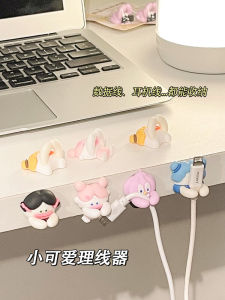
Cable Organizer for Desk: A Cute Phone Charging Solution
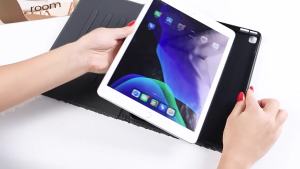
New Air6ipad Sleeve air2 Shell air5/4/3 Tablet 10.2 Inch mini6 Ninth Generation 10 Generation
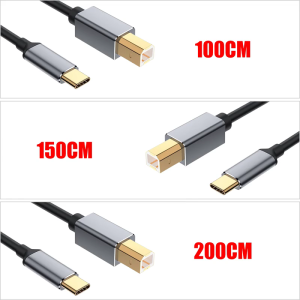
Fast Speed Printer Cable Male USB Type C to Male USB B for Efficient Data Transfer Between Printers Scanners and PC

HISENSE REMOTE CONTROL Replacement - 50K303/ 55K303V2(183 UP)/ 43A5605/ 39A5605/ 32A5605/ 32E5600/ 43E5600/ 40E5600/49E5600 Remote Control for Hisense TV
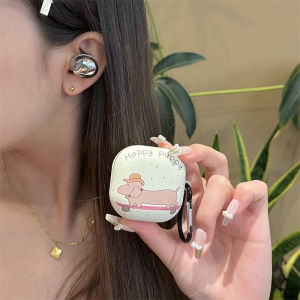
Samsung Buds2 pro Skateboard Protective Case Anti-Fall Soft Shell Silicone Cover for Galaxy Live Earphones Cute Minimalist Style
18650 To 26650 Conversion Box For LED Flashlight Adapter Tube Sleeve Case
New Phone Case Tecno Spark Go 2 POP 10 Go2 POP10 Ins Fashion Creative Shiny Luxury Crystal Bow Anti-fall Soft Casing with Cute Cartoon Pearl Bracelet 2025
Llano Laptop Privacy Screen Protector Film HD Anti-reflective Glare / 30° Anti-peep Privacy Protection Screen Film for 12.5-24 Inch Laptop / PC Computer / Monitor
Frosted Shell of Ice: Ultra-Thin Translucent Phone Case for iPhone 15 Pro Max