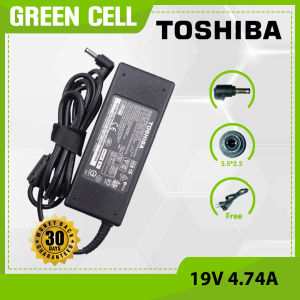
90W Toshiba 19V 4.74A Laptop Charger: A Comprehensive Guide
90W Toshiba 19V 4.74A Laptop Charger: A Comprehensive Guide
What is the 90W Toshiba 19V 4.74A Laptop Charger?
The 90W Toshiba 19V 4.74A laptop charger is a versatile power supply designed specifically for Toshiba Satellite laptops. This charger is compatible with a wide range of Toshiba models, including the L55T, L600, L630, L640, L670, S845, S850, S870D, S900, S950, L203, L205, L25, L30, L300, L305D, L310, L311, L312, and L35. It provides a reliable and efficient charging solution for these devices, ensuring optimal performance and longevity.
Compatible Models
The 90W Toshiba 19V 4.74A laptop charger is compatible with the following Toshiba Satellite models:
- L55T, L55T-B
- L600, L600D
- L630, L630D, L635
- L640, L645
- L670
- Satellite S845, S845D, S850, S850D, S870D, S875D
- Satellite S900, S950, S950D
- Satellite L203, L205, L25, L30, L300, L300D, L305D, L310, L311, L312, L35
Key Features
- High power output: The 90W Toshiba 19V 4.74A laptop charger delivers up to 90 watts of power, ensuring fast and efficient charging for your Toshiba Satellite laptop.
- Wide compatibility: This charger is compatible with a wide range of Toshiba Satellite models, making it a versatile choice for users with different devices.
- Durable design: The charger features a robust construction, designed to withstand the rigors of daily use and provide long-lasting performance.
- Compact size: Despite its high power output, the charger is compact and lightweight, making it easy to carry around and store.
How to Choose the Right Charger for Your Toshiba Laptop
Choosing the right charger for your Toshiba laptop is crucial for ensuring optimal performance and longevity. Here are some steps to help you find the perfect charger for your needs:
Identifying Your Laptop Model
The first step in choosing the right charger is identifying your laptop model. This information can usually be found on the bottom or back of your laptop, or in the user manual that came with your device. Once you know your laptop model, you can search for compatible chargers online or at a local electronics store.
Checking Voltage and Amperage Requirements
Every laptop has specific voltage and amperage requirements that must be met by its charger. These specifications can usually be found on the laptop itself, in the user manual, or on the charger that came with your device. Make sure to check these requirements before purchasing a new charger, as using a charger with incorrect voltage or amperage can damage your laptop.
Finding the Right Charger for Your Needs
Once you have identified your laptop model and checked its voltage and amperage requirements, you can start searching for a charger that meets these specifications. Consider factors such as power output, compatibility, durability, and size when choosing a charger. The 90W Toshiba 19V 4.74A laptop charger is a great choice for many Toshiba Satellite models, offering high power output, wide compatibility, and a durable design.
How to Safely Use and Maintain Your Toshiba Laptop Charger
Proper use and maintenance of your Toshiba laptop charger can help extend its lifespan and ensure optimal performance. Here are some tips for safely using and maintaining your charger:
Proper Charging Techniques
- Always use the charger that came with your laptop, or a compatible replacement charger. Using a charger with incorrect voltage or amperage can damage your laptop.
- Make sure the charger is properly connected to both the laptop and power outlet before using it.
- Avoid using the laptop while it is charging, as this can put extra strain on the battery and charger.
- Unplug the charger when it is not in use to conserve energy and prevent potential hazards.
Troubleshooting Common Issues
If you experience any issues with your Toshiba laptop charger, try the following troubleshooting steps:
- Make sure the charger is properly connected to both the laptop and power outlet.
- Check for any visible damage to the charger or laptop, such as frayed wires or loose connections.
- Try using a different power outlet or charger to see if the issue persists.
- If the problem continues, contact Toshiba customer support for further assistance.
Extending Charger Lifespan
To extend the lifespan of your Toshiba laptop charger, follow these tips:
- Store the charger in a cool, dry place when not in use.
- Avoid exposing the charger to extreme temperatures, moisture, or physical damage.
- Regularly inspect the charger for any signs of wear or damage, and replace it if necessary.
- Follow proper charging techniques to avoid putting unnecessary strain on the charger.

Greencell.ph
Review

You May Also Like

Honor 200 Phone Case Small Sheepskin Full Cover Anti-Fall Protection Soft Shell for Honor 60/70/80/90 Huawei 50 Business Luxury Style
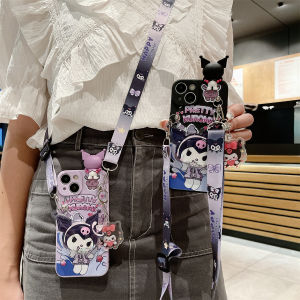
Cartoon Kawaii Blinking Plush Phone Case for VIVO S Series Soft Silicone Anti-Fall Lanyard Trendy Eco-Friendly Full Cover Protection
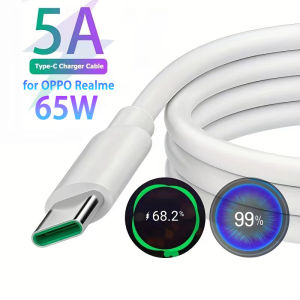
65W 5A Fast Charging USB C Cable: A Comprehensive Guide

Huawei P30 pro Mens Phone Case Liquid Silicone Full Cover Anti-Fall Pura70 P60 P50 P40 Frosted P20 Protective Shell for Mobile Phones
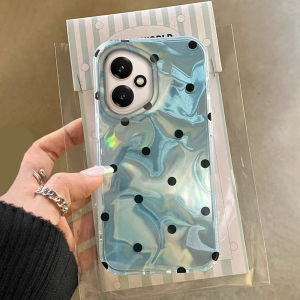
Korean Cirular Dot Women Phone Case For Honor 400 200 90 Smart Pro Magic7 6 5 70 Lite X9a X9c X9b X8a X8b X8c X6c X7b X7c Cover
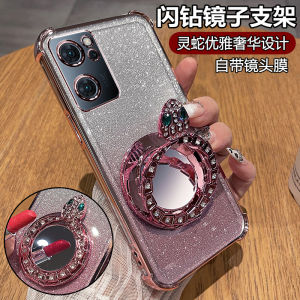
Oppo Reno7 pro Soft Silicone Case with Lens Film Full Cover Anti-Fall Transparent Shockproof New Model 5G Female Version with Mirror Stand
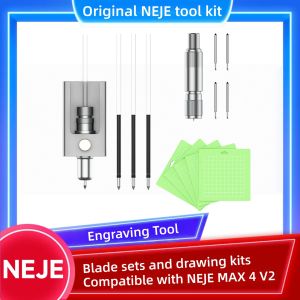
Original NEJE tool kit including blade cutting mat drawing pen and pen holder.engraving accessories multifunctional tools
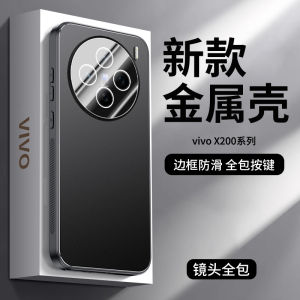
Vivo X200/X200S/X200Pro/X200Promini/X200Ultra Ultra-Thin Alloy Back Cover Full Protection Lens Film Anti-Fingerprint Phone Case
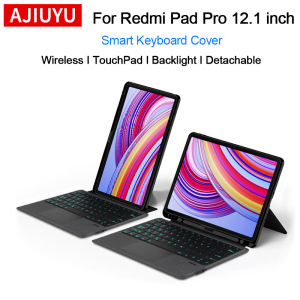
AJIUYU Backlight Magic Keyboard For XiaoMi Redmi Pad Pro 12.1 inch Folio Smart Case Portuguese Spanish Arabic Keyboard Cover
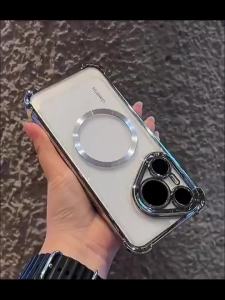
Soft cellphone cover for Oppo A3s a12e A1k case plating silicone TPU shockproof protection phone casing shell with magnetic suction function
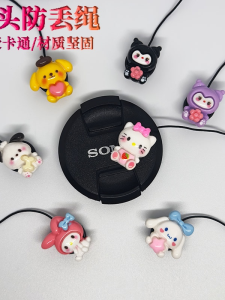
Cute Cartoon Camera Lens Cord Suitable for Canon Sony Fuji Nikon Mirrorless DSLR Camera Lens Cap Line Anti-Lost Rope