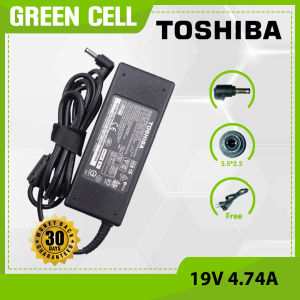
90W Toshiba 19V 4.74A Laptop Charger for Satellite L775D L830 L835 L840 L840D L845 L845D L850 L850D L855
90W Toshiba 19V 4.74A Laptop Charger for Satellite L775D L830 L835 L840 L840D L845 L845D L850 L850D L855
What is the 90W Toshiba 19V 4.74A Laptop Charger?
The 90W Toshiba 19V 4.74A Laptop Charger is a high-power charger designed to provide reliable power supply to Toshiba Satellite laptops, including models L775D, L830, L835, L840, L840D, L845, L845D, L850, L850D, and L855. This charger ensures your laptop receives the necessary power to perform at its best.
Key Features & Benefits
- High Power Output: The 90W output ensures fast charging and efficient power supply for your laptop.
- Compatibility: It is compatible with multiple Toshiba Satellite models, making it a versatile choice for users with different laptops.
- Reliability: Built with quality components, this charger is designed to provide stable power supply and extend the lifespan of your laptop battery.
Compatible Models
The 90W Toshiba 19V 4.74A Laptop Charger is compatible with the following Toshiba Satellite laptop models:
- L775D
- L830
- L835
- L840
- L840D
- L845
- L845D
- L850
- L850D
- L855
How to Choose the Right Charger for Your Toshiba Laptop
Selecting the appropriate charger for your Toshiba laptop is crucial to ensure optimal performance and battery life. Here are the steps to help you choose the right charger:
Identifying Your Laptop Model
To identify your laptop model, look for the model number on the bottom of your laptop or check the product manual. This information will help you determine the charger specifications required for your laptop.
Matching the Charger Specifications
Once you have identified your laptop model, compare its power requirements with the charger specifications. Ensure that the voltage (V), amperage (A), and wattage (W) match the requirements of your laptop.
Installation & Usage Guide
Proper installation and usage of the 90W Toshiba 19V 4.74A Laptop Charger are essential to ensure reliable power supply and extend the lifespan of your laptop battery. Follow these guidelines for optimal results:
Connecting the Charger to Your Laptop
- Plug one end of the charger into a power outlet.
- Connect the other end of the charger to the designated port on your laptop.
Proper Handling & Maintenance
- Store the charger in a cool, dry place when not in use.
- Avoid bending or twisting the power cord.
- Regularly check the charger for any signs of damage or wear.
Troubleshooting Common Issues
If you encounter any issues with your 90W Toshiba 19V 4.74A Laptop Charger, refer to the following troubleshooting guide:
Power Supply Problems
- Check the power outlet for proper voltage.
- Verify that the charger is securely connected to both the laptop and power outlet.
- If the issue persists, consult the product manual or contact customer support for further assistance.
Compatibility Concerns
- Confirm that the charger is compatible with your laptop model.
- Ensure that the charger specifications match the power requirements of your laptop.
- If compatibility issues arise, consider purchasing a replacement charger that meets the requirements of your laptop.

Greencell.ph
Review

You May Also Like

LPO Laptop Battery for Toshiba Satellite C55 A5310 C55 A5330 C55 A5300 C55 A5302 C55 A5308 PA5109U-1BRS

Ring Light Photography Studio Light Led Photography Studio Light Ring Light With Stand Full Screen Eye Protection Facial Light Lamp Fill Light Ring Light With Stand

Cartoon Rabbit Silicone Protective Case for Huawei Freebuds4e Wireless Bluetooth Earphones Soft Shell Female Style Huawei Freebuds Pro4 Cover
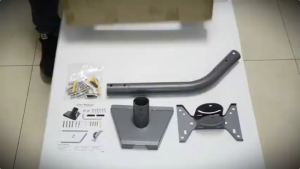
Starlink Gen 3 Adapter Roof Wall Mount Wall Installed Connect Rod Mount Roof Adapter HolderSatellite

【Y2E2noa】 6Pcs For Xbox Series X S Xbox One Xbox 360 Switch Pro Controller Aim Assist Target Motion Control Precision Rings
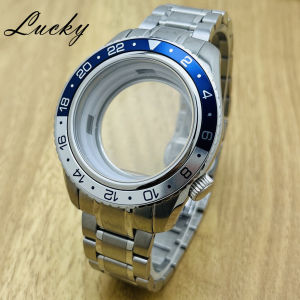
44mm Blue Watch Bezel Case Strap Fit 32mm Dial For GS Grand GMT NH34 NH35 NH36 4R35 Automatic Movement Sapphire Mod Parts
SVBONY SV231 Correct Chromatic Aberration Filter: Enhancing Astronomical Observations
Elago Magnetic Clear case Compatible with Galaxy Z Fold 7
Pack of 2 High Sensitivity 3D Analog Stick TMR Hall Electromagnetic Joysticks for P4/P5/NSP/XB1 Repair
Soft cellphone cover for Vivo Y16 case plating silicone TPU shockproof protection phone casing shell with magnetic suction function
Type C Splitter Charging Cord Type C Female To 2 Male Splitter Charging Cord with switches for Phones Tablets lamp fan