V380 Pro Dual Lens CCTV Camera: A Comprehensive Guide
V380 Pro Dual Lens CCTV Camera: A Comprehensive Guide
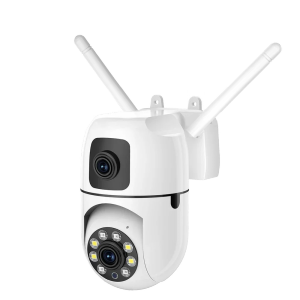
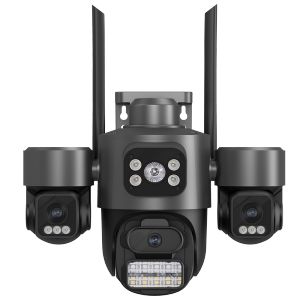
The V380 Pro dual lens CCTV camera is a highly advanced security camera that combines a 360° PTZ Panorami IP camera and a Full HD 8MP security camera in one unit. This powerful device features human tracking capabilities, waterproof construction, and compatibility with iOS, Android, and PC devices. In this article, we will provide a comprehensive guide to help you understand its key features, installation and setup process, and usage and maintenance tips.
Key Features
The V380 Pro dual lens CCTV camera boasts several impressive features that make it stand out in the security camera market. Here are some of its most notable features:
- 360° PTZ Panorami IP Camera: This feature allows the camera to rotate 355° horizontally and 120° vertically, providing a wide field of view and the ability to track moving objects automatically.
- Full HD 8MP Security Camera: The camera captures high-resolution images and videos in Full HD 8MP resolution, ensuring clear and crisp visuals.
- Human Tracking & Waterproof Capabilities: The camera has built-in human tracking capabilities, which means it can detect and follow moving objects, such as people or vehicles. Additionally, the camera is waterproof, making it suitable for outdoor use in various weather conditions.
Installation & Setup
Setting up the V380 Pro dual lens CCTV camera is relatively straightforward. Here are the steps to follow:
- Connecting to Wireless & Wired Networks: The camera supports both wireless and wired connections, allowing you to choose the best option for your home or office. To connect to a wireless network, simply download the V380 Pro app and follow the instructions. For wired connections, plug the camera into a power outlet and connect it to your router using an Ethernet cable.
- Power Adapter & Cord Interface: The camera comes with a 12V2A power adapter and a DC5521 (5.5*2.1mm) power cord interface. Make sure to use the correct power adapter and cord to avoid damaging the camera.
- Compatibility with IOS, Android & PC: The camera is compatible with iOS, Android, and PC devices, allowing you to access the live feed and recorded videos from anywhere.
Usage & Maintenance
Once you have set up the V380 Pro dual lens CCTV camera, here are some tips to help you get the most out of it:
- Automatic Loop Recording & Alarm Function: The camera features automatic loop recording, which means it will overwrite old recordings once the storage is full. Additionally, the camera has an alarm function that will trigger if it detects motion or sound.
- Two-Way Audio & PTZ Control: The camera supports two-way audio, allowing you to communicate with people in the camera's field of view. Additionally, the PTZ control feature allows you to pan, tilt, and zoom the camera remotely using the app.
- Operating Temperature & Video Encoding: The camera can operate in temperatures ranging from -10°C to +50°C, making it suitable for both indoor and outdoor use. The video encoding format used by the camera is H.265 AVI, which provides high-quality video at low bitrates.
In conclusion, the V380 Pro dual lens CCTV camera is a powerful security camera that offers a wide range of features and capabilities. Its 360° PTZ Panorami IP camera, Full HD 8MP security camera, human tracking capabilities, and waterproof construction make it an excellent choice for both indoor and outdoor use. By following the installation and setup instructions and using the camera's features effectively, you can ensure that your home or office is always secure.

CCTV MALL SHOP
You May Also Like
BUY 1 TAKE 1 V380 Pro CCTV Camera Wireless WIFI Connected To Cellphone two-way audio mini camera 1080p smart HD Night Vision Indoor And Outdoor ip Camera HD Dome IP Camera CCTV Security Camera
A9 Mini Camera 1080P HD Hidden Mini Camera Mini Portable Night Vision Wireless Camera Connectable to Mobile Phone Home IP Security
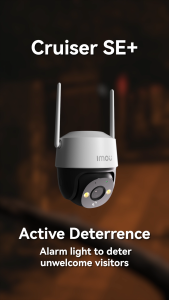
IMOU Cruiser SE+ Wi-Fi P&T Camera CCTV Security ip Cameras | Wi-Fi | Human Detection | Two-way Talk
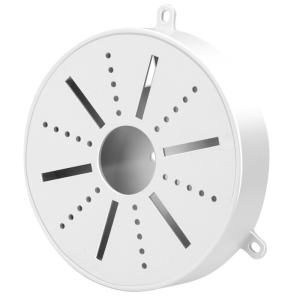
Solid CCTV Camera Fixture Universal Plastic Waterproof Junction Box Mount for Dome Surveillances Security Camera
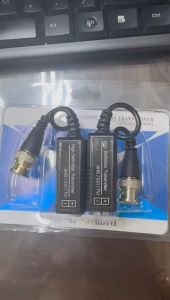
ALLAN Not Power Required Video Balun for Efficient Signals Transmission Home Or Commercial Security
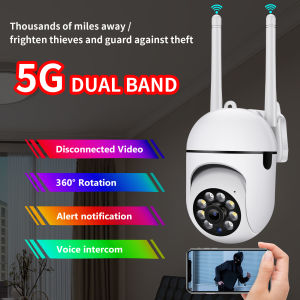
Brifit Wireless WIFI camera 360 ° rotating smart home monitoring camera dual -frequency 5G WIFI 1080p wireless camera real -time monitoring two -way call intelligent automatic tracking full -color infrared night vision indoor IP camera
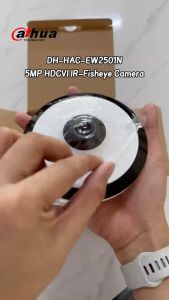
Dahua CCTV Camera DH-HAC-EW2501N: A Comprehensive Guide
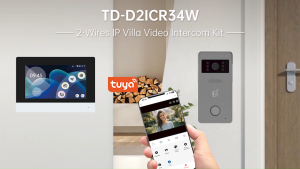
Video Intercom For Home With 7" IPS LCD 2 Wire Connection RFID Unlock 2MP IR Night Vision 1080P Tuya Smart Support D2
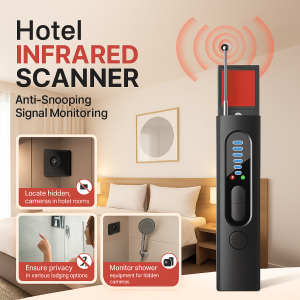
Multifunctional Infrared Detector Portable Anti-Peeping Anti-Monitoring Camera Scanner Detects Hidden Cameras Security Protection Sensor Privacy Protector for Hotel Locker Room Public Bathroom Pinhole Hidden Lens Detect Gadget
LLSEE ICsee 6K HD Triple Lens PTZ Outdoor Security Camera 12MP Auto Tracking WiFi CCTV Camera with 3 Screens Night Vision Waterproof